

File size: 312,455 Bytes
8d69f6c | 1 2 3 4 5 6 7 8 9 10 11 12 13 14 15 16 17 18 19 20 21 22 23 24 25 26 27 28 29 30 31 32 33 34 35 36 37 38 39 40 41 42 43 44 45 46 47 48 49 50 51 52 53 54 55 56 57 58 59 60 61 62 63 64 65 66 67 68 69 70 71 72 73 74 75 76 77 78 79 80 81 82 83 84 85 86 87 88 89 90 91 92 93 94 95 96 97 98 99 100 101 102 103 104 105 106 107 108 109 110 111 112 113 114 115 116 117 118 119 120 121 122 123 124 125 126 127 128 129 130 131 132 133 134 135 136 137 138 139 140 141 142 143 144 145 146 147 148 149 150 151 152 153 154 155 156 157 158 159 160 161 162 163 164 165 166 167 168 169 170 171 172 173 174 175 176 177 178 179 180 181 182 183 184 185 186 187 188 189 190 191 192 193 194 195 196 197 198 199 200 201 202 203 204 205 206 207 208 209 210 211 212 213 214 215 216 217 218 219 220 221 222 223 224 225 226 227 228 229 230 231 232 233 234 235 236 237 238 239 240 241 242 243 244 245 246 247 248 249 250 251 252 253 254 255 256 257 258 259 260 261 262 263 264 265 266 267 268 269 270 271 272 273 274 275 276 277 278 279 280 281 282 283 284 285 286 287 288 289 290 291 292 293 294 295 296 297 298 299 300 301 302 303 304 305 306 307 308 309 310 311 312 313 314 315 316 317 318 319 320 321 322 323 324 325 326 327 328 329 330 331 332 333 334 335 336 337 338 339 340 341 342 343 344 345 346 347 348 349 350 351 352 353 354 355 356 357 358 359 360 361 362 363 364 365 366 367 368 369 370 371 372 373 374 375 376 377 378 379 380 381 382 383 384 385 386 387 388 389 390 391 392 393 394 395 396 397 398 399 400 401 402 403 404 405 406 407 408 409 410 411 412 413 414 415 416 417 418 419 420 421 422 423 424 425 426 427 428 429 430 431 432 433 434 435 436 437 438 439 440 441 442 443 444 445 446 447 448 449 450 451 452 453 454 455 456 457 458 459 460 461 462 463 464 465 466 467 468 469 470 471 472 473 474 475 476 477 478 479 480 481 482 483 484 485 486 487 488 489 490 491 492 493 494 495 496 497 498 499 500 501 502 503 504 505 506 507 508 509 510 511 512 513 514 515 516 517 518 519 520 521 522 523 524 525 526 527 528 529 530 531 532 533 534 535 536 537 538 539 540 541 542 543 544 545 546 547 548 549 550 551 552 553 554 555 556 557 558 559 560 561 562 563 564 565 566 567 568 569 570 571 572 573 574 575 576 577 578 579 580 581 582 583 584 585 586 587 588 589 590 591 592 593 594 595 596 597 598 599 600 601 602 603 604 605 606 607 608 609 610 611 612 613 614 615 616 617 618 619 620 621 622 623 624 625 626 627 628 629 630 631 632 633 634 635 636 637 638 639 640 641 642 643 644 645 646 647 648 649 650 651 652 653 654 655 656 657 658 659 660 661 662 663 664 665 666 667 668 669 670 671 672 673 674 675 676 677 678 679 680 681 682 683 684 685 686 687 688 689 690 691 692 693 694 695 696 697 698 699 700 701 702 703 704 705 706 707 708 709 710 711 712 713 714 715 716 717 718 719 720 721 722 723 724 725 726 727 728 729 730 731 732 733 734 735 736 737 738 739 740 741 742 743 744 745 746 747 748 749 750 751 752 753 754 755 756 757 758 759 760 761 762 763 764 765 766 767 768 769 770 771 772 773 774 775 776 777 778 779 780 781 782 783 784 785 786 787 788 789 790 791 792 793 794 795 796 797 798 799 800 801 802 803 804 805 806 807 808 809 810 811 812 813 814 815 816 817 818 819 820 821 822 823 824 825 826 827 828 829 830 831 832 833 834 835 836 837 838 839 840 841 842 843 844 845 846 847 848 849 850 851 852 853 854 855 856 857 858 859 860 861 862 863 864 865 866 867 868 869 870 871 872 873 874 875 876 877 878 879 880 881 882 883 884 885 886 887 888 889 890 891 892 893 894 895 896 897 898 899 900 901 902 903 904 905 906 907 908 909 910 911 912 913 914 915 916 917 918 919 920 921 922 923 924 925 926 927 928 929 930 931 932 933 934 935 936 937 938 939 940 941 942 943 944 945 946 947 948 949 950 951 952 953 954 955 956 957 958 959 960 961 962 963 964 965 966 967 968 969 970 971 972 973 974 975 976 977 978 979 980 981 982 983 984 985 986 987 988 989 990 991 992 993 994 995 996 997 998 999 1000 1001 1002 1003 1004 1005 1006 1007 1008 1009 1010 1011 1012 1013 1014 1015 1016 1017 1018 1019 1020 1021 1022 1023 1024 1025 1026 1027 1028 1029 1030 1031 1032 1033 1034 1035 1036 1037 1038 1039 1040 1041 1042 1043 1044 1045 1046 1047 1048 1049 1050 1051 1052 1053 1054 1055 1056 1057 1058 1059 1060 1061 1062 1063 1064 1065 1066 1067 1068 1069 1070 1071 1072 1073 1074 1075 1076 1077 1078 1079 1080 1081 1082 1083 1084 1085 1086 1087 1088 1089 1090 1091 1092 1093 1094 1095 1096 1097 1098 1099 1100 1101 1102 1103 1104 1105 1106 1107 1108 1109 1110 1111 1112 1113 1114 1115 1116 1117 1118 1119 1120 1121 1122 1123 1124 1125 1126 1127 1128 1129 1130 1131 1132 1133 1134 1135 1136 1137 1138 1139 1140 1141 1142 1143 1144 1145 1146 1147 1148 1149 1150 1151 1152 1153 1154 1155 1156 1157 1158 1159 1160 1161 1162 1163 1164 1165 1166 1167 1168 1169 1170 1171 1172 1173 1174 1175 1176 1177 1178 1179 1180 1181 1182 1183 1184 1185 1186 1187 1188 1189 1190 1191 1192 1193 1194 1195 1196 1197 1198 1199 1200 1201 1202 1203 1204 1205 1206 1207 1208 1209 1210 1211 1212 1213 1214 1215 1216 1217 1218 1219 1220 1221 1222 1223 1224 1225 1226 1227 1228 1229 1230 1231 1232 1233 1234 1235 1236 1237 1238 1239 1240 1241 1242 1243 1244 1245 1246 1247 1248 1249 1250 1251 1252 1253 1254 1255 1256 1257 1258 1259 1260 1261 1262 1263 1264 1265 1266 1267 1268 1269 1270 1271 1272 1273 1274 1275 1276 1277 1278 1279 1280 1281 1282 1283 1284 1285 1286 1287 1288 1289 1290 1291 1292 1293 1294 1295 1296 1297 1298 1299 1300 1301 1302 1303 1304 1305 1306 1307 1308 1309 1310 1311 1312 1313 1314 1315 1316 1317 1318 1319 1320 1321 1322 1323 1324 1325 1326 1327 1328 1329 1330 1331 1332 1333 1334 1335 1336 1337 1338 1339 1340 1341 1342 1343 1344 1345 1346 1347 1348 1349 1350 1351 1352 1353 1354 1355 1356 1357 1358 1359 1360 1361 1362 1363 1364 1365 1366 1367 1368 1369 1370 1371 1372 1373 1374 1375 1376 1377 1378 1379 1380 1381 1382 1383 1384 1385 1386 1387 1388 1389 1390 1391 1392 1393 1394 1395 1396 1397 1398 1399 1400 1401 1402 1403 1404 1405 1406 1407 1408 1409 1410 1411 1412 1413 1414 1415 1416 1417 1418 1419 1420 1421 1422 1423 1424 1425 1426 1427 1428 1429 1430 1431 1432 1433 1434 1435 1436 1437 1438 1439 1440 1441 1442 1443 1444 1445 1446 1447 1448 1449 1450 1451 1452 1453 1454 1455 1456 1457 1458 1459 1460 1461 1462 1463 1464 1465 1466 1467 1468 1469 1470 1471 1472 1473 1474 1475 1476 1477 1478 1479 1480 1481 1482 1483 1484 1485 1486 1487 1488 1489 1490 1491 1492 1493 1494 1495 1496 1497 1498 1499 1500 1501 1502 1503 1504 1505 1506 1507 1508 1509 1510 1511 1512 1513 1514 1515 1516 1517 1518 1519 1520 1521 1522 1523 1524 1525 1526 1527 1528 1529 1530 1531 1532 1533 1534 1535 1536 1537 1538 1539 1540 1541 1542 1543 1544 1545 1546 1547 1548 1549 1550 1551 1552 1553 1554 1555 1556 1557 1558 1559 1560 1561 1562 1563 1564 1565 1566 1567 1568 1569 1570 1571 1572 1573 1574 1575 1576 1577 1578 1579 1580 1581 1582 1583 1584 1585 1586 1587 1588 1589 1590 1591 1592 1593 1594 1595 1596 1597 1598 1599 1600 1601 1602 1603 1604 1605 1606 1607 1608 1609 1610 1611 1612 1613 1614 1615 1616 1617 1618 1619 1620 1621 1622 1623 1624 1625 1626 1627 1628 1629 1630 1631 1632 1633 1634 1635 1636 1637 1638 1639 1640 1641 1642 1643 1644 1645 1646 1647 1648 1649 1650 1651 1652 1653 1654 1655 1656 1657 1658 1659 1660 1661 1662 1663 1664 1665 1666 1667 1668 1669 1670 1671 1672 1673 1674 1675 1676 1677 1678 1679 1680 1681 1682 1683 1684 1685 1686 1687 1688 1689 1690 1691 1692 1693 1694 1695 1696 1697 1698 1699 1700 1701 1702 1703 1704 1705 1706 1707 1708 1709 1710 1711 1712 1713 1714 1715 1716 1717 1718 1719 1720 1721 1722 1723 1724 1725 1726 1727 1728 1729 1730 1731 1732 1733 1734 1735 1736 1737 1738 1739 1740 1741 1742 1743 1744 1745 1746 1747 1748 1749 1750 1751 1752 1753 1754 1755 1756 1757 1758 1759 1760 1761 1762 1763 1764 1765 1766 1767 1768 1769 1770 1771 1772 1773 1774 1775 1776 1777 1778 1779 1780 1781 1782 1783 1784 1785 1786 1787 1788 1789 1790 1791 1792 1793 1794 1795 1796 1797 1798 1799 1800 1801 1802 1803 1804 1805 1806 1807 1808 1809 1810 1811 1812 1813 1814 1815 1816 1817 1818 1819 1820 1821 1822 1823 1824 1825 1826 1827 1828 1829 1830 1831 1832 1833 1834 1835 1836 1837 1838 1839 1840 1841 1842 1843 1844 1845 1846 1847 1848 1849 1850 1851 1852 1853 1854 1855 1856 1857 1858 1859 1860 1861 1862 1863 1864 1865 1866 1867 1868 1869 1870 1871 1872 1873 1874 1875 1876 1877 1878 1879 1880 1881 1882 1883 1884 1885 1886 1887 1888 1889 1890 1891 1892 1893 1894 1895 1896 1897 1898 1899 1900 1901 1902 1903 1904 1905 1906 1907 1908 1909 1910 1911 1912 1913 1914 1915 1916 1917 1918 1919 1920 1921 1922 1923 1924 1925 1926 1927 1928 1929 1930 1931 1932 1933 1934 1935 1936 1937 1938 1939 1940 1941 1942 1943 1944 1945 1946 1947 1948 1949 1950 1951 1952 1953 1954 1955 1956 1957 1958 1959 1960 1961 1962 1963 1964 1965 1966 1967 1968 1969 1970 1971 1972 1973 1974 1975 1976 1977 1978 1979 1980 1981 1982 1983 1984 1985 1986 1987 1988 1989 1990 1991 1992 1993 1994 1995 1996 1997 1998 1999 2000 2001 2002 2003 2004 2005 2006 2007 2008 2009 2010 2011 2012 2013 2014 2015 2016 2017 2018 2019 2020 2021 2022 2023 2024 2025 2026 2027 2028 2029 2030 2031 2032 2033 2034 2035 2036 2037 2038 2039 2040 2041 2042 2043 2044 2045 2046 2047 2048 2049 2050 2051 2052 2053 2054 2055 2056 2057 2058 2059 2060 2061 2062 2063 2064 2065 2066 2067 2068 2069 2070 2071 2072 2073 2074 2075 2076 2077 2078 2079 2080 2081 2082 2083 2084 2085 2086 2087 2088 2089 2090 2091 2092 2093 2094 2095 2096 2097 2098 2099 2100 2101 2102 2103 2104 2105 2106 2107 2108 2109 2110 2111 2112 2113 2114 2115 2116 2117 2118 2119 2120 2121 2122 2123 2124 2125 2126 2127 2128 2129 2130 2131 2132 2133 2134 2135 2136 2137 2138 2139 2140 2141 2142 2143 2144 2145 2146 2147 2148 2149 2150 2151 2152 2153 2154 2155 2156 2157 2158 2159 2160 2161 2162 2163 2164 2165 2166 2167 2168 2169 2170 2171 2172 2173 2174 2175 2176 2177 2178 2179 2180 2181 2182 2183 2184 2185 2186 2187 2188 2189 2190 2191 2192 2193 2194 2195 2196 2197 2198 2199 2200 2201 2202 2203 2204 2205 2206 2207 2208 2209 2210 2211 2212 2213 2214 2215 2216 2217 2218 2219 2220 2221 2222 2223 2224 2225 2226 2227 2228 2229 2230 2231 2232 2233 2234 2235 2236 2237 2238 2239 2240 2241 2242 2243 2244 2245 2246 2247 2248 2249 2250 2251 2252 2253 2254 2255 2256 2257 2258 2259 2260 2261 2262 2263 2264 2265 2266 2267 2268 2269 2270 2271 2272 2273 2274 2275 2276 2277 2278 2279 2280 2281 2282 2283 2284 2285 2286 2287 2288 2289 2290 2291 2292 2293 2294 2295 2296 2297 2298 2299 2300 2301 2302 2303 2304 2305 2306 2307 2308 2309 2310 2311 2312 2313 2314 2315 2316 2317 2318 2319 2320 2321 2322 2323 2324 2325 2326 2327 2328 2329 2330 2331 2332 2333 2334 2335 2336 2337 2338 2339 2340 2341 2342 2343 2344 2345 2346 2347 2348 2349 2350 2351 2352 2353 2354 2355 2356 2357 2358 2359 2360 2361 2362 2363 2364 2365 2366 2367 2368 2369 2370 2371 2372 2373 2374 2375 2376 2377 2378 2379 2380 2381 2382 2383 2384 2385 2386 2387 2388 2389 2390 2391 2392 2393 2394 2395 2396 2397 2398 2399 2400 2401 2402 2403 2404 2405 2406 2407 2408 2409 2410 2411 2412 2413 2414 2415 2416 2417 2418 2419 2420 2421 2422 2423 2424 2425 2426 2427 2428 2429 2430 2431 2432 2433 2434 2435 2436 2437 2438 2439 2440 2441 2442 2443 2444 2445 2446 2447 2448 2449 2450 2451 2452 2453 2454 2455 2456 2457 2458 2459 2460 2461 2462 2463 2464 2465 2466 2467 2468 2469 2470 2471 2472 2473 2474 2475 2476 2477 2478 2479 2480 2481 2482 2483 2484 2485 2486 2487 2488 2489 2490 2491 2492 2493 2494 2495 2496 2497 2498 2499 2500 2501 2502 2503 2504 2505 2506 2507 2508 2509 2510 2511 2512 2513 2514 2515 2516 2517 2518 2519 2520 2521 2522 2523 2524 2525 2526 2527 2528 2529 2530 2531 2532 2533 2534 2535 2536 2537 2538 2539 2540 2541 2542 2543 2544 2545 2546 2547 2548 2549 2550 2551 2552 2553 2554 2555 2556 2557 2558 2559 2560 2561 2562 2563 2564 2565 2566 2567 2568 2569 2570 2571 2572 2573 2574 2575 2576 2577 2578 2579 2580 2581 2582 2583 2584 2585 2586 2587 2588 2589 2590 2591 2592 2593 2594 2595 2596 2597 2598 2599 2600 2601 2602 2603 2604 2605 2606 2607 2608 2609 2610 2611 2612 2613 2614 2615 2616 2617 2618 2619 2620 2621 2622 2623 2624 2625 2626 2627 2628 2629 2630 2631 2632 2633 2634 2635 2636 2637 2638 2639 2640 2641 2642 2643 2644 2645 2646 2647 2648 2649 2650 2651 2652 2653 2654 2655 2656 2657 2658 2659 2660 2661 2662 2663 2664 2665 2666 2667 2668 2669 2670 2671 2672 2673 2674 2675 2676 2677 2678 2679 2680 2681 2682 2683 2684 2685 2686 2687 2688 2689 2690 2691 2692 2693 2694 2695 2696 2697 2698 2699 2700 2701 2702 2703 2704 2705 2706 2707 2708 2709 2710 2711 2712 2713 2714 2715 2716 2717 2718 2719 2720 2721 2722 2723 2724 2725 2726 2727 2728 2729 2730 2731 2732 2733 2734 2735 2736 2737 2738 2739 2740 2741 2742 2743 2744 2745 2746 2747 2748 2749 2750 2751 2752 2753 2754 2755 2756 2757 2758 2759 2760 2761 2762 2763 2764 2765 2766 2767 2768 2769 2770 2771 2772 2773 2774 2775 2776 2777 2778 2779 2780 2781 2782 2783 2784 2785 2786 2787 2788 2789 2790 2791 2792 2793 2794 2795 2796 2797 2798 2799 2800 2801 2802 2803 2804 2805 2806 2807 2808 2809 2810 2811 2812 2813 2814 2815 2816 2817 2818 2819 2820 2821 2822 2823 2824 2825 2826 2827 2828 2829 2830 2831 2832 2833 2834 2835 2836 2837 2838 2839 2840 2841 2842 2843 2844 2845 2846 2847 2848 2849 2850 2851 2852 2853 2854 2855 2856 2857 2858 2859 2860 2861 2862 2863 2864 2865 2866 2867 2868 2869 2870 2871 2872 2873 2874 2875 2876 2877 2878 2879 2880 2881 2882 2883 2884 2885 2886 2887 2888 2889 2890 2891 2892 2893 2894 2895 2896 2897 2898 2899 2900 2901 2902 2903 2904 2905 2906 2907 2908 2909 2910 2911 2912 2913 2914 2915 2916 2917 2918 2919 2920 2921 2922 2923 2924 2925 2926 2927 2928 2929 2930 2931 2932 2933 2934 2935 2936 2937 2938 2939 2940 2941 2942 2943 2944 2945 2946 2947 2948 2949 2950 2951 2952 2953 2954 2955 2956 2957 2958 2959 2960 2961 2962 2963 2964 2965 2966 2967 2968 2969 2970 2971 2972 2973 2974 2975 2976 2977 2978 2979 2980 2981 2982 2983 2984 2985 2986 2987 2988 2989 2990 2991 2992 2993 2994 2995 2996 2997 2998 2999 3000 3001 3002 3003 3004 3005 3006 3007 3008 3009 3010 3011 3012 3013 3014 3015 3016 3017 3018 3019 3020 3021 3022 3023 3024 3025 3026 3027 3028 3029 3030 3031 3032 3033 3034 3035 3036 3037 3038 3039 3040 3041 3042 3043 3044 3045 3046 3047 3048 3049 3050 3051 3052 3053 3054 3055 3056 3057 3058 3059 3060 3061 3062 3063 3064 3065 3066 3067 3068 3069 3070 3071 3072 3073 3074 3075 3076 3077 3078 3079 3080 3081 3082 3083 3084 3085 3086 3087 3088 3089 3090 3091 3092 3093 3094 3095 3096 3097 3098 3099 3100 3101 3102 3103 3104 3105 3106 3107 3108 3109 3110 3111 3112 3113 3114 3115 3116 3117 3118 3119 3120 3121 3122 3123 3124 3125 3126 3127 3128 3129 3130 3131 3132 3133 3134 3135 3136 3137 3138 3139 3140 3141 3142 3143 3144 3145 3146 3147 3148 3149 3150 3151 3152 3153 3154 3155 3156 3157 3158 3159 3160 3161 3162 3163 3164 3165 3166 3167 3168 3169 3170 3171 3172 3173 3174 3175 3176 3177 3178 3179 3180 3181 3182 3183 3184 3185 3186 3187 3188 3189 3190 3191 3192 3193 3194 3195 3196 3197 3198 3199 3200 3201 3202 3203 3204 3205 3206 3207 3208 3209 3210 3211 3212 3213 3214 3215 3216 3217 3218 3219 3220 3221 3222 3223 3224 3225 3226 3227 3228 3229 3230 3231 3232 3233 3234 3235 3236 3237 3238 3239 3240 3241 3242 3243 3244 3245 3246 3247 3248 3249 3250 3251 3252 3253 3254 3255 3256 3257 3258 3259 3260 3261 3262 3263 3264 3265 3266 3267 3268 3269 3270 3271 3272 3273 3274 3275 3276 3277 3278 3279 3280 3281 3282 3283 3284 3285 3286 3287 3288 3289 3290 3291 3292 3293 3294 3295 3296 3297 3298 3299 3300 3301 3302 3303 3304 3305 3306 3307 3308 3309 3310 3311 3312 3313 3314 3315 3316 3317 3318 3319 3320 3321 3322 3323 3324 3325 3326 3327 3328 3329 3330 3331 3332 3333 3334 3335 3336 3337 3338 3339 3340 3341 3342 3343 3344 3345 3346 3347 3348 3349 3350 3351 3352 3353 3354 3355 3356 3357 3358 3359 3360 3361 3362 3363 3364 3365 3366 3367 3368 3369 3370 3371 3372 3373 3374 3375 3376 3377 3378 3379 3380 3381 3382 3383 3384 3385 3386 3387 3388 3389 3390 3391 3392 3393 3394 3395 3396 3397 3398 3399 3400 3401 3402 3403 3404 3405 3406 3407 3408 3409 3410 3411 3412 3413 3414 3415 3416 3417 3418 3419 3420 3421 3422 3423 3424 3425 3426 3427 3428 3429 3430 3431 3432 3433 3434 3435 3436 3437 3438 3439 3440 3441 3442 3443 3444 3445 3446 3447 3448 3449 3450 3451 3452 3453 3454 3455 3456 3457 3458 3459 3460 3461 3462 3463 3464 3465 3466 3467 3468 3469 3470 3471 3472 3473 3474 3475 3476 3477 3478 3479 3480 3481 3482 3483 3484 3485 3486 3487 3488 3489 3490 3491 3492 3493 3494 3495 3496 3497 3498 3499 3500 3501 3502 3503 3504 3505 3506 3507 3508 3509 3510 3511 3512 3513 3514 3515 3516 3517 3518 3519 3520 3521 3522 3523 3524 3525 3526 3527 3528 3529 3530 3531 3532 3533 3534 3535 3536 3537 3538 3539 3540 3541 3542 3543 3544 3545 3546 3547 3548 3549 3550 3551 3552 3553 3554 3555 3556 3557 3558 3559 3560 3561 3562 3563 3564 3565 3566 3567 3568 3569 3570 3571 3572 3573 3574 3575 3576 3577 3578 3579 3580 3581 3582 3583 3584 3585 3586 3587 3588 3589 3590 3591 3592 3593 3594 3595 3596 3597 3598 3599 3600 3601 3602 3603 3604 3605 3606 3607 3608 3609 3610 3611 3612 3613 3614 3615 3616 3617 3618 3619 3620 3621 3622 3623 3624 3625 3626 3627 3628 3629 3630 3631 3632 3633 3634 3635 3636 3637 3638 3639 3640 3641 3642 3643 3644 3645 3646 3647 3648 3649 3650 3651 3652 3653 3654 3655 3656 3657 3658 3659 3660 3661 3662 3663 3664 3665 3666 3667 3668 3669 3670 3671 3672 3673 3674 3675 3676 3677 3678 3679 3680 3681 3682 3683 3684 3685 3686 3687 3688 3689 3690 3691 3692 3693 3694 3695 3696 3697 3698 3699 3700 3701 3702 3703 3704 3705 3706 3707 3708 3709 3710 3711 3712 3713 3714 3715 3716 3717 3718 3719 3720 3721 3722 3723 3724 3725 3726 3727 3728 3729 3730 3731 3732 3733 3734 3735 3736 3737 3738 3739 3740 3741 3742 3743 3744 3745 3746 3747 3748 3749 3750 3751 3752 3753 3754 3755 3756 3757 3758 3759 3760 3761 3762 3763 3764 3765 3766 3767 3768 3769 3770 3771 3772 3773 3774 3775 3776 3777 3778 3779 3780 3781 3782 3783 3784 3785 3786 3787 | Unnamed: 0,id,type,created_at,repo,repo_url,action,title,labels,body,index,text_combine,label,text,binary_label
126,3576176819.0,IssuesEvent,2016-01-27 18:32:50,Automattic/wp-calypso,https://api.github.com/repos/Automattic/wp-calypso,opened,People: Framework: Modify or replace section header to allow text input,People Management [Pri] High [Type] Task,"This design mock, calls for placing a text input (or perhaps the token fields component) along with a couple of buttons where the `SectionHeader` currently is.
I'm not sure if we should implement this by modifying `SectionHeader` or by simply replacing section header with a new component. Let's try to implement something minimal ASAP that way we can get an idea of the UX.

",1.0,"People: Framework: Modify or replace section header to allow text input - This design mock, calls for placing a text input (or perhaps the token fields component) along with a couple of buttons where the `SectionHeader` currently is.
I'm not sure if we should implement this by modifying `SectionHeader` or by simply replacing section header with a new component. Let's try to implement something minimal ASAP that way we can get an idea of the UX.

",1,people framework modify or replace section header to allow text input this design mock calls for placing a text input or perhaps the token fields component along with a couple of buttons where the sectionheader currently is i m not sure if we should implement this by modifying sectionheader or by simply replacing section header with a new component let s try to implement something minimal asap that way we can get an idea of the ux ,1
808,15077127920.0,IssuesEvent,2021-02-05 06:20:38,Automattic/wp-calypso,https://api.github.com/repos/Automattic/wp-calypso,reopened,Custom roles invitations accept copy is not properly formatted,Jetpack People Management [Type] Bug,"#### Steps to reproduce
1. Starting at URL: A custom role invitation URL from the invitation email for a Jetpack site
1.1 In a Jetpack site install the Woo plugin
1.2 Invite a new user with a custom role, Site manager for example
1.3 Accept the invitation
2. Click on the URL
3. Check the copy:

#### What I expected
To see the correct role name: 'Shop manager' as is displayed on the invite screen instead of 'shop_manager'
#### What happened instead
Please see screenshot above, note that there are two different places where the role name is not human readable.
#### Browser / OS version
Safari, Mac OS Sierra
#### Context / Source
Testing @lezama changes for adding support for custom roles invites on Jetpack sites.",1.0,"Custom roles invitations accept copy is not properly formatted - #### Steps to reproduce
1. Starting at URL: A custom role invitation URL from the invitation email for a Jetpack site
1.1 In a Jetpack site install the Woo plugin
1.2 Invite a new user with a custom role, Site manager for example
1.3 Accept the invitation
2. Click on the URL
3. Check the copy:

#### What I expected
To see the correct role name: 'Shop manager' as is displayed on the invite screen instead of 'shop_manager'
#### What happened instead
Please see screenshot above, note that there are two different places where the role name is not human readable.
#### Browser / OS version
Safari, Mac OS Sierra
#### Context / Source
Testing @lezama changes for adding support for custom roles invites on Jetpack sites.",1,custom roles invitations accept copy is not properly formatted steps to reproduce starting at url a custom role invitation url from the invitation email for a jetpack site in a jetpack site install the woo plugin invite a new user with a custom role site manager for example accept the invitation click on the url check the copy what i expected to see the correct role name shop manager as is displayed on the invite screen instead of shop manager what happened instead please see screenshot above note that there are two different places where the role name is not human readable browser os version safari mac os sierra context source testing lezama changes for adding support for custom roles invites on jetpack sites ,1
599,10596711910.0,IssuesEvent,2019-10-09 21:58:29,Automattic/wp-calypso,https://api.github.com/repos/Automattic/wp-calypso,closed,Crash when scrolling long team list,People Management [Type] Bug,"<!-- Thanks for contributing to Calypso! Pick a clear title (""Editor: add spell check"") and proceed. -->
#### Steps to reproduce
This requires a large team, long enough to require lots of scrolling. I made a video I can share in Slack, but don't want to share publicly because it exposes members' names.
1. Starting at URL: https://wordpress.com/people/team/mysite.wordpress.com
2. Scroll all the way to the bottom
3. Page goes blank and error is dumped to console
#### What I expected
Autoload next page of results
#### What happened instead
Crash-o-rama
#### Browser / OS version
Chrome 69, MacOS 10.13.6 (high sierra)
#### Screenshot / Video
Video available on request
<img width=""1680"" alt=""people-scroll-crash"" src=""https://user-images.githubusercontent.com/51896/46828727-b99dbb80-cd50-11e8-8c38-e0ff147efd5a.png"">
#### Context / Source
<!-- Optional: share your unique context to help us understand your perspective. You can add context tags such as: #journey #anecdote #narrative #context #empathy #perspective #reallife #dogfooding #livesharing #flowsharing #anxiety #anxiety-flow #stresscase #painpoint.
We'd also love to know how you found the bug: #dogfooding, #manual-testing, #automated-testing, or #user-report if applicable.
If requesting a new feature, explain why you'd like to see it added.
-->
<!--
PLEASE NOTE
- These comments won't show up when you submit the issue.
- Everything is optional, but try to add as many details as possible.
Docs & troubleshooting:
https://github.com/Automattic/wp-calypso/blob/master/.github/CONTRIBUTING.md
https://github.com/Automattic/wp-calypso/blob/master/docs/troubleshooting.md
Helpful tips for screenshots:
https://en.support.wordpress.com/make-a-screenshot/
-->
",1.0,"Crash when scrolling long team list - <!-- Thanks for contributing to Calypso! Pick a clear title (""Editor: add spell check"") and proceed. -->
#### Steps to reproduce
This requires a large team, long enough to require lots of scrolling. I made a video I can share in Slack, but don't want to share publicly because it exposes members' names.
1. Starting at URL: https://wordpress.com/people/team/mysite.wordpress.com
2. Scroll all the way to the bottom
3. Page goes blank and error is dumped to console
#### What I expected
Autoload next page of results
#### What happened instead
Crash-o-rama
#### Browser / OS version
Chrome 69, MacOS 10.13.6 (high sierra)
#### Screenshot / Video
Video available on request
<img width=""1680"" alt=""people-scroll-crash"" src=""https://user-images.githubusercontent.com/51896/46828727-b99dbb80-cd50-11e8-8c38-e0ff147efd5a.png"">
#### Context / Source
<!-- Optional: share your unique context to help us understand your perspective. You can add context tags such as: #journey #anecdote #narrative #context #empathy #perspective #reallife #dogfooding #livesharing #flowsharing #anxiety #anxiety-flow #stresscase #painpoint.
We'd also love to know how you found the bug: #dogfooding, #manual-testing, #automated-testing, or #user-report if applicable.
If requesting a new feature, explain why you'd like to see it added.
-->
<!--
PLEASE NOTE
- These comments won't show up when you submit the issue.
- Everything is optional, but try to add as many details as possible.
Docs & troubleshooting:
https://github.com/Automattic/wp-calypso/blob/master/.github/CONTRIBUTING.md
https://github.com/Automattic/wp-calypso/blob/master/docs/troubleshooting.md
Helpful tips for screenshots:
https://en.support.wordpress.com/make-a-screenshot/
-->
",1,crash when scrolling long team list steps to reproduce this requires a large team long enough to require lots of scrolling i made a video i can share in slack but don t want to share publicly because it exposes members names starting at url scroll all the way to the bottom page goes blank and error is dumped to console what i expected autoload next page of results what happened instead crash o rama browser os version chrome macos high sierra screenshot video video available on request img width alt people scroll crash src context source optional share your unique context to help us understand your perspective you can add context tags such as journey anecdote narrative context empathy perspective reallife dogfooding livesharing flowsharing anxiety anxiety flow stresscase painpoint we d also love to know how you found the bug dogfooding manual testing automated testing or user report if applicable if requesting a new feature explain why you d like to see it added please note these comments won t show up when you submit the issue everything is optional but try to add as many details as possible docs troubleshooting helpful tips for screenshots ,1
846,15950642777.0,IssuesEvent,2021-04-15 08:54:18,Automattic/wp-calypso,https://api.github.com/repos/Automattic/wp-calypso,closed,Reduxify: People,People Management [Size] M [Status] In Progress [Type] Task,"`lib/people/store` is a simple little store that holds errors, but listens to 13 different actions from across people management.
It ties in with users, viewers, invites, and followers.
A simple store (v150 LOC) but integrated into other parts.",1.0,"Reduxify: People - `lib/people/store` is a simple little store that holds errors, but listens to 13 different actions from across people management.
It ties in with users, viewers, invites, and followers.
A simple store (v150 LOC) but integrated into other parts.",1,reduxify people lib people store is a simple little store that holds errors but listens to different actions from across people management it ties in with users viewers invites and followers a simple store loc but integrated into other parts ,1
657,11684082412.0,IssuesEvent,2020-03-05 05:41:35,Automattic/wp-calypso,https://api.github.com/repos/Automattic/wp-calypso,closed,People: add filter by role to quickly find site members,People Management [Status] Stale [Type] Enhancement,"Suggested by @m today (along with #33509)
In wp-admin Users list it's simple to find people by role by clicking the filters in the list, and the URL updates to the query string `?role=editor`
<img width=""275"" alt=""Screen Shot 2019-05-31 at 09 43 25"" src=""https://user-images.githubusercontent.com/66797/58721044-ae9fa600-8388-11e9-8830-049fd4e3d6df.png"">
In Calypso ""People"" we allow searching by name (or username, maybe) — but not by role.
<img width=""772"" alt=""Screen Shot 2019-05-31 at 09 43 33"" src=""https://user-images.githubusercontent.com/66797/58721045-b19a9680-8388-11e9-988a-fafaecd7aff0.png"">
Suggestions to consider:
1. Allow user role in search strings with format like this: `role:editor` even if we don't build visual UI for it
2. Build visual UI (links, buttons, filters) — maybe just showing it for sites with more than one page of users.",1.0,"People: add filter by role to quickly find site members - Suggested by @m today (along with #33509)
In wp-admin Users list it's simple to find people by role by clicking the filters in the list, and the URL updates to the query string `?role=editor`
<img width=""275"" alt=""Screen Shot 2019-05-31 at 09 43 25"" src=""https://user-images.githubusercontent.com/66797/58721044-ae9fa600-8388-11e9-8830-049fd4e3d6df.png"">
In Calypso ""People"" we allow searching by name (or username, maybe) — but not by role.
<img width=""772"" alt=""Screen Shot 2019-05-31 at 09 43 33"" src=""https://user-images.githubusercontent.com/66797/58721045-b19a9680-8388-11e9-988a-fafaecd7aff0.png"">
Suggestions to consider:
1. Allow user role in search strings with format like this: `role:editor` even if we don't build visual UI for it
2. Build visual UI (links, buttons, filters) — maybe just showing it for sites with more than one page of users.",1,people add filter by role to quickly find site members suggested by m today along with in wp admin users list it s simple to find people by role by clicking the filters in the list and the url updates to the query string role editor img width alt screen shot at src in calypso people we allow searching by name or username maybe — but not by role img width alt screen shot at src suggestions to consider allow user role in search strings with format like this role editor even if we don t build visual ui for it build visual ui links buttons filters — maybe just showing it for sites with more than one page of users ,1
179,3964218784.0,IssuesEvent,2016-05-02 23:39:17,Automattic/wp-calypso,https://api.github.com/repos/Automattic/wp-calypso,opened,"People: Accepting viewer invite to private site sometimes shows additional ""Join"" dialog",People Management Signup [Type] Bug,"Our automated e2e tests highlight an inconsistency in invites/signup for viewers of private sites
#### Steps to reproduce
1. Invite a user to a private site with an email that isn't registered
2. In fresh browser open that link and fill out sign up form and continue
#### What I expected
This step should result in the newly registered user being added straight away to the site
#### What happened instead
On occasion (20% ish of the time) - an additional screen is shown to the newly signed up user requesting that they ""Join"" the site - see screenshot below of what this looks like for a new user
#### Browser / OS version
OSX Latest Chrome Latest
#### Screenshot / Video
",1.0,"People: Accepting viewer invite to private site sometimes shows additional ""Join"" dialog - Our automated e2e tests highlight an inconsistency in invites/signup for viewers of private sites
#### Steps to reproduce
1. Invite a user to a private site with an email that isn't registered
2. In fresh browser open that link and fill out sign up form and continue
#### What I expected
This step should result in the newly registered user being added straight away to the site
#### What happened instead
On occasion (20% ish of the time) - an additional screen is shown to the newly signed up user requesting that they ""Join"" the site - see screenshot below of what this looks like for a new user
#### Browser / OS version
OSX Latest Chrome Latest
#### Screenshot / Video
",1,people accepting viewer invite to private site sometimes shows additional join dialog our automated tests highlight an inconsistency in invites signup for viewers of private sites steps to reproduce invite a user to a private site with an email that isn t registered in fresh browser open that link and fill out sign up form and continue what i expected this step should result in the newly registered user being added straight away to the site what happened instead on occasion ish of the time an additional screen is shown to the newly signed up user requesting that they join the site see screenshot below of what this looks like for a new user browser os version osx latest chrome latest screenshot video ,1
132,3576363613.0,IssuesEvent,2016-01-27 19:15:27,Automattic/wp-calypso,https://api.github.com/repos/Automattic/wp-calypso,opened,People: Trigger notices when sending invites succeeds/fails,People Management [Pri] Low [Type] Task,"We will need to show some sort of UI after sending an invite, which will likely be a notice. There is, however, some chat about new smaller notices that auto disappear. I'm not sure if these have, or are, being worked on. But, it might make sense to look into that.",1.0,"People: Trigger notices when sending invites succeeds/fails - We will need to show some sort of UI after sending an invite, which will likely be a notice. There is, however, some chat about new smaller notices that auto disappear. I'm not sure if these have, or are, being worked on. But, it might make sense to look into that.",1,people trigger notices when sending invites succeeds fails we will need to show some sort of ui after sending an invite which will likely be a notice there is however some chat about new smaller notices that auto disappear i m not sure if these have or are being worked on but it might make sense to look into that ,1
220,4539372011.0,IssuesEvent,2016-09-09 10:42:31,Automattic/wp-calypso,https://api.github.com/repos/Automattic/wp-calypso,closed,People: keyboard should not default to uppercase when adding new users on mobile devices,People Management [Pri] Low [Type] Bug [Type] Good First Change,"#### Steps to reproduce
1. Go to add a new user either on Android or iOS at people/new/$site
2. Type in your first username
3. See that the first letter is automatically capitalized:
Android:
<img alt=""capitalized-first-letter-android"" src=""https://cloud.githubusercontent.com/assets/11487924/13833327/4eb24d82-ebbb-11e5-95d8-e884f53f619f.png"" width=""400"" />
iOS:
<img alt=""capitalized-first-letter-ios"" src=""https://cloud.githubusercontent.com/assets/11487924/13833328/4fe1dd12-ebbb-11e5-8d4b-1a190ba583f7.png"" width=""400"" />
4. After typing the first username, start to type the second username and see that it will also be capitalized automatically on Android (but not iOS):
Android:
<img alt=""capitalize-second-word-android"" src=""https://cloud.githubusercontent.com/assets/11487924/13833345/720e56f4-ebbb-11e5-8e8c-029906ccc48a.png"" width=""400"" />
iOS:
<img alt=""not-capitalize-second-word-ios"" src=""https://cloud.githubusercontent.com/assets/11487924/13833346/720f8196-ebbb-11e5-95ad-b5764269da7f.png"" width=""400"" />
#### What I expected
I expected to type and see lowercase letters. Both emails and usernames are not generally capitalized.",1.0,"People: keyboard should not default to uppercase when adding new users on mobile devices - #### Steps to reproduce
1. Go to add a new user either on Android or iOS at people/new/$site
2. Type in your first username
3. See that the first letter is automatically capitalized:
Android:
<img alt=""capitalized-first-letter-android"" src=""https://cloud.githubusercontent.com/assets/11487924/13833327/4eb24d82-ebbb-11e5-95d8-e884f53f619f.png"" width=""400"" />
iOS:
<img alt=""capitalized-first-letter-ios"" src=""https://cloud.githubusercontent.com/assets/11487924/13833328/4fe1dd12-ebbb-11e5-8d4b-1a190ba583f7.png"" width=""400"" />
4. After typing the first username, start to type the second username and see that it will also be capitalized automatically on Android (but not iOS):
Android:
<img alt=""capitalize-second-word-android"" src=""https://cloud.githubusercontent.com/assets/11487924/13833345/720e56f4-ebbb-11e5-8e8c-029906ccc48a.png"" width=""400"" />
iOS:
<img alt=""not-capitalize-second-word-ios"" src=""https://cloud.githubusercontent.com/assets/11487924/13833346/720f8196-ebbb-11e5-95ad-b5764269da7f.png"" width=""400"" />
#### What I expected
I expected to type and see lowercase letters. Both emails and usernames are not generally capitalized.",1,people keyboard should not default to uppercase when adding new users on mobile devices steps to reproduce go to add a new user either on android or ios at people new site type in your first username see that the first letter is automatically capitalized android ios after typing the first username start to type the second username and see that it will also be capitalized automatically on android but not ios android ios what i expected i expected to type and see lowercase letters both emails and usernames are not generally capitalized ,1
127,3576186056.0,IssuesEvent,2016-01-27 18:35:04,Automattic/wp-calypso,https://api.github.com/repos/Automattic/wp-calypso,closed,People: API endpoint for creating a new invite,API People Management [Type] Task,"For WPCOM, users must be added to a site via invite.
For .org sites, the process is much different. For single sites, there is no invitation process. For multisite, users can either be invited or directly added.
POST /sites/$site/invites/new
For m7, let's go ahead and focus on creating invites for WP.com sites.",1.0,"People: API endpoint for creating a new invite - For WPCOM, users must be added to a site via invite.
For .org sites, the process is much different. For single sites, there is no invitation process. For multisite, users can either be invited or directly added.
POST /sites/$site/invites/new
For m7, let's go ahead and focus on creating invites for WP.com sites.",1,people api endpoint for creating a new invite for wpcom users must be added to a site via invite for org sites the process is much different for single sites there is no invitation process for multisite users can either be invited or directly added post sites site invites new for let s go ahead and focus on creating invites for wp com sites ,1
228,4713002943.0,IssuesEvent,2016-10-14 18:36:33,Automattic/wp-calypso,https://api.github.com/repos/Automattic/wp-calypso,closed,People: Inviting person with long email address on narrow screens resizes field off screen,People Management [Type] Bug [Type] Good First Change,"#### Steps to reproduce
1. Starting at URL: https://wordpress.com/people/new/ on mobile or narrow viewport
2. Add a long email address
#### What I expected
Email address truncates or wraps elegantly
#### What happened instead
Field resizes larger than screen width which makes the remaining elements inaccessible on a mobile phone
#### Browser / OS version
iOS9.2
#### Screenshot / Video

",1.0,"People: Inviting person with long email address on narrow screens resizes field off screen - #### Steps to reproduce
1. Starting at URL: https://wordpress.com/people/new/ on mobile or narrow viewport
2. Add a long email address
#### What I expected
Email address truncates or wraps elegantly
#### What happened instead
Field resizes larger than screen width which makes the remaining elements inaccessible on a mobile phone
#### Browser / OS version
iOS9.2
#### Screenshot / Video

",1,people inviting person with long email address on narrow screens resizes field off screen steps to reproduce starting at url on mobile or narrow viewport add a long email address what i expected email address truncates or wraps elegantly what happened instead field resizes larger than screen width which makes the remaining elements inaccessible on a mobile phone browser os version screenshot video ,1
452,8289496793.0,IssuesEvent,2018-09-19 14:49:43,Automattic/wp-calypso,https://api.github.com/repos/Automattic/wp-calypso,closed,People: followers list infinite scroll triggers maximum update error,People Management [Type] Bug,"<!-- Thanks for contributing to Calypso! Pick a clear title (""Editor: add spell check"") and proceed. -->
#### Steps to reproduce
1. Switch to a site with a large followers list, then head to `/people/followers/{site}`
2. Scroll down to activate the infinite list and the HTTP call to grab the next page of users
#### What I expected
The user can scroll up and down an infinite list.
#### What happened instead
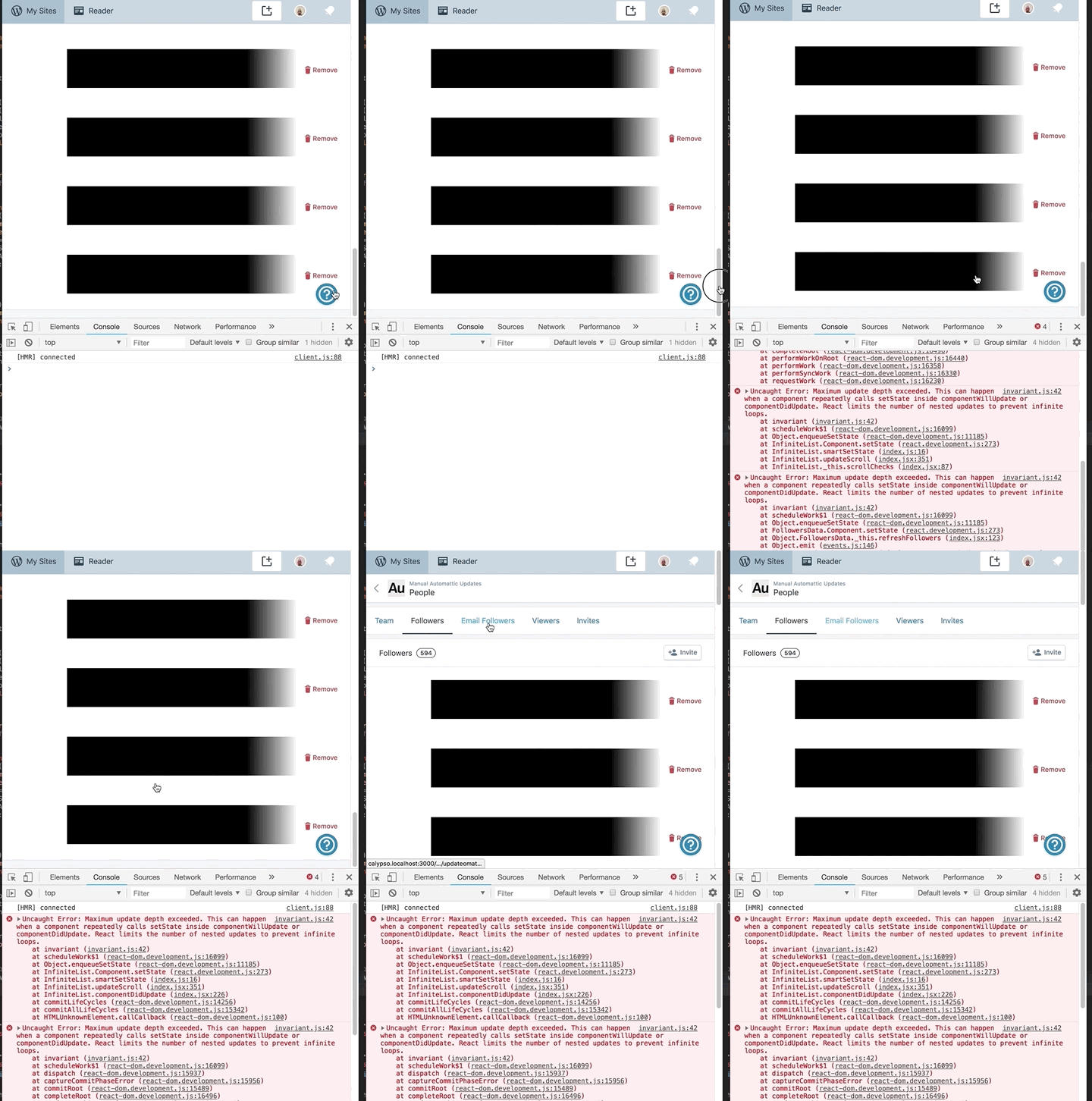
The page locks up and triggers an 'update depth exceeded', hinting at a potential side-effect loop somewhere in the component lifecycle.
<img width=""642"" alt=""screen shot 2018-06-20 at 12 00 52 pm"" src=""https://user-images.githubusercontent.com/6458278/41635563-c9bc5f70-748c-11e8-95dc-ebf1766994f9.png"">
#### Browser / OS version
Chrome
#### Screenshot / Video
#### Context / Source
<!-- Optional: share your unique context to help us understand your perspective. You can add context tags such as: #journey #anecdote #narrative #context #empathy #perspective #reallife #dogfooding #livesharing #flowsharing #anxiety #anxiety-flow #stresscase #painpoint.
We'd also love to know how you found the bug: #dogfooding, #manual-testing, #automated-testing, or #user-report if applicable.
If requesting a new feature, explain why you'd like to see it added.
-->
#dogfooding
<!--
PLEASE NOTE
- These comments won't show up when you submit the issue.
- Everything is optional, but try to add as many details as possible.
Docs & troubleshooting:
https://github.com/Automattic/wp-calypso/blob/master/.github/CONTRIBUTING.md
https://github.com/Automattic/wp-calypso/blob/master/docs/troubleshooting.md
Helpful tips for screenshots:
https://en.support.wordpress.com/make-a-screenshot/
-->
",1.0,"People: followers list infinite scroll triggers maximum update error - <!-- Thanks for contributing to Calypso! Pick a clear title (""Editor: add spell check"") and proceed. -->
#### Steps to reproduce
1. Switch to a site with a large followers list, then head to `/people/followers/{site}`
2. Scroll down to activate the infinite list and the HTTP call to grab the next page of users
#### What I expected
The user can scroll up and down an infinite list.
#### What happened instead
The page locks up and triggers an 'update depth exceeded', hinting at a potential side-effect loop somewhere in the component lifecycle.
<img width=""642"" alt=""screen shot 2018-06-20 at 12 00 52 pm"" src=""https://user-images.githubusercontent.com/6458278/41635563-c9bc5f70-748c-11e8-95dc-ebf1766994f9.png"">
#### Browser / OS version
Chrome
#### Screenshot / Video

#### Context / Source
<!-- Optional: share your unique context to help us understand your perspective. You can add context tags such as: #journey #anecdote #narrative #context #empathy #perspective #reallife #dogfooding #livesharing #flowsharing #anxiety #anxiety-flow #stresscase #painpoint.
We'd also love to know how you found the bug: #dogfooding, #manual-testing, #automated-testing, or #user-report if applicable.
If requesting a new feature, explain why you'd like to see it added.
-->
#dogfooding
<!--
PLEASE NOTE
- These comments won't show up when you submit the issue.
- Everything is optional, but try to add as many details as possible.
Docs & troubleshooting:
https://github.com/Automattic/wp-calypso/blob/master/.github/CONTRIBUTING.md
https://github.com/Automattic/wp-calypso/blob/master/docs/troubleshooting.md
Helpful tips for screenshots:
https://en.support.wordpress.com/make-a-screenshot/
-->
",1,people followers list infinite scroll triggers maximum update error steps to reproduce switch to a site with a large followers list then head to people followers site scroll down to activate the infinite list and the http call to grab the next page of users what i expected the user can scroll up and down an infinite list what happened instead the page locks up and triggers an update depth exceeded hinting at a potential side effect loop somewhere in the component lifecycle img width alt screen shot at pm src browser os version chrome screenshot video context source optional share your unique context to help us understand your perspective you can add context tags such as journey anecdote narrative context empathy perspective reallife dogfooding livesharing flowsharing anxiety anxiety flow stresscase painpoint we d also love to know how you found the bug dogfooding manual testing automated testing or user report if applicable if requesting a new feature explain why you d like to see it added dogfooding please note these comments won t show up when you submit the issue everything is optional but try to add as many details as possible docs troubleshooting helpful tips for screenshots ,1
387,7120686002.0,IssuesEvent,2018-01-19 02:41:14,Automattic/wp-calypso,https://api.github.com/repos/Automattic/wp-calypso,closed,People: delete user should use scary button,Components People Management [Status] Stale [Type] Janitorial,"The ""delete {user}"" button should probably use one of the scary variations:

cc @alternatekev @rickybanister
",1.0,"People: delete user should use scary button - The ""delete {user}"" button should probably use one of the scary variations:

cc @alternatekev @rickybanister
",1,people delete user should use scary button the delete user button should probably use one of the scary variations cc alternatekev rickybanister ,1
97,3402471302.0,IssuesEvent,2015-12-03 00:07:21,Automattic/wp-calypso,https://api.github.com/repos/Automattic/wp-calypso,opened,People: Allow user to change own role,People Management [Type] Bug,"Currently, when a user views his/her own user information at `/people/edit/$user/$site`, the user does not have the option to change his/her own role.

A user should be able to change his/her own role, as long as it doesn't compromise the site. Ex. - Only admin on site changes role to non-admin. :scream:
This will also require a change in the endpoint which currently returns an error if a user attempts to change his/her own role.
__Note:__ After looking at the endpoint for updating a user, we return an error when a user attempts to update his/her own role for WP.com sites, but it looks like that change didn't make it to Jetpack. Let's get that fixed as well. Here's the [method in Jetpack](https://github.com/Automattic/jetpack/blob/master/json-endpoints/class.wpcom-json-api-site-user-endpoint.php#L72) for reference: https://github.com/Automattic/jetpack/blob/master/json-endpoints/class.wpcom-json-api-site-user-endpoint.php#L72",1.0,"People: Allow user to change own role - Currently, when a user views his/her own user information at `/people/edit/$user/$site`, the user does not have the option to change his/her own role.

A user should be able to change his/her own role, as long as it doesn't compromise the site. Ex. - Only admin on site changes role to non-admin. :scream:
This will also require a change in the endpoint which currently returns an error if a user attempts to change his/her own role.
__Note:__ After looking at the endpoint for updating a user, we return an error when a user attempts to update his/her own role for WP.com sites, but it looks like that change didn't make it to Jetpack. Let's get that fixed as well. Here's the [method in Jetpack](https://github.com/Automattic/jetpack/blob/master/json-endpoints/class.wpcom-json-api-site-user-endpoint.php#L72) for reference: https://github.com/Automattic/jetpack/blob/master/json-endpoints/class.wpcom-json-api-site-user-endpoint.php#L72",1,people allow user to change own role currently when a user views his her own user information at people edit user site the user does not have the option to change his her own role a user should be able to change his her own role as long as it doesn t compromise the site ex only admin on site changes role to non admin scream this will also require a change in the endpoint which currently returns an error if a user attempts to change his her own role note after looking at the endpoint for updating a user we return an error when a user attempts to update his her own role for wp com sites but it looks like that change didn t make it to jetpack let s get that fixed as well here s the for reference ,1
197,4186684616.0,IssuesEvent,2016-06-23 15:12:36,Automattic/wp-calypso,https://api.github.com/repos/Automattic/wp-calypso,closed,People: Accepting Invite - Tour message shown,People Management [Pri] Low [Type] Bug,"While testing out the people invite flow from the desktop app, and clicking on the subsequent email invitation I was given the following message:
<img width=""789"" alt=""blog_posts_ _fly_fishers_place_ _wordpress_com"" src=""https://cloud.githubusercontent.com/assets/22080/14990062/bf24e09c-110f-11e6-88a5-76fbcbd39c2e.png"">
The bit about being ""new"" kind of surprised me. I suppose I am new to the site, but maybe this messaging could look at how many sites a certain user has, and base showing the tour link off of that piece of data?",1.0,"People: Accepting Invite - Tour message shown - While testing out the people invite flow from the desktop app, and clicking on the subsequent email invitation I was given the following message:
<img width=""789"" alt=""blog_posts_ _fly_fishers_place_ _wordpress_com"" src=""https://cloud.githubusercontent.com/assets/22080/14990062/bf24e09c-110f-11e6-88a5-76fbcbd39c2e.png"">
The bit about being ""new"" kind of surprised me. I suppose I am new to the site, but maybe this messaging could look at how many sites a certain user has, and base showing the tour link off of that piece of data?",1,people accepting invite tour message shown while testing out the people invite flow from the desktop app and clicking on the subsequent email invitation i was given the following message img width alt blog posts fly fishers place wordpress com src the bit about being new kind of surprised me i suppose i am new to the site but maybe this messaging could look at how many sites a certain user has and base showing the tour link off of that piece of data ,1
389,7120970340.0,IssuesEvent,2018-01-19 04:41:21,Automattic/wp-calypso,https://api.github.com/repos/Automattic/wp-calypso,closed,Users: attribute user popover doesn't adapt to content,People Management [Status] Stale [Type] Enhancement,"The popover should be as tall as the content:

cc @lezama @ebinnion
",1.0,"Users: attribute user popover doesn't adapt to content - The popover should be as tall as the content:

cc @lezama @ebinnion
",1,users attribute user popover doesn t adapt to content the popover should be as tall as the content cc lezama ebinnion ,1
807,15043393730.0,IssuesEvent,2021-02-03 00:37:03,Automattic/wp-calypso,https://api.github.com/repos/Automattic/wp-calypso,closed,"Allow users to add ""Viewers"" while in coming soon mode",Coming Soon People Management [Closed] Won't Fix [Status] Blocked / Hold,"The Viewer role allows the assigned user to view an otherwise private site.
In Coming Soon v1, this worked in both private and coming soon modes since the two were essentially ""private"".
Seeing as Coming Soon v2 made the site public, users could no longer add or view their Viewers unless they switched to private mode.
Since D53164-code Viewers have permission to see the sites behind a coming soon v2 page.
And in https://github.com/Automattic/wp-calypso/pull/47666 we enabled the Viewers tab to site owners while their site is in coming soon mode.
To keep full existing functionality, we should also allow users to add Viewers while in coming soon mode. ",1.0,"Allow users to add ""Viewers"" while in coming soon mode - The Viewer role allows the assigned user to view an otherwise private site.
In Coming Soon v1, this worked in both private and coming soon modes since the two were essentially ""private"".
Seeing as Coming Soon v2 made the site public, users could no longer add or view their Viewers unless they switched to private mode.
Since D53164-code Viewers have permission to see the sites behind a coming soon v2 page.
And in https://github.com/Automattic/wp-calypso/pull/47666 we enabled the Viewers tab to site owners while their site is in coming soon mode.
To keep full existing functionality, we should also allow users to add Viewers while in coming soon mode. ",1,allow users to add viewers while in coming soon mode the viewer role allows the assigned user to view an otherwise private site in coming soon this worked in both private and coming soon modes since the two were essentially private seeing as coming soon made the site public users could no longer add or view their viewers unless they switched to private mode since code viewers have permission to see the sites behind a coming soon page and in we enabled the viewers tab to site owners while their site is in coming soon mode to keep full existing functionality we should also allow users to add viewers while in coming soon mode ,1
892,18297367212.0,IssuesEvent,2021-10-05 21:53:48,Automattic/wp-calypso,https://api.github.com/repos/Automattic/wp-calypso,closed,Invitation emails can be sent in the site language instead of the user's Calypso UI language,[Type] Bug i18n People Management [Status] Stale,"Invitation emails will be sent in the site language instead of the invited user's Calypso UI language _if the user's language is English_.
#### Steps to reproduce the behavior
Steps to reproduce the behavior:
1. Set a site's language to French. `https://wordpress.com/settings/general/<site-url>`
1. Set a test user's Calypso UI language to English. `https://wordpress.com/me/account`
1. Get the test user's email address and invite them to the site. `https://wordpress.com/people/new/<site-url>`
#### What I expected to happen
Invitation email is in English, the invited user's language.
#### What actually happened
Invitation email is in French, the site language.
This does not happen if the invited user's language is _not English_, e.g. Japanese. (The email is in Japanese, as expected.)
#### Context
### Is this specific to the applied theme? Which one?
No
---
Originally reported at p9lV3a-1Tz-p2#comment-2726",1.0,"Invitation emails can be sent in the site language instead of the user's Calypso UI language - Invitation emails will be sent in the site language instead of the invited user's Calypso UI language _if the user's language is English_.
#### Steps to reproduce the behavior
Steps to reproduce the behavior:
1. Set a site's language to French. `https://wordpress.com/settings/general/<site-url>`
1. Set a test user's Calypso UI language to English. `https://wordpress.com/me/account`
1. Get the test user's email address and invite them to the site. `https://wordpress.com/people/new/<site-url>`
#### What I expected to happen
Invitation email is in English, the invited user's language.
#### What actually happened
Invitation email is in French, the site language.
This does not happen if the invited user's language is _not English_, e.g. Japanese. (The email is in Japanese, as expected.)
#### Context
### Is this specific to the applied theme? Which one?
No
---
Originally reported at p9lV3a-1Tz-p2#comment-2726",1,invitation emails can be sent in the site language instead of the user s calypso ui language invitation emails will be sent in the site language instead of the invited user s calypso ui language if the user s language is english steps to reproduce the behavior steps to reproduce the behavior set a site s language to french set a test user s calypso ui language to english get the test user s email address and invite them to the site what i expected to happen invitation email is in english the invited user s language what actually happened invitation email is in french the site language this does not happen if the invited user s language is not english e g japanese the email is in japanese as expected context is this specific to the applied theme which one no originally reported at comment ,1
116,3519902483.0,IssuesEvent,2016-01-12 18:38:07,Automattic/wp-calypso,https://api.github.com/repos/Automattic/wp-calypso,closed,People: After Accepting Invite Confirmation Box Does Not Immediately Appear,People Management [Type] Bug,"After accepting an invite, the green confirmation box does not appear until clicking into another page in Calypso. Here is a demo:

Tested using incognito Chrome and Firefox browsers on OS X 10.11.2.
",1.0,"People: After Accepting Invite Confirmation Box Does Not Immediately Appear - After accepting an invite, the green confirmation box does not appear until clicking into another page in Calypso. Here is a demo:

Tested using incognito Chrome and Firefox browsers on OS X 10.11.2.
",1,people after accepting invite confirmation box does not immediately appear after accepting an invite the green confirmation box does not appear until clicking into another page in calypso here is a demo tested using incognito chrome and firefox browsers on os x ,1
168,3790653912.0,IssuesEvent,2016-03-21 22:18:49,Automattic/wp-calypso,https://api.github.com/repos/Automattic/wp-calypso,closed,People: users should be able to delete usernames using backspace on Android,People Management [Type] Bug,"#### Steps to reproduce
1. Go to add a new user either on Android at people/new/$site
2. Type in a username and make sure it's tokenized:

3. Press the backspace key and see that it does not delete the username.
#### What I expected
I expected the backspace key to delete the username when the cursor is positioned right after the username.
#### Browser / OS version
Android 6.0.1 on Nexus 6, using Chrome 49.0",1.0,"People: users should be able to delete usernames using backspace on Android - #### Steps to reproduce
1. Go to add a new user either on Android at people/new/$site
2. Type in a username and make sure it's tokenized:

3. Press the backspace key and see that it does not delete the username.
#### What I expected
I expected the backspace key to delete the username when the cursor is positioned right after the username.
#### Browser / OS version
Android 6.0.1 on Nexus 6, using Chrome 49.0",1,people users should be able to delete usernames using backspace on android steps to reproduce go to add a new user either on android at people new site type in a username and make sure it s tokenized press the backspace key and see that it does not delete the username what i expected i expected the backspace key to delete the username when the cursor is positioned right after the username browser os version android on nexus using chrome ,1
386,7120271129.0,IssuesEvent,2018-01-19 00:16:35,Automattic/wp-calypso,https://api.github.com/repos/Automattic/wp-calypso,closed,Invites: Removed sign in link for logged out match email invites,People Management [Status] Stale [Type] Enhancement,"For logged out invites that require a matching email, let's not show the sign in link at the bottom of the form. Let's show the same UI that we do for logged in matching email invites.
",1.0,"Invites: Removed sign in link for logged out match email invites - For logged out invites that require a matching email, let's not show the sign in link at the bottom of the form. Let's show the same UI that we do for logged in matching email invites.
",1,invites removed sign in link for logged out match email invites for logged out invites that require a matching email let s not show the sign in link at the bottom of the form let s show the same ui that we do for logged in matching email invites ,1
277,5343277128.0,IssuesEvent,2017-02-17 10:50:04,Automattic/wp-calypso,https://api.github.com/repos/Automattic/wp-calypso,closed,Team: Add Download Link to Email Followers,People Management Stats [Type] Enhancement,"I think it would be nice to being linking to the `/people/followers/` pages from Stats Insights for both WordPress.com and Email based followers. The people pages have infinite scroll, and there is really no need to duplicate this listing twice within calypso.
In order to move forward with this, we need to add a link in `/people/email-followers` to download email followers as CSV. This is still using a wp-admin link to perform the download, which might be nice to try and update but for now we can just port over the link.
Current logic in stats can be seen [here](https://github.com/Automattic/wp-calypso/blob/master/client/my-sites/stats/stats-followers-page/index.jsx#L154).",1.0,"Team: Add Download Link to Email Followers - I think it would be nice to being linking to the `/people/followers/` pages from Stats Insights for both WordPress.com and Email based followers. The people pages have infinite scroll, and there is really no need to duplicate this listing twice within calypso.
In order to move forward with this, we need to add a link in `/people/email-followers` to download email followers as CSV. This is still using a wp-admin link to perform the download, which might be nice to try and update but for now we can just port over the link.
Current logic in stats can be seen [here](https://github.com/Automattic/wp-calypso/blob/master/client/my-sites/stats/stats-followers-page/index.jsx#L154).",1,team add download link to email followers i think it would be nice to being linking to the people followers pages from stats insights for both wordpress com and email based followers the people pages have infinite scroll and there is really no need to duplicate this listing twice within calypso in order to move forward with this we need to add a link in people email followers to download email followers as csv this is still using a wp admin link to perform the download which might be nice to try and update but for now we can just port over the link current logic in stats can be seen ,1
658,11699430940.0,IssuesEvent,2020-03-06 15:37:45,Automattic/wp-calypso,https://api.github.com/repos/Automattic/wp-calypso,opened,People management: can't update user info on atomic sites,People Management [Type] Bug,"There is an issue with how atomic sites behave as far as the user database and how you can update user info on the site, for site administrators for example, which leads to a bad experience in Calypso.
I believe what's happening here is that on simple sites you can make any of these changes explained below with no issues. Once the site goes atomic though, we take the user database info and move it to the atomic database. Then you are now able to **see** it in calypso, but **updating can only happen in WP Admin** now.
Users are left with an error message that doesn't instruct them on what to do, and need to contact support.
#### Steps to reproduce
On an atomic site
1. Starting at URL: https://wordpress.com/people/team/
2. Click on a user on the team (tested with admin user but should be the same for any)
3. Try to change the user name, last name, or display name here.
4. See an error ""There was an error updating @...""
#### What I expected
To be able to update user info.
#### What happened instead
You cannot update the info on a user in calypso - however, if you go to WP Admin > Users and edit the user in question, it will allow you to update.
#### Browser / OS version
Chrome Version 80.0.3987.132 (Official Build) (64-bit)
#### Screenshot
#### Context / Source
#user-report
#17998029-hc
",1.0,"People management: can't update user info on atomic sites - There is an issue with how atomic sites behave as far as the user database and how you can update user info on the site, for site administrators for example, which leads to a bad experience in Calypso.
I believe what's happening here is that on simple sites you can make any of these changes explained below with no issues. Once the site goes atomic though, we take the user database info and move it to the atomic database. Then you are now able to **see** it in calypso, but **updating can only happen in WP Admin** now.
Users are left with an error message that doesn't instruct them on what to do, and need to contact support.
#### Steps to reproduce
On an atomic site
1. Starting at URL: https://wordpress.com/people/team/
2. Click on a user on the team (tested with admin user but should be the same for any)
3. Try to change the user name, last name, or display name here.
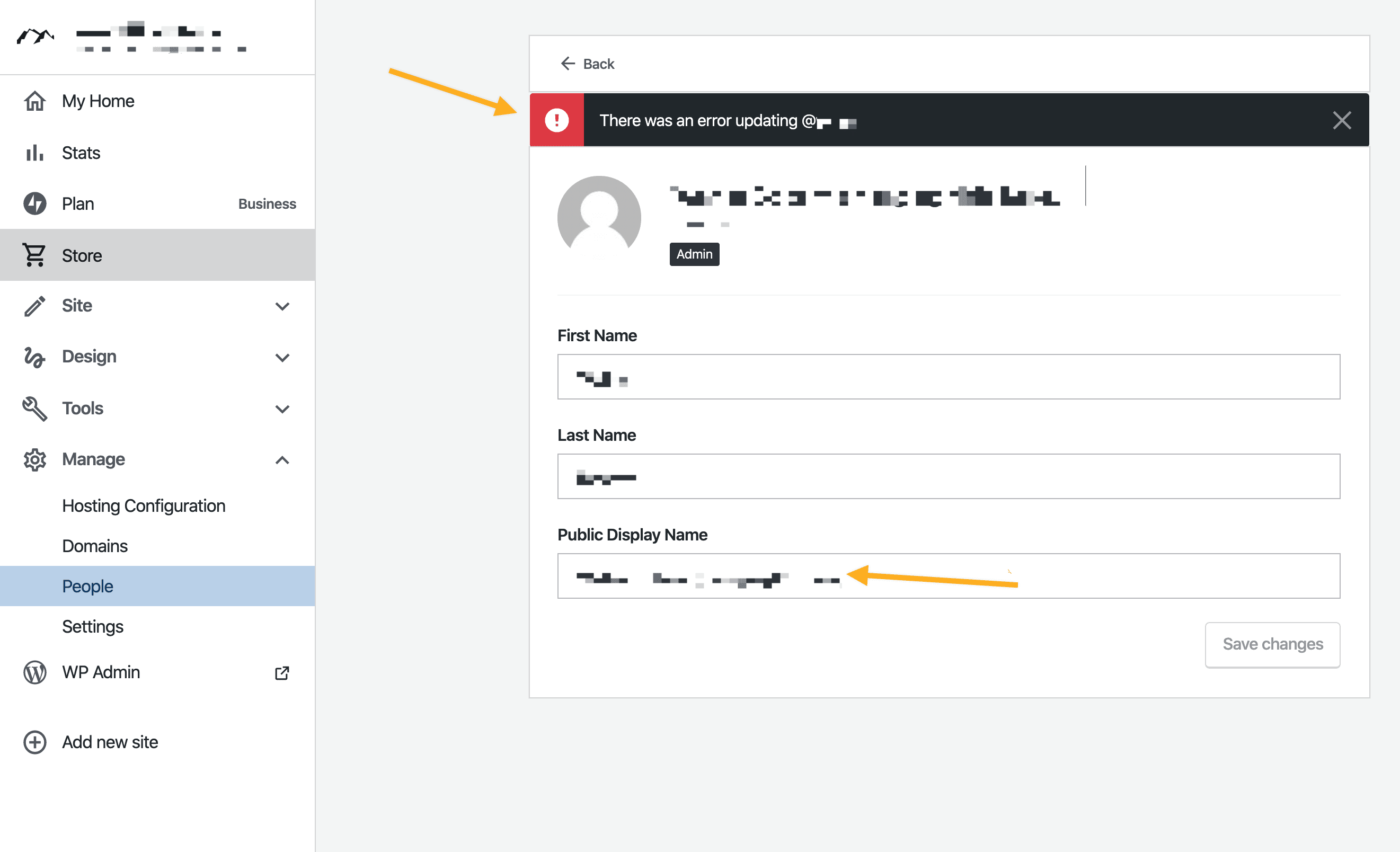
4. See an error ""There was an error updating @...""
#### What I expected
To be able to update user info.
#### What happened instead
You cannot update the info on a user in calypso - however, if you go to WP Admin > Users and edit the user in question, it will allow you to update.
#### Browser / OS version
Chrome Version 80.0.3987.132 (Official Build) (64-bit)
#### Screenshot

#### Context / Source
#user-report
#17998029-hc
",1,people management can t update user info on atomic sites there is an issue with how atomic sites behave as far as the user database and how you can update user info on the site for site administrators for example which leads to a bad experience in calypso i believe what s happening here is that on simple sites you can make any of these changes explained below with no issues once the site goes atomic though we take the user database info and move it to the atomic database then you are now able to see it in calypso but updating can only happen in wp admin now users are left with an error message that doesn t instruct them on what to do and need to contact support steps to reproduce on an atomic site starting at url click on a user on the team tested with admin user but should be the same for any try to change the user name last name or display name here see an error there was an error updating what i expected to be able to update user info what happened instead you cannot update the info on a user in calypso however if you go to wp admin users and edit the user in question it will allow you to update browser os version chrome version official build bit screenshot context source user report hc ,1
122,3567683108.0,IssuesEvent,2016-01-26 00:08:47,Automattic/wp-calypso,https://api.github.com/repos/Automattic/wp-calypso,opened,Invites: Auto verify user when accepting logged out invite,People Management [Type] Bug,"In one of the recent refactorings of notices, we broke the auto-verify functionality. Let's see if we can get this working again.",1.0,"Invites: Auto verify user when accepting logged out invite - In one of the recent refactorings of notices, we broke the auto-verify functionality. Let's see if we can get this working again.",1,invites auto verify user when accepting logged out invite in one of the recent refactorings of notices we broke the auto verify functionality let s see if we can get this working again ,1
607,10675230653.0,IssuesEvent,2019-10-21 11:11:20,Automattic/wp-calypso,https://api.github.com/repos/Automattic/wp-calypso,closed,People: Followers/Viewers tab does not have a search option like other tabs,People Management [Status] Stale [Type] Enhancement,"<!-- Thanks for contributing to Calypso! Pick a clear title (""Editor: add spell check"") and proceed. -->
#### Steps to reproduce
1. Starting at URL: https://wordpress.com/people/
2. Click on Followers
3. Click on Viewers (for a private site)
#### What I expected
To see a search icon to search for a specific user, as appears on the Team and Email follower tabs.

#### What happened instead
The Followers and Viewers tabs don't show any search option.

#### Context / Source
<!-- Optional: share your unique context to help us understand your perspective. You can add context tags such as: #journey #anecdote #narrative #context #empathy #perspective #reallife #dogfooding #livesharing #flowsharing #anxiety #anxiety-flow #stresscase #painpoint.
We'd also love to know how you found the bug: #dogfooding, #manual-testing, #automated-testing, or #user-report if applicable.
If requesting a new feature, explain why you'd like to see it added.
-->
Reported in the [support forums](https://en.forums.wordpress.com/topic/how-to-remove-a-follower-4/) by a user who wishes to remove a spam follower, but as the site has a high follower count they need to scroll manually through a long list to try and find the follower in question.
<!--
PLEASE NOTE
- These comments won't show up when you submit the issue.
- Everything is optional, but try to add as many details as possible.
Docs & troubleshooting:
https://github.com/Automattic/wp-calypso/blob/master/.github/CONTRIBUTING.md
https://github.com/Automattic/wp-calypso/blob/master/docs/troubleshooting.md
Helpful tips for screenshots:
https://en.support.wordpress.com/make-a-screenshot/
-->
",1.0,"People: Followers/Viewers tab does not have a search option like other tabs - <!-- Thanks for contributing to Calypso! Pick a clear title (""Editor: add spell check"") and proceed. -->
#### Steps to reproduce
1. Starting at URL: https://wordpress.com/people/
2. Click on Followers
3. Click on Viewers (for a private site)
#### What I expected
To see a search icon to search for a specific user, as appears on the Team and Email follower tabs.

#### What happened instead
The Followers and Viewers tabs don't show any search option.

#### Context / Source
<!-- Optional: share your unique context to help us understand your perspective. You can add context tags such as: #journey #anecdote #narrative #context #empathy #perspective #reallife #dogfooding #livesharing #flowsharing #anxiety #anxiety-flow #stresscase #painpoint.
We'd also love to know how you found the bug: #dogfooding, #manual-testing, #automated-testing, or #user-report if applicable.
If requesting a new feature, explain why you'd like to see it added.
-->
Reported in the [support forums](https://en.forums.wordpress.com/topic/how-to-remove-a-follower-4/) by a user who wishes to remove a spam follower, but as the site has a high follower count they need to scroll manually through a long list to try and find the follower in question.
<!--
PLEASE NOTE
- These comments won't show up when you submit the issue.
- Everything is optional, but try to add as many details as possible.
Docs & troubleshooting:
https://github.com/Automattic/wp-calypso/blob/master/.github/CONTRIBUTING.md
https://github.com/Automattic/wp-calypso/blob/master/docs/troubleshooting.md
Helpful tips for screenshots:
https://en.support.wordpress.com/make-a-screenshot/
-->
",1,people followers viewers tab does not have a search option like other tabs steps to reproduce starting at url click on followers click on viewers for a private site what i expected to see a search icon to search for a specific user as appears on the team and email follower tabs what happened instead the followers and viewers tabs don t show any search option context source optional share your unique context to help us understand your perspective you can add context tags such as journey anecdote narrative context empathy perspective reallife dogfooding livesharing flowsharing anxiety anxiety flow stresscase painpoint we d also love to know how you found the bug dogfooding manual testing automated testing or user report if applicable if requesting a new feature explain why you d like to see it added reported in the by a user who wishes to remove a spam follower but as the site has a high follower count they need to scroll manually through a long list to try and find the follower in question please note these comments won t show up when you submit the issue everything is optional but try to add as many details as possible docs troubleshooting helpful tips for screenshots ,1
238,4796178372.0,IssuesEvent,2016-11-01 06:11:56,Automattic/wp-calypso,https://api.github.com/repos/Automattic/wp-calypso,closed,Invites: investigate slow accept action,People Management [Type] Bug,"In #5272, @alisterscott reported that in his testing, the accept action once took over 20 seconds to complete. 😱
I'm creating a separate issue to track this because I believe it is unrelated to our changes in #5272.
Here's some debug that @alisterscott provided:
```
Download the React DevTools for a better development experience: https://fb.me/react-devtools
[HMR] Waiting for update signal from WDS...
[WDS] Hot Module Replacement enabled.
calypso:invite-accept:controller invite_accepted is set in localStorage +0ms
calypso:invite-accept:controller Setting email_verified in user object +3ms
Uncaught TypeError: Cannot read property 'type' of undefined
Warning: Each child in an array or iterator should have a unique ""key"" prop. Check the render method of `NoticesList`. See https://fb.me/react-warning-keys for more information.
calypso:invite-accept:controller Accepted invite and redirecting to: / +23s
```
",1.0,"Invites: investigate slow accept action - In #5272, @alisterscott reported that in his testing, the accept action once took over 20 seconds to complete. 😱
I'm creating a separate issue to track this because I believe it is unrelated to our changes in #5272.
Here's some debug that @alisterscott provided:
```
Download the React DevTools for a better development experience: https://fb.me/react-devtools
[HMR] Waiting for update signal from WDS...
[WDS] Hot Module Replacement enabled.
calypso:invite-accept:controller invite_accepted is set in localStorage +0ms
calypso:invite-accept:controller Setting email_verified in user object +3ms
Uncaught TypeError: Cannot read property 'type' of undefined
Warning: Each child in an array or iterator should have a unique ""key"" prop. Check the render method of `NoticesList`. See https://fb.me/react-warning-keys for more information.
calypso:invite-accept:controller Accepted invite and redirecting to: / +23s
```
",1,invites investigate slow accept action in alisterscott reported that in his testing the accept action once took over seconds to complete 😱 i m creating a separate issue to track this because i believe it is unrelated to our changes in here s some debug that alisterscott provided download the react devtools for a better development experience waiting for update signal from wds hot module replacement enabled calypso invite accept controller invite accepted is set in localstorage calypso invite accept controller setting email verified in user object uncaught typeerror cannot read property type of undefined warning each child in an array or iterator should have a unique key prop check the render method of noticeslist see for more information calypso invite accept controller accepted invite and redirecting to ,1
533,9487027338.0,IssuesEvent,2019-04-22 15:40:48,Automattic/wp-calypso,https://api.github.com/repos/Automattic/wp-calypso,closed,People: Accepting follower link returning error and already subscribed message,People Management [Status] Stale [Type] Bug,"<!-- Thanks for contributing to Calypso! Pick a clear title (""Editor: add spell check"") and proceed. -->
#### Steps to reproduce
1. Get invite link for a follower
2. Navigate to accept url
3. Log in with a new account
#### What I expected
I expected to be added as a follower and to see a notice that I am now following the site and be taken to somewhere relevant like reader(?)
#### What happened instead
I see a blank page for about 30 seconds and then I see a brief flash of a red error message and finally I am taken to a page that says I am already a subscriber to the site. I paused the video and found that it is getting a 500 error.
#### Browser / OS version
Chrome 67.0.3396.99 / MacOS 10.13.5
#### Screenshot / Video
https://screencast.com/t/sGw1Vos2
Screenshot of error message from video:

#### Context / Source
<!-- Optional: share your unique context to help us understand your perspective. You can add context tags such as: #journey #anecdote #narrative #context #empathy #perspective #reallife #dogfooding #livesharing #flowsharing #anxiety #anxiety-flow #stresscase #painpoint.
We'd also love to know how you found the bug: #dogfooding, #manual-testing, #automated-testing, or #user-report if applicable.
If requesting a new feature, explain why you'd like to see it added.
-->
I found this while trying to fix an old automated test that was disabled at some point. The video above is the recording of the test running. I confirmed it testing manually.
<!--
PLEASE NOTE
- These comments won't show up when you submit the issue.
- Everything is optional, but try to add as many details as possible.
Docs & troubleshooting:
https://github.com/Automattic/wp-calypso/blob/master/.github/CONTRIBUTING.md
https://github.com/Automattic/wp-calypso/blob/master/docs/troubleshooting.md
Helpful tips for screenshots:
https://en.support.wordpress.com/make-a-screenshot/
-->
",1.0,"People: Accepting follower link returning error and already subscribed message - <!-- Thanks for contributing to Calypso! Pick a clear title (""Editor: add spell check"") and proceed. -->
#### Steps to reproduce
1. Get invite link for a follower
2. Navigate to accept url
3. Log in with a new account
#### What I expected
I expected to be added as a follower and to see a notice that I am now following the site and be taken to somewhere relevant like reader(?)
#### What happened instead
I see a blank page for about 30 seconds and then I see a brief flash of a red error message and finally I am taken to a page that says I am already a subscriber to the site. I paused the video and found that it is getting a 500 error.
#### Browser / OS version
Chrome 67.0.3396.99 / MacOS 10.13.5
#### Screenshot / Video
https://screencast.com/t/sGw1Vos2
Screenshot of error message from video:

#### Context / Source
<!-- Optional: share your unique context to help us understand your perspective. You can add context tags such as: #journey #anecdote #narrative #context #empathy #perspective #reallife #dogfooding #livesharing #flowsharing #anxiety #anxiety-flow #stresscase #painpoint.
We'd also love to know how you found the bug: #dogfooding, #manual-testing, #automated-testing, or #user-report if applicable.
If requesting a new feature, explain why you'd like to see it added.
-->
I found this while trying to fix an old automated test that was disabled at some point. The video above is the recording of the test running. I confirmed it testing manually.
<!--
PLEASE NOTE
- These comments won't show up when you submit the issue.
- Everything is optional, but try to add as many details as possible.
Docs & troubleshooting:
https://github.com/Automattic/wp-calypso/blob/master/.github/CONTRIBUTING.md
https://github.com/Automattic/wp-calypso/blob/master/docs/troubleshooting.md
Helpful tips for screenshots:
https://en.support.wordpress.com/make-a-screenshot/
-->
",1,people accepting follower link returning error and already subscribed message steps to reproduce get invite link for a follower navigate to accept url log in with a new account what i expected i expected to be added as a follower and to see a notice that i am now following the site and be taken to somewhere relevant like reader what happened instead i see a blank page for about seconds and then i see a brief flash of a red error message and finally i am taken to a page that says i am already a subscriber to the site i paused the video and found that it is getting a error browser os version chrome macos screenshot video screenshot of error message from video context source optional share your unique context to help us understand your perspective you can add context tags such as journey anecdote narrative context empathy perspective reallife dogfooding livesharing flowsharing anxiety anxiety flow stresscase painpoint we d also love to know how you found the bug dogfooding manual testing automated testing or user report if applicable if requesting a new feature explain why you d like to see it added i found this while trying to fix an old automated test that was disabled at some point the video above is the recording of the test running i confirmed it testing manually please note these comments won t show up when you submit the issue everything is optional but try to add as many details as possible docs troubleshooting helpful tips for screenshots ,1
605,10617300247.0,IssuesEvent,2019-10-12 18:05:39,Automattic/wp-calypso,https://api.github.com/repos/Automattic/wp-calypso,opened,People: Add clarification text about distinction Followers/Email Followers ,People Management [Type] Enhancement,"#### Steps to reproduce
1. Go to https://wordpress.com/people/followers or https://wordpress.com/people/email-followers/
#### What I expected
See a short clarification about who Followers an Email Followers are (for example from the [My Followers support page](https://en.support.wordpress.com/followers/)):
- Followers: A list of people currently following your site.
- Email Followers: A list of people who are subscribed to your blog via email only. They may or may not have a WordPress.com account.
It can be tooltip, some text below the tab name or else, as long as it clarifies the distinction between the lists.
#### What happened instead
No clarification is provided and it may confuse users.
#### Screenshot / Video

_Link: https://cld.wthms.co/8ua32n_
#### Context / Source
#confusion #concierge #user-report in 2417022-zen",1.0,"People: Add clarification text about distinction Followers/Email Followers - #### Steps to reproduce
1. Go to https://wordpress.com/people/followers or https://wordpress.com/people/email-followers/
#### What I expected
See a short clarification about who Followers an Email Followers are (for example from the [My Followers support page](https://en.support.wordpress.com/followers/)):
- Followers: A list of people currently following your site.
- Email Followers: A list of people who are subscribed to your blog via email only. They may or may not have a WordPress.com account.
It can be tooltip, some text below the tab name or else, as long as it clarifies the distinction between the lists.
#### What happened instead
No clarification is provided and it may confuse users.
#### Screenshot / Video

_Link: https://cld.wthms.co/8ua32n_
#### Context / Source
#confusion #concierge #user-report in 2417022-zen",1,people add clarification text about distinction followers email followers steps to reproduce go to or what i expected see a short clarification about who followers an email followers are for example from the followers a list of people currently following your site email followers a list of people who are subscribed to your blog via email only they may or may not have a wordpress com account it can be tooltip some text below the tab name or else as long as it clarifies the distinction between the lists what happened instead no clarification is provided and it may confuse users screenshot video link context source confusion concierge user report in zen,1
119,3520070813.0,IssuesEvent,2016-01-12 19:19:06,Automattic/wp-calypso,https://api.github.com/repos/Automattic/wp-calypso,closed,People: Update Link in User Invitation Acceptance Confirmation,People Management [Type] Bug,"After accepting an invitation, the confirmation message contains a ""take a tour"" link. It currently links to the support home page ( http://en.support.wordpress.com/ )
Until we have a Calypso tour, it may be more helpful to link to https://wordpress.com/me/next or https://learn.wordpress.com/
Here's a screenshot of the current confirmation message:

",1.0,"People: Update Link in User Invitation Acceptance Confirmation - After accepting an invitation, the confirmation message contains a ""take a tour"" link. It currently links to the support home page ( http://en.support.wordpress.com/ )
Until we have a Calypso tour, it may be more helpful to link to https://wordpress.com/me/next or https://learn.wordpress.com/
Here's a screenshot of the current confirmation message:

",1,people update link in user invitation acceptance confirmation after accepting an invitation the confirmation message contains a take a tour link it currently links to the support home page until we have a calypso tour it may be more helpful to link to or here s a screenshot of the current confirmation message ,1
131,3576272136.0,IssuesEvent,2016-01-27 18:55:02,Automattic/wp-calypso,https://api.github.com/repos/Automattic/wp-calypso,opened,People: Implement custom invite message dialog,People Management [Type] Task,"Directly after clicking the ""Invite"" button, a user should be presented with a dialog that allows sending a custom message to the invitees.
Based on the design mock, it looks like we can use the `InviteHeader` component, although we may need to modify the site object before sending it to `InviteHeader` since the site object we get when validating an invite is different from what we get from the sites list.

",1.0,"People: Implement custom invite message dialog - Directly after clicking the ""Invite"" button, a user should be presented with a dialog that allows sending a custom message to the invitees.
Based on the design mock, it looks like we can use the `InviteHeader` component, although we may need to modify the site object before sending it to `InviteHeader` since the site object we get when validating an invite is different from what we get from the sites list.

",1,people implement custom invite message dialog directly after clicking the invite button a user should be presented with a dialog that allows sending a custom message to the invitees based on the design mock it looks like we can use the inviteheader component although we may need to modify the site object before sending it to inviteheader since the site object we get when validating an invite is different from what we get from the sites list ,1
114,3491679802.0,IssuesEvent,2016-01-04 16:45:08,Automattic/wp-calypso,https://api.github.com/repos/Automattic/wp-calypso,closed,People: Visual regression in follower/user lists,People Management [Type] Bug,"In the screenshots below, note the extra spacing before the first `people-list-item` and the bottom border of the last `people-list-item`.

",1.0,"People: Visual regression in follower/user lists - In the screenshots below, note the extra spacing before the first `people-list-item` and the bottom border of the last `people-list-item`.

",1,people visual regression in follower user lists in the screenshots below note the extra spacing before the first people list item and the bottom border of the last people list item ,1
454,8293242136.0,IssuesEvent,2018-09-20 05:40:39,Automattic/wp-calypso,https://api.github.com/repos/Automattic/wp-calypso,opened,People: add search option to private site viewers list,People Management [Type] Enhancement,"Enhancement request to add search to the viewers list like team list
#### Steps to reproduce
1. Starting at URL: https://wordpress.com/people/viewers for a private site
#### What I expected
To be able to search like ""Team""
#### What happened instead
No search - on a long list it is hard to find someone
#### Screenshot / Video
<img width=""753"" alt=""screen shot 2018-09-20 at 3 39 55 pm"" src=""https://user-images.githubusercontent.com/128826/45798002-74efa900-bceb-11e8-96c6-5055c6c34c20.png"">
#### Context / Source
This would make our automated e2e tests easier to maintain and more reliable",1.0,"People: add search option to private site viewers list - Enhancement request to add search to the viewers list like team list
#### Steps to reproduce
1. Starting at URL: https://wordpress.com/people/viewers for a private site
#### What I expected
To be able to search like ""Team""
#### What happened instead
No search - on a long list it is hard to find someone
#### Screenshot / Video
<img width=""753"" alt=""screen shot 2018-09-20 at 3 39 55 pm"" src=""https://user-images.githubusercontent.com/128826/45798002-74efa900-bceb-11e8-96c6-5055c6c34c20.png"">
#### Context / Source
This would make our automated e2e tests easier to maintain and more reliable",1,people add search option to private site viewers list enhancement request to add search to the viewers list like team list steps to reproduce starting at url for a private site what i expected to be able to search like team what happened instead no search on a long list it is hard to find someone screenshot video img width alt screen shot at pm src context source this would make our automated tests easier to maintain and more reliable,1
530,9371115343.0,IssuesEvent,2019-04-03 14:47:08,Automattic/wp-calypso,https://api.github.com/repos/Automattic/wp-calypso,closed,People: Update dropdown component to use radio buttons,FixTheFlows People Management,"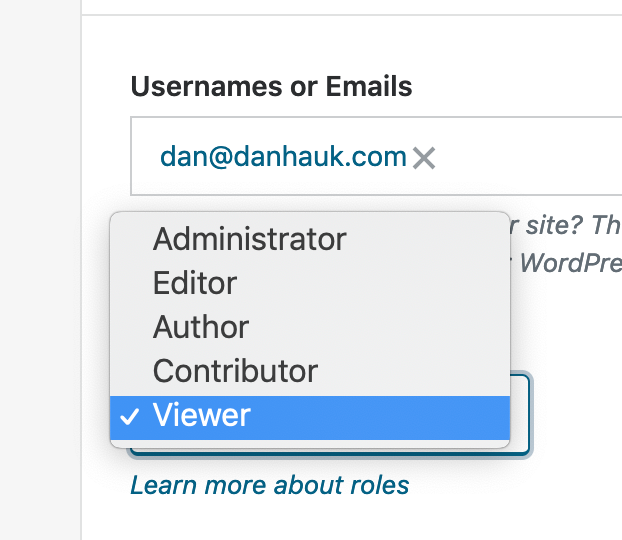
Found on the invite screen and edit user screens.
At first we thought this was an out of date pattern and needed the `Dropdown` component, but @drw158 suggested it would be better to use radio buttons for usability/accessibility.
",1.0,"People: Update dropdown component to use radio buttons - 
Found on the invite screen and edit user screens.
At first we thought this was an out of date pattern and needed the `Dropdown` component, but @drw158 suggested it would be better to use radio buttons for usability/accessibility.
",1,people update dropdown component to use radio buttons found on the invite screen and edit user screens at first we thought this was an out of date pattern and needed the dropdown component but suggested it would be better to use radio buttons for usability accessibility ,1
908,19074018820.0,IssuesEvent,2021-11-27 12:33:38,Automattic/wp-calypso,https://api.github.com/repos/Automattic/wp-calypso,closed,"Calypso ""People"" interface has no sorting/pagination options, may cause browser issues with significant numbers of users.",[Type] Bug [Pri] Normal People Management User Report Triaged [Browser] Chrome,"### Quick summary
There are no sorting/pagination options on the Calypso user management interface (people/team, for example).
### Steps to reproduce
1: Create, or visit, a site that has a significant number of users (the site I encountered this issue on has 79, as of the last time I looked at it).
2: Navigate to Users > All Users on that site.
### What you expected to happen
I expected to be able to navigate the entire user list.
### What actually happened
the user list doesn't scroll, and there are no pagination options. Nor are there options for sorting.
### Context
Reported by a user in 31309539-hc, tested and verified by me. The user's list consists of 79 people, not all of them are visible.
### Operating System
_No response_
### Browser
_No response_
### Simple, Atomic or both?
Simple, Atomic
### Theme-specific issue?
_No response_
### Other notes
Trying to navigate the user interface with this many users caused my Chrome to give me an out-of-memory error, after the site kept trying to go unresponsive. On this machine (128 GB of memory), there's no reason for Chrome to have done that.
### Reproducibility
Consistent
### Severity
One
### Available workarounds?
Yes, easy to implement
### Workaround details
Users can switch to the WP Admin view and see their entire list. Additionally, if a user knows the username of the person they're looking for (Calypso's search feature won't return results on an email address), the user can narrow that list to just the user they're looking for.",1.0,"Calypso ""People"" interface has no sorting/pagination options, may cause browser issues with significant numbers of users. - ### Quick summary
There are no sorting/pagination options on the Calypso user management interface (people/team, for example).
### Steps to reproduce
1: Create, or visit, a site that has a significant number of users (the site I encountered this issue on has 79, as of the last time I looked at it).
2: Navigate to Users > All Users on that site.
### What you expected to happen
I expected to be able to navigate the entire user list.
### What actually happened
the user list doesn't scroll, and there are no pagination options. Nor are there options for sorting.
### Context
Reported by a user in 31309539-hc, tested and verified by me. The user's list consists of 79 people, not all of them are visible.
### Operating System
_No response_
### Browser
_No response_
### Simple, Atomic or both?
Simple, Atomic
### Theme-specific issue?
_No response_
### Other notes
Trying to navigate the user interface with this many users caused my Chrome to give me an out-of-memory error, after the site kept trying to go unresponsive. On this machine (128 GB of memory), there's no reason for Chrome to have done that.
### Reproducibility
Consistent
### Severity
One
### Available workarounds?
Yes, easy to implement
### Workaround details
Users can switch to the WP Admin view and see their entire list. Additionally, if a user knows the username of the person they're looking for (Calypso's search feature won't return results on an email address), the user can narrow that list to just the user they're looking for.",1,calypso people interface has no sorting pagination options may cause browser issues with significant numbers of users quick summary there are no sorting pagination options on the calypso user management interface people team for example steps to reproduce create or visit a site that has a significant number of users the site i encountered this issue on has as of the last time i looked at it navigate to users all users on that site what you expected to happen i expected to be able to navigate the entire user list what actually happened the user list doesn t scroll and there are no pagination options nor are there options for sorting context reported by a user in hc tested and verified by me the user s list consists of people not all of them are visible operating system no response browser no response simple atomic or both simple atomic theme specific issue no response other notes trying to navigate the user interface with this many users caused my chrome to give me an out of memory error after the site kept trying to go unresponsive on this machine gb of memory there s no reason for chrome to have done that reproducibility consistent severity one available workarounds yes easy to implement workaround details users can switch to the wp admin view and see their entire list additionally if a user knows the username of the person they re looking for calypso s search feature won t return results on an email address the user can narrow that list to just the user they re looking for ,1
112,3460515377.0,IssuesEvent,2015-12-19 07:11:00,Automattic/wp-calypso,https://api.github.com/repos/Automattic/wp-calypso,closed,Invites: Center logged in sign in as different user link,People Management [Type] Task,"
Currently, the sign in as a different user link is left aligned, but in the the logged out invite and throughout the signup framework, the link is center aligned.
Let's go ahead and center align the logged in accept link as well.",1.0,"Invites: Center logged in sign in as different user link - 
Currently, the sign in as a different user link is left aligned, but in the the logged out invite and throughout the signup framework, the link is center aligned.
Let's go ahead and center align the logged in accept link as well.",1,invites center logged in sign in as different user link currently the sign in as a different user link is left aligned but in the the logged out invite and throughout the signup framework the link is center aligned let s go ahead and center align the logged in accept link as well ,1
537,9542398578.0,IssuesEvent,2019-05-01 03:43:39,Automattic/wp-calypso,https://api.github.com/repos/Automattic/wp-calypso,closed,People: Super Admin label shown in sites,FixTheFlows People Management,"<!-- Thanks for contributing to Calypso! Pick a clear title (""Editor: add spell check"") and proceed. -->
#### Steps to reproduce
1. Invite yourself as a user to another site (in this example, I added myself as an Editor to my husband's site `chrisboulasblog`)
2. Go to https://wordpress.com/people/team/[site]
3. Notice how the ""Super Admin"" label is displayed
#### What I expected
For Super Admin label to be hidden
#### What happened instead
Super Admin label is displayed
#### Browser / OS version
Google Chrome Version 68.0.3440.106
Mac OS Mojave 10.14.2
#### Screenshot / Video
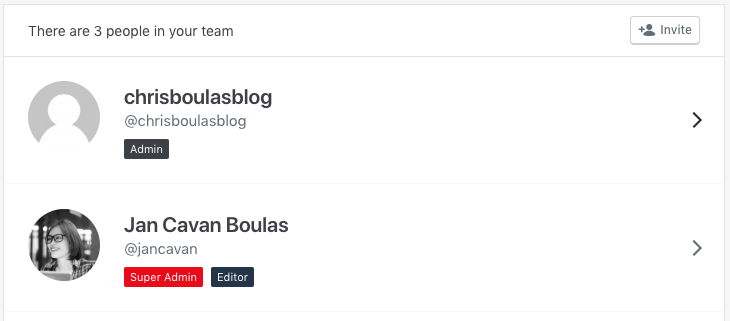
I don't think this is related to this recent change: https://github.com/Automattic/wp-calypso/pull/31821, but cc-ing @sixhours to verify.
<!--
PLEASE NOTE
- These comments won't show up when you submit the issue.
- Everything is optional, but try to add as many details as possible.
Docs & troubleshooting:
https://github.com/Automattic/wp-calypso/blob/master/.github/CONTRIBUTING.md
https://github.com/Automattic/wp-calypso/blob/master/docs/troubleshooting.md
Helpful tips for screenshots:
https://en.support.wordpress.com/make-a-screenshot/
-->
",1.0,"People: Super Admin label shown in sites - <!-- Thanks for contributing to Calypso! Pick a clear title (""Editor: add spell check"") and proceed. -->
#### Steps to reproduce
1. Invite yourself as a user to another site (in this example, I added myself as an Editor to my husband's site `chrisboulasblog`)
2. Go to https://wordpress.com/people/team/[site]
3. Notice how the ""Super Admin"" label is displayed
#### What I expected
For Super Admin label to be hidden
#### What happened instead
Super Admin label is displayed
#### Browser / OS version
Google Chrome Version 68.0.3440.106
Mac OS Mojave 10.14.2
#### Screenshot / Video

I don't think this is related to this recent change: https://github.com/Automattic/wp-calypso/pull/31821, but cc-ing @sixhours to verify.
<!--
PLEASE NOTE
- These comments won't show up when you submit the issue.
- Everything is optional, but try to add as many details as possible.
Docs & troubleshooting:
https://github.com/Automattic/wp-calypso/blob/master/.github/CONTRIBUTING.md
https://github.com/Automattic/wp-calypso/blob/master/docs/troubleshooting.md
Helpful tips for screenshots:
https://en.support.wordpress.com/make-a-screenshot/
-->
",1,people super admin label shown in sites steps to reproduce invite yourself as a user to another site in this example i added myself as an editor to my husband s site chrisboulasblog go to notice how the super admin label is displayed what i expected for super admin label to be hidden what happened instead super admin label is displayed browser os version google chrome version mac os mojave screenshot video i don t think this is related to this recent change but cc ing sixhours to verify please note these comments won t show up when you submit the issue everything is optional but try to add as many details as possible docs troubleshooting helpful tips for screenshots ,1
225,4623395701.0,IssuesEvent,2016-09-27 10:49:37,Automattic/wp-calypso,https://api.github.com/repos/Automattic/wp-calypso,opened,People: Adjust wording in the notice when removing a user from a site,People Management,"<!-- Thanks for contributing to Calypso! Pick a clear title (""Editor: add spell check"") and proceed. -->
#### Steps to reproduce
1. Remove a user from a site, using Calypso's people management.
#### What I expected
I expected a notice which stated that I had _removed_ the user successfully.
#### What happened instead
I received a notice stating that I had deleted the user, successfully. This is ambiguous, and may be scary to some users.
#### Screenshot / Video
",1.0,"People: Adjust wording in the notice when removing a user from a site - <!-- Thanks for contributing to Calypso! Pick a clear title (""Editor: add spell check"") and proceed. -->
#### Steps to reproduce
1. Remove a user from a site, using Calypso's people management.
#### What I expected
I expected a notice which stated that I had _removed_ the user successfully.
#### What happened instead
I received a notice stating that I had deleted the user, successfully. This is ambiguous, and may be scary to some users.
#### Screenshot / Video
",1,people adjust wording in the notice when removing a user from a site steps to reproduce remove a user from a site using calypso s people management what i expected i expected a notice which stated that i had removed the user successfully what happened instead i received a notice stating that i had deleted the user successfully this is ambiguous and may be scary to some users screenshot video ,1
778,14371814844.0,IssuesEvent,2020-12-01 13:07:57,Automattic/wp-calypso,https://api.github.com/repos/Automattic/wp-calypso,closed,Reduxify: lib/followers & lib/email-followers,People Management [Size] S [Type] Task,"## Summary
`lib/followers/*`
* one store, two actions (fetch and remove), ~300 LOC
* used by my-sites/people
* pretty small overall
",1.0,"Reduxify: lib/followers & lib/email-followers - ## Summary
`lib/followers/*`
* one store, two actions (fetch and remove), ~300 LOC
* used by my-sites/people
* pretty small overall
",1,reduxify lib followers lib email followers summary lib followers one store two actions fetch and remove loc used by my sites people pretty small overall ,1
117,3519994110.0,IssuesEvent,2016-01-12 19:00:18,Automattic/wp-calypso,https://api.github.com/repos/Automattic/wp-calypso,closed,People: Direct viewers/followers to the site they were added to after accepting an invitation,People Management [Type] Enhancement,"After users accept the invitation to become a viewer/follower on a site, they are directed to the WordPress.com Reader without any success message or link to the site they were added to. There is a link on the page to accept the invitation, but if the user didn't open/bookmark it at that point there isn't a clear way for them to get to the site.
Steps:
1. Invite a user as a viewer on a private site, or a follower on a public site
2. With a different account, click the Accept Invitation button in the email
3. Note that on the Calypso accept invitation page, there is a link to the site. Accept the invitation.
Result: You are directed to the Reader with no success message or way back to the site
I found the same results for both viewers and followers, both when I created a new account and when I was logged in to an existing account when accepting the invitation. Since viewers/followers don't automatically follow the site they are added to in the Reader, there's no clear way to find the site after accepting the invitation. Since the invitation page says that the user will receive updates if they accept the invitation, one solution would be to have them automatically follow the site they are added to.",1.0,"People: Direct viewers/followers to the site they were added to after accepting an invitation - After users accept the invitation to become a viewer/follower on a site, they are directed to the WordPress.com Reader without any success message or link to the site they were added to. There is a link on the page to accept the invitation, but if the user didn't open/bookmark it at that point there isn't a clear way for them to get to the site.
Steps:
1. Invite a user as a viewer on a private site, or a follower on a public site
2. With a different account, click the Accept Invitation button in the email
3. Note that on the Calypso accept invitation page, there is a link to the site. Accept the invitation.
Result: You are directed to the Reader with no success message or way back to the site
I found the same results for both viewers and followers, both when I created a new account and when I was logged in to an existing account when accepting the invitation. Since viewers/followers don't automatically follow the site they are added to in the Reader, there's no clear way to find the site after accepting the invitation. Since the invitation page says that the user will receive updates if they accept the invitation, one solution would be to have them automatically follow the site they are added to.",1,people direct viewers followers to the site they were added to after accepting an invitation after users accept the invitation to become a viewer follower on a site they are directed to the wordpress com reader without any success message or link to the site they were added to there is a link on the page to accept the invitation but if the user didn t open bookmark it at that point there isn t a clear way for them to get to the site steps invite a user as a viewer on a private site or a follower on a public site with a different account click the accept invitation button in the email note that on the calypso accept invitation page there is a link to the site accept the invitation result you are directed to the reader with no success message or way back to the site i found the same results for both viewers and followers both when i created a new account and when i was logged in to an existing account when accepting the invitation since viewers followers don t automatically follow the site they are added to in the reader there s no clear way to find the site after accepting the invitation since the invitation page says that the user will receive updates if they accept the invitation one solution would be to have them automatically follow the site they are added to ,1
253,5199153406.0,IssuesEvent,2017-01-23 20:05:03,Automattic/wp-calypso,https://api.github.com/repos/Automattic/wp-calypso,opened,"Do not prepend '@' to user name, when user name is an email address",People Management [Type] Enhancement,"In some cases, and I believe this is limited to Jetpack sites, it is possible to have your username as your email address. In the People section of calypso, we display names in the `@username` format.
In the case where username is an email address we end up with `@user@myawesomewebsite.com` which looks a bit awkward.
See for yourself:
1. Navigate to wordpress.com/people/team/$site, where $site is a Jetpack site that has some users whose username is an email address
2. You should see something like this
<img width=""773"" alt=""screen shot 2017-01-23 at 3 01 27 pm"" src=""https://cloud.githubusercontent.com/assets/2694219/22220605/4b9ee25a-e17d-11e6-957a-d6ec22f55ae8.png"">
",1.0,"Do not prepend '@' to user name, when user name is an email address - In some cases, and I believe this is limited to Jetpack sites, it is possible to have your username as your email address. In the People section of calypso, we display names in the `@username` format.
In the case where username is an email address we end up with `@user@myawesomewebsite.com` which looks a bit awkward.
See for yourself:
1. Navigate to wordpress.com/people/team/$site, where $site is a Jetpack site that has some users whose username is an email address
2. You should see something like this
<img width=""773"" alt=""screen shot 2017-01-23 at 3 01 27 pm"" src=""https://cloud.githubusercontent.com/assets/2694219/22220605/4b9ee25a-e17d-11e6-957a-d6ec22f55ae8.png"">
",1,do not prepend to user name when user name is an email address in some cases and i believe this is limited to jetpack sites it is possible to have your username as your email address in the people section of calypso we display names in the username format in the case where username is an email address we end up with user myawesomewebsite com which looks a bit awkward see for yourself navigate to wordpress com people team site where site is a jetpack site that has some users whose username is an email address you should see something like this img width alt screen shot at pm src ,1
95,3392516775.0,IssuesEvent,2015-11-30 19:56:35,Automattic/wp-calypso,https://api.github.com/repos/Automattic/wp-calypso,closed,Invites: Update invitation strings,People Management [Type] Task,"After talking to @rickybanister, let's update the strings in the `invite-header` and `invite-form-header` components to reflect the following:
Admin
`XXXX invited you to be an administrator on:`
`Sign up to start managing XXXX`
Editor
`XXXX invited you to be an editor on:`
`Sign up to start editing XXXX`
Author
`XXXX invited you to be an author on:`
`Sign up to start writing for XXXX`
Contributor:
`XXXX invited you to be a contributor on:`
`Sign up to start contributing to XXXX`
Subscriber:
`XXXX invited you to subscribe to:`
`Sign up to start your subscription to XXXX`
Follower:
`XXXX invited you to follow:`
`Sign up to start following XXXX in the WordPress.com Reader`
Default:
`XXXX invited you to be: ROLE on`
`Sign up to join XXXX as: ROLE`
And for the logged in accept invite view, let's substitute ""Sign up..."" with ""Would you like..."".",1.0,"Invites: Update invitation strings - After talking to @rickybanister, let's update the strings in the `invite-header` and `invite-form-header` components to reflect the following:
Admin
`XXXX invited you to be an administrator on:`
`Sign up to start managing XXXX`
Editor
`XXXX invited you to be an editor on:`
`Sign up to start editing XXXX`
Author
`XXXX invited you to be an author on:`
`Sign up to start writing for XXXX`
Contributor:
`XXXX invited you to be a contributor on:`
`Sign up to start contributing to XXXX`
Subscriber:
`XXXX invited you to subscribe to:`
`Sign up to start your subscription to XXXX`
Follower:
`XXXX invited you to follow:`
`Sign up to start following XXXX in the WordPress.com Reader`
Default:
`XXXX invited you to be: ROLE on`
`Sign up to join XXXX as: ROLE`
And for the logged in accept invite view, let's substitute ""Sign up..."" with ""Would you like..."".",1,invites update invitation strings after talking to rickybanister let s update the strings in the invite header and invite form header components to reflect the following admin xxxx invited you to be an administrator on sign up to start managing xxxx editor xxxx invited you to be an editor on sign up to start editing xxxx author xxxx invited you to be an author on sign up to start writing for xxxx contributor xxxx invited you to be a contributor on sign up to start contributing to xxxx subscriber xxxx invited you to subscribe to sign up to start your subscription to xxxx follower xxxx invited you to follow sign up to start following xxxx in the wordpress com reader default xxxx invited you to be role on sign up to join xxxx as role and for the logged in accept invite view let s substitute sign up with would you like ,1
1001,24120470240.0,IssuesEvent,2022-09-20 18:13:41,Automattic/wp-calypso,https://api.github.com/repos/Automattic/wp-calypso,closed,People: Scrolling through team list causes an unresponsive page,[Type] Bug [Pri] Normal People Management [Status] Stale User Report,"Edit by @gwwar: I'd recommend for any content we need to manage that we have a simple pager instead of an infinite list. Infinite lists are usually better for consuming content.
When scrolling through the people list (at `/people/team/:site`), I somehow triggered an infinite loop where the InfiniteList component keeps trying to update state. I end up with an unresponsive page, and this error:
`Uncaught Error: Maximum update depth exceeded. This can happen when a component repeatedly calls setState inside componentWillUpdate or componentDidUpdate. React limits the number of nested updates to prevent infinite loops. The above error occurred in the <InfiniteList> component`
<img width=""766"" alt=""screen shot 2018-04-05 at 11 03 30 am"" src=""https://user-images.githubusercontent.com/541093/38374168-0177e374-38c1-11e8-84a8-db0aee029cc2.png"">
I discovered this on a site with 22 people, replicated on a site with 734 users, but could not replicate on a site with 2 users (there was no scroll).
This is on Mac OS/Chrome.
---
Update by @mattsherman:
As mentioned in #25609, this also happens in the `/people/followers/{site}` section.",1.0,"People: Scrolling through team list causes an unresponsive page - Edit by @gwwar: I'd recommend for any content we need to manage that we have a simple pager instead of an infinite list. Infinite lists are usually better for consuming content.
When scrolling through the people list (at `/people/team/:site`), I somehow triggered an infinite loop where the InfiniteList component keeps trying to update state. I end up with an unresponsive page, and this error:
`Uncaught Error: Maximum update depth exceeded. This can happen when a component repeatedly calls setState inside componentWillUpdate or componentDidUpdate. React limits the number of nested updates to prevent infinite loops. The above error occurred in the <InfiniteList> component`
<img width=""766"" alt=""screen shot 2018-04-05 at 11 03 30 am"" src=""https://user-images.githubusercontent.com/541093/38374168-0177e374-38c1-11e8-84a8-db0aee029cc2.png"">
I discovered this on a site with 22 people, replicated on a site with 734 users, but could not replicate on a site with 2 users (there was no scroll).
This is on Mac OS/Chrome.
---
Update by @mattsherman:
As mentioned in #25609, this also happens in the `/people/followers/{site}` section.",1,people scrolling through team list causes an unresponsive page edit by gwwar i d recommend for any content we need to manage that we have a simple pager instead of an infinite list infinite lists are usually better for consuming content when scrolling through the people list at people team site i somehow triggered an infinite loop where the infinitelist component keeps trying to update state i end up with an unresponsive page and this error uncaught error maximum update depth exceeded this can happen when a component repeatedly calls setstate inside componentwillupdate or componentdidupdate react limits the number of nested updates to prevent infinite loops the above error occurred in the component img width alt screen shot at am src i discovered this on a site with people replicated on a site with users but could not replicate on a site with users there was no scroll this is on mac os chrome update by mattsherman as mentioned in this also happens in the people followers site section ,1
158,3767943857.0,IssuesEvent,2016-03-16 01:05:59,Automattic/wp-calypso,https://api.github.com/repos/Automattic/wp-calypso,opened,People: Make invalid invite errors more understandable,People Management [Type] Bug,"It's been reported to me several times that users are having an issue with the invalid invite message that shows when we pre-validate an invite.
I think the big issue here is that we show a generic error message for several flows. For example, a user will see the same error for copying/pasting incorrectly as accepting an invite that they sent to themself.
This leads to confusion for users and surely makes invites more difficult to support for HEs. Let's be nice.
cc @darnelldibbles who is the latest HE to report this to me.",1.0,"People: Make invalid invite errors more understandable - It's been reported to me several times that users are having an issue with the invalid invite message that shows when we pre-validate an invite.
I think the big issue here is that we show a generic error message for several flows. For example, a user will see the same error for copying/pasting incorrectly as accepting an invite that they sent to themself.
This leads to confusion for users and surely makes invites more difficult to support for HEs. Let's be nice.
cc @darnelldibbles who is the latest HE to report this to me.",1,people make invalid invite errors more understandable it s been reported to me several times that users are having an issue with the invalid invite message that shows when we pre validate an invite i think the big issue here is that we show a generic error message for several flows for example a user will see the same error for copying pasting incorrectly as accepting an invite that they sent to themself this leads to confusion for users and surely makes invites more difficult to support for hes let s be nice cc darnelldibbles who is the latest he to report this to me ,1
986,23284236128.0,IssuesEvent,2022-08-05 14:54:06,Automattic/wp-calypso,https://api.github.com/repos/Automattic/wp-calypso,closed,People: Prevent owners user role from being changed,[Type] Bug Jetpack [Pri] High People Management,"Historically speaking we've always prevented the site owner's user role from being changed by another administrator on the site. The reason for this is that the site owner needs to have the ability to manage all aspects of the site. With the new People Management it's possible to lock the Owner out of their site.
**To Reproduce:**
1) Create a site and then invite a second user as an admin
2) Accept the invite as the new admin and log in to that account
3) Visit people/team/ and click on the site owner
4) Change the role to something other than Admin
https://cloudup.com/cFbtNLLr-Bx
**In WP-Admin**
- Edit link does not show to other admins for the owner's username
- If another admin tries to change the owner's role this results in `wp_die('you can not edit this user')`
",1.0,"People: Prevent owners user role from being changed - Historically speaking we've always prevented the site owner's user role from being changed by another administrator on the site. The reason for this is that the site owner needs to have the ability to manage all aspects of the site. With the new People Management it's possible to lock the Owner out of their site.
**To Reproduce:**
1) Create a site and then invite a second user as an admin
2) Accept the invite as the new admin and log in to that account
3) Visit people/team/ and click on the site owner
4) Change the role to something other than Admin
https://cloudup.com/cFbtNLLr-Bx
**In WP-Admin**
- Edit link does not show to other admins for the owner's username
- If another admin tries to change the owner's role this results in `wp_die('you can not edit this user')`
",1,people prevent owners user role from being changed historically speaking we ve always prevented the site owner s user role from being changed by another administrator on the site the reason for this is that the site owner needs to have the ability to manage all aspects of the site with the new people management it s possible to lock the owner out of their site to reproduce create a site and then invite a second user as an admin accept the invite as the new admin and log in to that account visit people team and click on the site owner change the role to something other than admin in wp admin edit link does not show to other admins for the owner s username if another admin tries to change the owner s role this results in wp die you can not edit this user ,1
120,3521055729.0,IssuesEvent,2016-01-12 23:32:57,Automattic/wp-calypso,https://api.github.com/repos/Automattic/wp-calypso,closed,People: Link site title to site in accept invite notice,People Management [Type] Enhancement,"In [this comment](https://github.com/Automattic/wp-calypso/issues/2281#issuecomment-171015250), @rachelmcr suggested that we link the site title to the site within the invite accepted notice. ",1.0,"People: Link site title to site in accept invite notice - In [this comment](https://github.com/Automattic/wp-calypso/issues/2281#issuecomment-171015250), @rachelmcr suggested that we link the site title to the site within the invite accepted notice. ",1,people link site title to site in accept invite notice in rachelmcr suggested that we link the site title to the site within the invite accepted notice ,1
806,15027206373.0,IssuesEvent,2021-02-02 00:15:59,Automattic/wp-calypso,https://api.github.com/repos/Automattic/wp-calypso,closed,Update top level wp-admin appearance link to redirect to Calypso,Me OSS Citizen People Management [Closed] Won't Fix [Type] Task,"Update the wp-admin Appearance links to redirect to Calypso.
<ul>
<li>
Appearance links to Themes
<ul>
<li>
Themes <p><code>Old: https://example.wordpress.com/wp-admin/themes.php</code></p>
<p><code>New: https://wordpress.com/themes/example.wordpress.com</code></p>
</li>
<li>
Customize
<p><code>Old: https://example.wordpress.com/wp-admin/customize.php?return=%2Fwp-admin%2F</code></p>
<p><code>New: https://wordpress.com/customize/example.wordpress.com</code></p>
</li>
<li>
Widgets
<p><code>Old: https://example.wordpress.com/wp-admin/widgets.php</code></p>
<p><code>New: https://wordpress.com/customize/example.wordpress.com?autofocus[panel]=widgets</code></p>
</li>
<li>
Menus
<p><code>Old: https://example.wordpress.com/wp-admin/nav-menus.php</code></p>
<p><code>New: https://wordpress.com/customize/example.wordpress.com?autofocus[panel]=nav_menus</code></p>
</li>
<li>
Header
<p><code>Old: https://example.wordpress.com/wp-admin/customize.php?return=%2Fwp-admin%2F&autofocus%5Bcontrol%5D=header_image</code></p>
<p><code>New: https://wordpress.com/customize/example.wordpress.com?autofocus[control]=header_image</code></p>
</li>
<li>
Background
<p><code>Old: https://example.wordpress.com/wp-admin/customize.php?autofocus%5Bsection%5D=colors_manager_tool</code></p>
<p><code>New: https://wordpress.com/customize/example.wordpress.com?autofocus[section]=colors_manager_tool</code></p>
</li>
<li>
AMP
<p><code>Old: https://example.wordpress.com/wp-admin/customize.php?autofocus[panel]=amp_panel&return=https%3A%2F%2Fexample.wordpress.com%2Fwp-admin%2F&customize_amp=1</code></p>
<p><code>New: https://wordpress.com/customize/example.wordpress.com?customize_amp=1&autofocus[section]=amp_design</code></p>
</li></ul></li></ul>
There is an additional menu option in wp-admin for ""Mobile"". It links to: https://example.wordpress.com/wp-admin/themes.php?page=mobile-options I haven't found a suitable redirect location in Calypso yet.",1.0,"Update top level wp-admin appearance link to redirect to Calypso - Update the wp-admin Appearance links to redirect to Calypso.
<ul>
<li>
Appearance links to Themes
<ul>
<li>
Themes <p><code>Old: https://example.wordpress.com/wp-admin/themes.php</code></p>
<p><code>New: https://wordpress.com/themes/example.wordpress.com</code></p>
</li>
<li>
Customize
<p><code>Old: https://example.wordpress.com/wp-admin/customize.php?return=%2Fwp-admin%2F</code></p>
<p><code>New: https://wordpress.com/customize/example.wordpress.com</code></p>
</li>
<li>
Widgets
<p><code>Old: https://example.wordpress.com/wp-admin/widgets.php</code></p>
<p><code>New: https://wordpress.com/customize/example.wordpress.com?autofocus[panel]=widgets</code></p>
</li>
<li>
Menus
<p><code>Old: https://example.wordpress.com/wp-admin/nav-menus.php</code></p>
<p><code>New: https://wordpress.com/customize/example.wordpress.com?autofocus[panel]=nav_menus</code></p>
</li>
<li>
Header
<p><code>Old: https://example.wordpress.com/wp-admin/customize.php?return=%2Fwp-admin%2F&autofocus%5Bcontrol%5D=header_image</code></p>
<p><code>New: https://wordpress.com/customize/example.wordpress.com?autofocus[control]=header_image</code></p>
</li>
<li>
Background
<p><code>Old: https://example.wordpress.com/wp-admin/customize.php?autofocus%5Bsection%5D=colors_manager_tool</code></p>
<p><code>New: https://wordpress.com/customize/example.wordpress.com?autofocus[section]=colors_manager_tool</code></p>
</li>
<li>
AMP
<p><code>Old: https://example.wordpress.com/wp-admin/customize.php?autofocus[panel]=amp_panel&return=https%3A%2F%2Fexample.wordpress.com%2Fwp-admin%2F&customize_amp=1</code></p>
<p><code>New: https://wordpress.com/customize/example.wordpress.com?customize_amp=1&autofocus[section]=amp_design</code></p>
</li></ul></li></ul>
There is an additional menu option in wp-admin for ""Mobile"". It links to: https://example.wordpress.com/wp-admin/themes.php?page=mobile-options I haven't found a suitable redirect location in Calypso yet.",1,update top level wp admin appearance link to redirect to calypso update the wp admin appearance links to redirect to calypso appearance links to themes themes old new customize old new widgets old new widgets menus old new nav menus header old new header image background old new colors manager tool amp old amp panel return https wordpress com admin customize amp new amp design there is an additional menu option in wp admin for mobile it links to i haven t found a suitable redirect location in calypso yet ,1
704,12746564703.0,IssuesEvent,2020-06-26 16:10:08,Automattic/wp-calypso,https://api.github.com/repos/Automattic/wp-calypso,closed,Unable to Invite Users From People Page on Atomic Sites with SSO On - Inviting users requires WordPress.com sign in,People Management [Type] Bug,"<!-- Thanks for contributing to Calypso! Pick a clear title (""Editor: add spell check"") and proceed. -->
This issue exists on Atomic sites.
#### Steps to reproduce
1. Confirm the WordPress.com sign-on is toggled on under Settings > Security
2. Starting at URL: https://wordpress.com/people/team/{SITEURL}
3. Click on Invite
#### What I expected
To be able to invite new users.
#### What happened instead
The fields are greyed out, and there is an error message stating `Inviting users requires WordPress.com sign in` even though it is already enabled.
Clicking on `enable` results in a success message, and the invite page is available after a reload. In several cases listed on the P2 a Jetpack disconnect/reconnect resolved the issue.
So it seems that there may be a variable somewhere that's incorrectly registering the state of the SSO module, and manually updating it via the button or by reconnecting resets the variable to the correct value and allows the Invite page to be used.
The error message seems to be related to this code:
https://github.com/Automattic/wp-calypso/blob/de18db59f34af488ff47092e28b596ad9dade68a/client/my-sites/people/invite-people/index.jsx#L400
#### Screenshot / Video
<img width=""775"" alt=""Screen Shot 2020-02-20 at 11 30 46 AM"" src=""https://user-images.githubusercontent.com/42279181/74966553-750a4180-53d4-11ea-837b-0fffa9bed27e.png"">
Video: https://d.pr/v/tgqOPB
#### Context / Source
#user-report in #p9F6qB-4LI-p2
<!--
PLEASE NOTE
- These comments won't show up when you submit the issue.
- Everything is optional, but try to add as many details as possible.
Docs & troubleshooting:
https://github.com/Automattic/wp-calypso/blob/master/.github/CONTRIBUTING.md
https://github.com/Automattic/wp-calypso/blob/master/docs/troubleshooting.md
Helpful tips for screenshots:
https://en.support.wordpress.com/make-a-screenshot/
-->
",1.0,"Unable to Invite Users From People Page on Atomic Sites with SSO On - Inviting users requires WordPress.com sign in - <!-- Thanks for contributing to Calypso! Pick a clear title (""Editor: add spell check"") and proceed. -->
This issue exists on Atomic sites.
#### Steps to reproduce
1. Confirm the WordPress.com sign-on is toggled on under Settings > Security
2. Starting at URL: https://wordpress.com/people/team/{SITEURL}
3. Click on Invite
#### What I expected
To be able to invite new users.
#### What happened instead
The fields are greyed out, and there is an error message stating `Inviting users requires WordPress.com sign in` even though it is already enabled.
Clicking on `enable` results in a success message, and the invite page is available after a reload. In several cases listed on the P2 a Jetpack disconnect/reconnect resolved the issue.
So it seems that there may be a variable somewhere that's incorrectly registering the state of the SSO module, and manually updating it via the button or by reconnecting resets the variable to the correct value and allows the Invite page to be used.
The error message seems to be related to this code:
https://github.com/Automattic/wp-calypso/blob/de18db59f34af488ff47092e28b596ad9dade68a/client/my-sites/people/invite-people/index.jsx#L400
#### Screenshot / Video
<img width=""775"" alt=""Screen Shot 2020-02-20 at 11 30 46 AM"" src=""https://user-images.githubusercontent.com/42279181/74966553-750a4180-53d4-11ea-837b-0fffa9bed27e.png"">
Video: https://d.pr/v/tgqOPB
#### Context / Source
#user-report in #p9F6qB-4LI-p2
<!--
PLEASE NOTE
- These comments won't show up when you submit the issue.
- Everything is optional, but try to add as many details as possible.
Docs & troubleshooting:
https://github.com/Automattic/wp-calypso/blob/master/.github/CONTRIBUTING.md
https://github.com/Automattic/wp-calypso/blob/master/docs/troubleshooting.md
Helpful tips for screenshots:
https://en.support.wordpress.com/make-a-screenshot/
-->
",1,unable to invite users from people page on atomic sites with sso on inviting users requires wordpress com sign in this issue exists on atomic sites steps to reproduce confirm the wordpress com sign on is toggled on under settings security starting at url click on invite what i expected to be able to invite new users what happened instead the fields are greyed out and there is an error message stating inviting users requires wordpress com sign in even though it is already enabled clicking on enable results in a success message and the invite page is available after a reload in several cases listed on the a jetpack disconnect reconnect resolved the issue so it seems that there may be a variable somewhere that s incorrectly registering the state of the sso module and manually updating it via the button or by reconnecting resets the variable to the correct value and allows the invite page to be used the error message seems to be related to this code screenshot video img width alt screen shot at am src video context source user report in please note these comments won t show up when you submit the issue everything is optional but try to add as many details as possible docs troubleshooting helpful tips for screenshots ,1
308,5716446440.0,IssuesEvent,2017-04-19 15:09:40,Automattic/wp-calypso,https://api.github.com/repos/Automattic/wp-calypso,closed,"People: Show a ""Back to Settings"" button on email followers page",Jetpack People Management Site Settings [Pri] Low [Type] Enhancement,"We've introduced a ""View Your Email Followers"" link, in site settings for Discussion.
Clicking that brings you to `/people/email-followers/$site`
As a small enhancement, we should include a back button on that page to take us back to settings.",1.0,"People: Show a ""Back to Settings"" button on email followers page - We've introduced a ""View Your Email Followers"" link, in site settings for Discussion.
Clicking that brings you to `/people/email-followers/$site`
As a small enhancement, we should include a back button on that page to take us back to settings.",1,people show a back to settings button on email followers page we ve introduced a view your email followers link in site settings for discussion clicking that brings you to people email followers site as a small enhancement we should include a back button on that page to take us back to settings ,1
350,6670370851.0,IssuesEvent,2017-10-03 23:16:05,Automattic/wp-calypso,https://api.github.com/repos/Automattic/wp-calypso,closed,Invitations: Cannot send invitation to a user with a custom role,People Management [Type] Bug,"#### Steps to reproduce
0. Set up a Jetpack site with a plugin that adds custom roles (e.g. WooCommerce)
1. Go to https://wordpress.com/people/new/:site in Calypso
2. Attempt to send an invitation to a user using one of the custom roles (e.g. Shop Manager)
3. Get an error
#### What I expected
To be able to invite a user to my site using any of the available roles, or at least to be told that I can't send invitations for non-core roles perhaps.
#### What happened instead
I got an error which appears to be triggered because of the custom role: ""Invitation failed to send""
#### Browser / OS version
Chrome, macOS
",1.0,"Invitations: Cannot send invitation to a user with a custom role - #### Steps to reproduce
0. Set up a Jetpack site with a plugin that adds custom roles (e.g. WooCommerce)
1. Go to https://wordpress.com/people/new/:site in Calypso
2. Attempt to send an invitation to a user using one of the custom roles (e.g. Shop Manager)
3. Get an error
#### What I expected
To be able to invite a user to my site using any of the available roles, or at least to be told that I can't send invitations for non-core roles perhaps.
#### What happened instead
I got an error which appears to be triggered because of the custom role: ""Invitation failed to send""
#### Browser / OS version
Chrome, macOS
",1,invitations cannot send invitation to a user with a custom role steps to reproduce set up a jetpack site with a plugin that adds custom roles e g woocommerce go to in calypso attempt to send an invitation to a user using one of the custom roles e g shop manager get an error what i expected to be able to invite a user to my site using any of the available roles or at least to be told that i can t send invitations for non core roles perhaps what happened instead i got an error which appears to be triggered because of the custom role invitation failed to send browser os version chrome macos ,1
984,23163828175.0,IssuesEvent,2022-07-29 21:10:37,Automattic/wp-calypso,https://api.github.com/repos/Automattic/wp-calypso,closed,"People: When removing a user, content attribution does not work",[Type] Bug People Management [Status] Stale User Report,"<!-- Thanks for contributing to Calypso! Pick a clear title (""Editor: add spell check"") and proceed. -->
#### Steps to reproduce
1. Starting at https://wordpress.com/people, select a site that has multiple users
2. Click on a user that has at least one published post (perhaps even open that post in a new tab)
3. Choose ""Attribute all content to"" and select another user, then click ""Delete User""
#### What I expected
The removed user should no longer be listed as the post author
#### What happened instead
They are still listed as the post author
#### Browser / OS version
Chrome / Mac (both current)
#### Screenshot / Video
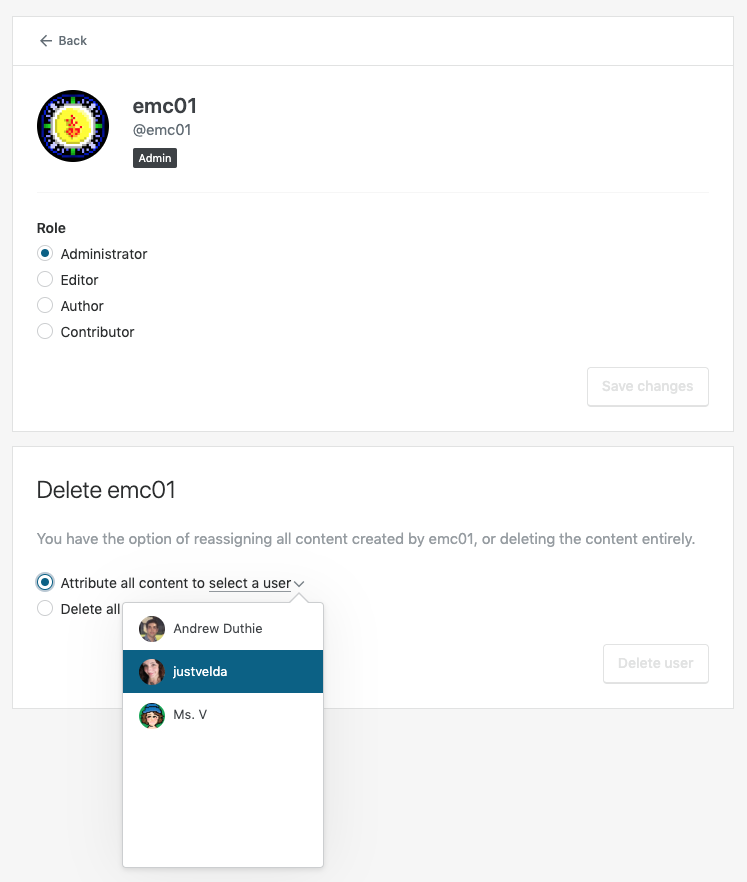
but this is what I still see:
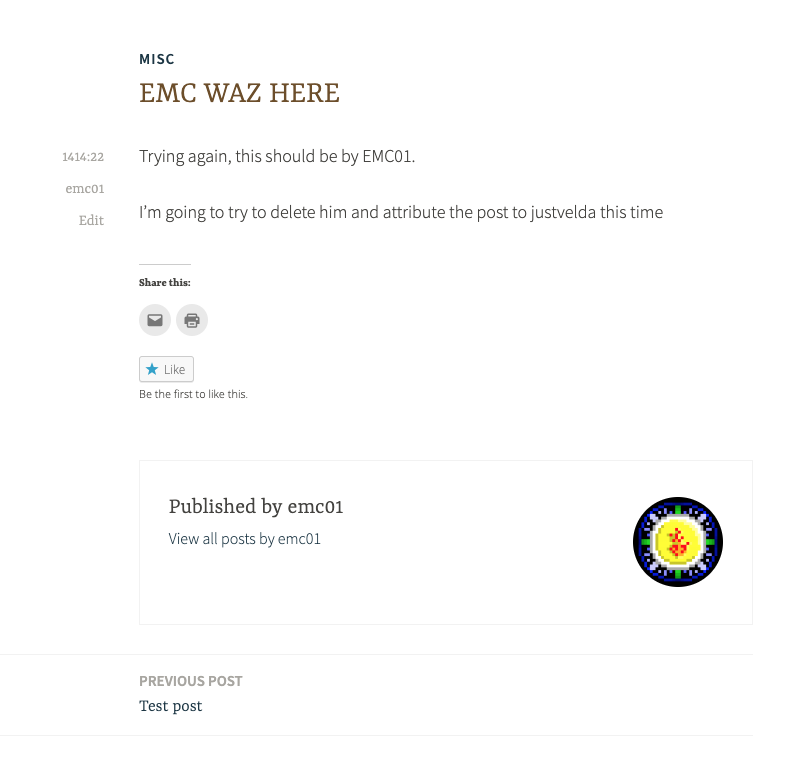
(noting I tried clearing cache, too, and confirmed the post still shows up as owned by that user in back-end listings too)
#### Context / Source
Complaint in the forums:
https://en.forums.wordpress.com/topic/deleted-user-still-associated-with-posts/
Tested on a test site. :)",1.0,"People: When removing a user, content attribution does not work - <!-- Thanks for contributing to Calypso! Pick a clear title (""Editor: add spell check"") and proceed. -->
#### Steps to reproduce
1. Starting at https://wordpress.com/people, select a site that has multiple users
2. Click on a user that has at least one published post (perhaps even open that post in a new tab)
3. Choose ""Attribute all content to"" and select another user, then click ""Delete User""
#### What I expected
The removed user should no longer be listed as the post author
#### What happened instead
They are still listed as the post author
#### Browser / OS version
Chrome / Mac (both current)
#### Screenshot / Video

but this is what I still see:

(noting I tried clearing cache, too, and confirmed the post still shows up as owned by that user in back-end listings too)
#### Context / Source
Complaint in the forums:
https://en.forums.wordpress.com/topic/deleted-user-still-associated-with-posts/
Tested on a test site. :)",1,people when removing a user content attribution does not work steps to reproduce starting at select a site that has multiple users click on a user that has at least one published post perhaps even open that post in a new tab choose attribute all content to and select another user then click delete user what i expected the removed user should no longer be listed as the post author what happened instead they are still listed as the post author browser os version chrome mac both current screenshot video but this is what i still see noting i tried clearing cache too and confirmed the post still shows up as owned by that user in back end listings too context source complaint in the forums tested on a test site ,1
388,7120686046.0,IssuesEvent,2018-01-19 02:41:15,Automattic/wp-calypso,https://api.github.com/repos/Automattic/wp-calypso,closed,People: use <SelectDropdown>,Components People Management [Status] Stale [Type] Enhancement [Type] Janitorial,"Why not use the `SelectDropdown` component for the user roles select?

cc @rickybanister @ebinnion
",1.0,"People: use <SelectDropdown> - Why not use the `SelectDropdown` component for the user roles select?

cc @rickybanister @ebinnion
",1,people use why not use the selectdropdown component for the user roles select cc rickybanister ebinnion ,1
146,3670579285.0,IssuesEvent,2016-02-21 22:56:36,Automattic/wp-calypso,https://api.github.com/repos/Automattic/wp-calypso,closed,People: Do not display UI for editing WP.com site owner,People Management [Type] Task,"Currently, when an admin attempts to edit the site owner of a site, an error notice is displayed. Since we don't allow editing, we shouldn't even show the form that would allow editing a site owner.
Originally reported in #3140. I fixed the issue in the API in r131094-wpcom.",1.0,"People: Do not display UI for editing WP.com site owner - Currently, when an admin attempts to edit the site owner of a site, an error notice is displayed. Since we don't allow editing, we shouldn't even show the form that would allow editing a site owner.
Originally reported in #3140. I fixed the issue in the API in r131094-wpcom.",1,people do not display ui for editing wp com site owner currently when an admin attempts to edit the site owner of a site an error notice is displayed since we don t allow editing we shouldn t even show the form that would allow editing a site owner originally reported in i fixed the issue in the api in wpcom ,1
135,3594246872.0,IssuesEvent,2016-02-01 22:50:53,Automattic/wp-calypso,https://api.github.com/repos/Automattic/wp-calypso,closed,People: Trying to accept an invitation with a user already on a site gives a very non-human error notice,People Management [Type] Bug,"For the most part, the notices in the invitation flow are very human. (For example, when you decline an invitation you see the notice, ""You declined to join."") However, if you try to accept an invitation while logged in as a user that's already on the site, you get this very non-human error notice:
>User is already a member of this blog.
Could we display a more human notice, instead? For example:
>You are already a member of this blog.
Steps to reproduce:
1. Send an invitation to a user or email address that is not a member of the blog
2. Copy the invitation link from the invitation email, and paste it into a browser where you are logged in as an existing member of the blog
3. Click the ""Join"" button
Result: You see the error notice mentioned above. (It would probably be ideal to catch this before even seeing the option to join the site, but we should at least improve that error message.)",1.0,"People: Trying to accept an invitation with a user already on a site gives a very non-human error notice - For the most part, the notices in the invitation flow are very human. (For example, when you decline an invitation you see the notice, ""You declined to join."") However, if you try to accept an invitation while logged in as a user that's already on the site, you get this very non-human error notice:
>User is already a member of this blog.
Could we display a more human notice, instead? For example:
>You are already a member of this blog.
Steps to reproduce:
1. Send an invitation to a user or email address that is not a member of the blog
2. Copy the invitation link from the invitation email, and paste it into a browser where you are logged in as an existing member of the blog
3. Click the ""Join"" button
Result: You see the error notice mentioned above. (It would probably be ideal to catch this before even seeing the option to join the site, but we should at least improve that error message.)",1,people trying to accept an invitation with a user already on a site gives a very non human error notice for the most part the notices in the invitation flow are very human for example when you decline an invitation you see the notice you declined to join however if you try to accept an invitation while logged in as a user that s already on the site you get this very non human error notice user is already a member of this blog could we display a more human notice instead for example you are already a member of this blog steps to reproduce send an invitation to a user or email address that is not a member of the blog copy the invitation link from the invitation email and paste it into a browser where you are logged in as an existing member of the blog click the join button result you see the error notice mentioned above it would probably be ideal to catch this before even seeing the option to join the site but we should at least improve that error message ,1
363,6758363960.0,IssuesEvent,2017-10-24 14:00:12,Automattic/wp-calypso,https://api.github.com/repos/Automattic/wp-calypso,closed,People Management: unable to remove self from sites,OSS Citizen People Management [Type] Enhancement,"I have been unable to find a way to remove myself from a site owned by another user in Calypso. At https://dashboard.wordpress.com/wp-admin/index.php?page=my-blogs you are able to accomplish self removal. I viewed my own user name in people management and there was no option to remove myself.
",1.0,"People Management: unable to remove self from sites - I have been unable to find a way to remove myself from a site owned by another user in Calypso. At https://dashboard.wordpress.com/wp-admin/index.php?page=my-blogs you are able to accomplish self removal. I viewed my own user name in people management and there was no option to remove myself.
",1,people management unable to remove self from sites i have been unable to find a way to remove myself from a site owned by another user in calypso at you are able to accomplish self removal i viewed my own user name in people management and there was no option to remove myself ,1
681,12257732460.0,IssuesEvent,2020-05-06 14:07:31,Automattic/wp-calypso,https://api.github.com/repos/Automattic/wp-calypso,opened,Invite People: add descriptions to all roles,People Management,"In #41794, we added description to user roles to the Invite People section. While we added descriptions for all major roles from https://wordpress.com/support/user-roles/, there are a few missing ones like ""shop manager"" and ""customer"".
Check all the possible user roles and add descriptions for them.",1.0,"Invite People: add descriptions to all roles - In #41794, we added description to user roles to the Invite People section. While we added descriptions for all major roles from https://wordpress.com/support/user-roles/, there are a few missing ones like ""shop manager"" and ""customer"".
Check all the possible user roles and add descriptions for them.",1,invite people add descriptions to all roles in we added description to user roles to the invite people section while we added descriptions for all major roles from there are a few missing ones like shop manager and customer check all the possible user roles and add descriptions for them ,1
90,3371561137.0,IssuesEvent,2015-11-23 19:39:10,Automattic/wp-calypso,https://api.github.com/repos/Automattic/wp-calypso,opened,"People: Add ""add"" button to people link on frontend of WP.com sites",People Management [Type] Task,"A couple of days ago, @apeatling mentioned that the ""Add"" button was not displayed on the frontend of WP.com sites. Let's get that added.",1.0,"People: Add ""add"" button to people link on frontend of WP.com sites - A couple of days ago, @apeatling mentioned that the ""Add"" button was not displayed on the frontend of WP.com sites. Let's get that added.",1,people add add button to people link on frontend of wp com sites a couple of days ago apeatling mentioned that the add button was not displayed on the frontend of wp com sites let s get that added ,1
107,3455397838.0,IssuesEvent,2015-12-17 19:56:51,Automattic/wp-calypso,https://api.github.com/repos/Automattic/wp-calypso,opened,People: Accepting a follower invite does not add the site to the user's reader,People Management,"If you send an invite to follow a public wpcom site, and then try to accept the invite via
calypso.localhost:3000/accept-invite/$site/$invite_key/$activation_key/$auth_key
the site is not added to your reader. :scream:
( note: you can grabe the invite key from the 'Resend Invite' link in wp-admin, and the other keys from 'Accept' link in the email you receive )",1.0,"People: Accepting a follower invite does not add the site to the user's reader - If you send an invite to follow a public wpcom site, and then try to accept the invite via
calypso.localhost:3000/accept-invite/$site/$invite_key/$activation_key/$auth_key
the site is not added to your reader. :scream:
( note: you can grabe the invite key from the 'Resend Invite' link in wp-admin, and the other keys from 'Accept' link in the email you receive )",1,people accepting a follower invite does not add the site to the user s reader if you send an invite to follow a public wpcom site and then try to accept the invite via calypso localhost accept invite site invite key activation key auth key the site is not added to your reader scream note you can grabe the invite key from the resend invite link in wp admin and the other keys from accept link in the email you receive ,1
125,3576146777.0,IssuesEvent,2016-01-27 18:25:57,Automattic/wp-calypso,https://api.github.com/repos/Automattic/wp-calypso,opened,People: Declining an invitation leaves the invitation pending (for both the inviter and invitee),People Management [Type] Bug,"When an invitee clicks the ""Accept Invitation"" button in an invitation email, they are taken to a screen where they can join the site or decline the invitation:

If I decline the invitation, I expect the invitation to be effectively cancelled:
- I expect the inviter to get notification that the invitation was declined (e.g. email notification)
- I expect the ""Past Invitations"" section under Users > Invite New in wp-admin to show that the invitation was declined
- I expect that my invitation is now cancelled/invalid
Instead, the invitation is still pending, so declining the invitation is no different from ignoring the invitation in the first place:
- The inviter gets no notification
- The invitation under Users > Invite New is still listed as Waiting
- If I click ""Accept Invitation"" in the invitation email again, the invitation is still valid and I can choose whether or not to accept the invitation again
In the past, there wasn't a way to actively decline invitations. If we offer a ""Decline"" button, I'd expect it to actively decline the invitation in a way that invalidates the invitation. If we don't plan to include that kind of behavior, it makes more sense to me to display a ""Cancel"" button of some kind — that way, you can cancel out of accepting the invitation, but it doesn't create the expectation that you are actively declining.",1.0,"People: Declining an invitation leaves the invitation pending (for both the inviter and invitee) - When an invitee clicks the ""Accept Invitation"" button in an invitation email, they are taken to a screen where they can join the site or decline the invitation:

If I decline the invitation, I expect the invitation to be effectively cancelled:
- I expect the inviter to get notification that the invitation was declined (e.g. email notification)
- I expect the ""Past Invitations"" section under Users > Invite New in wp-admin to show that the invitation was declined
- I expect that my invitation is now cancelled/invalid
Instead, the invitation is still pending, so declining the invitation is no different from ignoring the invitation in the first place:
- The inviter gets no notification
- The invitation under Users > Invite New is still listed as Waiting
- If I click ""Accept Invitation"" in the invitation email again, the invitation is still valid and I can choose whether or not to accept the invitation again
In the past, there wasn't a way to actively decline invitations. If we offer a ""Decline"" button, I'd expect it to actively decline the invitation in a way that invalidates the invitation. If we don't plan to include that kind of behavior, it makes more sense to me to display a ""Cancel"" button of some kind — that way, you can cancel out of accepting the invitation, but it doesn't create the expectation that you are actively declining.",1,people declining an invitation leaves the invitation pending for both the inviter and invitee when an invitee clicks the accept invitation button in an invitation email they are taken to a screen where they can join the site or decline the invitation if i decline the invitation i expect the invitation to be effectively cancelled i expect the inviter to get notification that the invitation was declined e g email notification i expect the past invitations section under users invite new in wp admin to show that the invitation was declined i expect that my invitation is now cancelled invalid instead the invitation is still pending so declining the invitation is no different from ignoring the invitation in the first place the inviter gets no notification the invitation under users invite new is still listed as waiting if i click accept invitation in the invitation email again the invitation is still valid and i can choose whether or not to accept the invitation again in the past there wasn t a way to actively decline invitations if we offer a decline button i d expect it to actively decline the invitation in a way that invalidates the invitation if we don t plan to include that kind of behavior it makes more sense to me to display a cancel button of some kind — that way you can cancel out of accepting the invitation but it doesn t create the expectation that you are actively declining ,1
170,3790881186.0,IssuesEvent,2016-03-21 23:20:47,Automattic/wp-calypso,https://api.github.com/repos/Automattic/wp-calypso,closed,People: users should not be able to send invites to old followers of site,People Management [Type] Bug,"It's sometimes possible to send an invite to a user who's already following a site.
#### Steps to reproduce:
1. Find a blog where you have a follower since at least before November 2015 (exact date for bug unknown)

2. Log in to this blog as admin, and try to add the follower from step 1 above as a follower. You see that adding in their username does not produce any errors:

3. Click on 'Send invitation' and see that the invitation is sent
#### Instead I expected:
I expected to see an error when trying to add a user who's already following my blog, like this:


#### Some digging
When looking at the old interface for this, I see that the invitation for the user I attempted to invite is still marked as waiting:
",1.0,"People: users should not be able to send invites to old followers of site - It's sometimes possible to send an invite to a user who's already following a site.
#### Steps to reproduce:
1. Find a blog where you have a follower since at least before November 2015 (exact date for bug unknown)

2. Log in to this blog as admin, and try to add the follower from step 1 above as a follower. You see that adding in their username does not produce any errors:

3. Click on 'Send invitation' and see that the invitation is sent
#### Instead I expected:
I expected to see an error when trying to add a user who's already following my blog, like this:


#### Some digging
When looking at the old interface for this, I see that the invitation for the user I attempted to invite is still marked as waiting:
",1,people users should not be able to send invites to old followers of site it s sometimes possible to send an invite to a user who s already following a site steps to reproduce find a blog where you have a follower since at least before november exact date for bug unknown log in to this blog as admin and try to add the follower from step above as a follower you see that adding in their username does not produce any errors click on send invitation and see that the invitation is sent instead i expected i expected to see an error when trying to add a user who s already following my blog like this some digging when looking at the old interface for this i see that the invitation for the user i attempted to invite is still marked as waiting ,1
164,3775866099.0,IssuesEvent,2016-03-17 14:58:05,Automattic/wp-calypso,https://api.github.com/repos/Automattic/wp-calypso,opened,People: possible to accept invitation with an account that wasn't invited ,People Management [Type] Bug,"It seems to be possible to accept an invitation to join a site using an account that wasn't invited.
Steps to reproduce:
- While logged in as user A, invite user B to join your site
- User B should have received an invitation to join the site
- Log in to an incognito window as user C.
- Copy the link in the email user B received, and paste in the incognito window.
- User C will be able to accept the invite.
- Logged in as user A, confirm from `/people` that user C was added to your site even though you never invited it.",1.0,"People: possible to accept invitation with an account that wasn't invited - It seems to be possible to accept an invitation to join a site using an account that wasn't invited.
Steps to reproduce:
- While logged in as user A, invite user B to join your site
- User B should have received an invitation to join the site
- Log in to an incognito window as user C.
- Copy the link in the email user B received, and paste in the incognito window.
- User C will be able to accept the invite.
- Logged in as user A, confirm from `/people` that user C was added to your site even though you never invited it.",1,people possible to accept invitation with an account that wasn t invited it seems to be possible to accept an invitation to join a site using an account that wasn t invited steps to reproduce while logged in as user a invite user b to join your site user b should have received an invitation to join the site log in to an incognito window as user c copy the link in the email user b received and paste in the incognito window user c will be able to accept the invite logged in as user a confirm from people that user c was added to your site even though you never invited it ,1
105,3449283826.0,IssuesEvent,2015-12-16 12:55:41,Automattic/wp-calypso,https://api.github.com/repos/Automattic/wp-calypso,opened,People: use <SelectDropdown>,Components People Management [Type] Enhancement [Type] Janitorial,"Why not use the `SelectDropdown` component for the user roles select?

cc @rickybanister @ebinnion ",1.0,"People: use <SelectDropdown> - Why not use the `SelectDropdown` component for the user roles select?

cc @rickybanister @ebinnion ",1,people use why not use the selectdropdown component for the user roles select cc rickybanister ebinnion ,1
118,3520034767.0,IssuesEvent,2016-01-12 19:10:15,Automattic/wp-calypso,https://api.github.com/repos/Automattic/wp-calypso,closed,People: Edge Browser 404s on widgets.wordpress.com,People Management [Type] Bug,"Using the latest Edge browser (inPrivate window) on Windows 10, the signup for a new account goes well, but then I get stuck here:

In the console, the errors are these:

Trying to load those URLs directly in Edge whether InPrivate or regular window give a 404 error.
Note, this works in IE11, including directly loading the URLs, they do not 404 and the flow all worked loading the posts on the new site in Calypso.",1.0,"People: Edge Browser 404s on widgets.wordpress.com - Using the latest Edge browser (inPrivate window) on Windows 10, the signup for a new account goes well, but then I get stuck here:

In the console, the errors are these:

Trying to load those URLs directly in Edge whether InPrivate or regular window give a 404 error.
Note, this works in IE11, including directly loading the URLs, they do not 404 and the flow all worked loading the posts on the new site in Calypso.",1,people edge browser on widgets wordpress com using the latest edge browser inprivate window on windows the signup for a new account goes well but then i get stuck here in the console the errors are these trying to load those urls directly in edge whether inprivate or regular window give a error note this works in including directly loading the urls they do not and the flow all worked loading the posts on the new site in calypso ,1
381,7085873159.0,IssuesEvent,2018-01-11 12:38:30,Automattic/wp-calypso,https://api.github.com/repos/Automattic/wp-calypso,opened,People: Increase Limit for CSV Download of Email Followers,People Management [Type] Enhancement user-waiting,"The user in 893459-zen has 28,887 email followers. They'd like to download this list to a CSV file, but the cap for the number of email addresses than can be downloaded is currently 20,000.
I was able to confirm this by downloading from the Stats Admin.
Can we increase the limit or find some way to download those extra 8,887 followers?",1.0,"People: Increase Limit for CSV Download of Email Followers - The user in 893459-zen has 28,887 email followers. They'd like to download this list to a CSV file, but the cap for the number of email addresses than can be downloaded is currently 20,000.
I was able to confirm this by downloading from the Stats Admin.
Can we increase the limit or find some way to download those extra 8,887 followers?",1,people increase limit for csv download of email followers the user in zen has email followers they d like to download this list to a csv file but the cap for the number of email addresses than can be downloaded is currently i was able to confirm this by downloading from the stats admin can we increase the limit or find some way to download those extra followers ,1
89,3371546562.0,IssuesEvent,2015-11-23 19:35:33,Automattic/wp-calypso,https://api.github.com/repos/Automattic/wp-calypso,opened,People: Verify email address when user creates account from invite,API People Management [Type] Task,"If a user creates an account from an invite, we should automatically verify that user's email address.",1.0,"People: Verify email address when user creates account from invite - If a user creates an account from an invite, we should automatically verify that user's email address.",1,people verify email address when user creates account from invite if a user creates an account from an invite we should automatically verify that user s email address ,1
816,15278324972.0,IssuesEvent,2021-02-23 01:13:17,Automattic/wp-calypso,https://api.github.com/repos/Automattic/wp-calypso,opened,Users: Invited Subscriber Shown Link to Add New Post (Business & eCommerce plans),Atomic Involves Happiness People Management [Type] Bug,"<!-- Thanks for contributing to Calypso! Pick a clear title (""Editor: add spell check"") and proceed. -->
### Steps to reproduce the behavior
1. Invite a new subscriber to a Business or eCommerce plan site that uses plugins or third party themes
2. Log in as the subscriber and accept the invite.
3. Immediately after accepting the invite, there is a button to add a new post to the site. The button does not work, which is correct.
#### What I expected to happen
A subscriber should not be shown the option to add a new post to a site they have been invited to.
#### What actually happened
A subscriber is shown the option to add a post. Clicking the button results in a white screen.
### Context
3754474-zd
#### Browser / OS version
Doesn't seem to be related to browser, but Mac 10.14.6 + Firefox 85.0.2
#### Does this happen on simple or atomic sites or both?
Atomic
#### Is there any console output or error text?
No
#### Level of impact (Does it block purchases? Does it affect more than just one site?)
More than one site, bud doesn't block purchases
#### Reproducibility (Consistent, Intermittent) Leave empty for consistent.
#### Screenshot / Video: If applicable, add screenshots to help explain your problem.
https://cloudup.com/cmRJBtH47eB",1.0,"Users: Invited Subscriber Shown Link to Add New Post (Business & eCommerce plans) - <!-- Thanks for contributing to Calypso! Pick a clear title (""Editor: add spell check"") and proceed. -->
### Steps to reproduce the behavior
1. Invite a new subscriber to a Business or eCommerce plan site that uses plugins or third party themes
2. Log in as the subscriber and accept the invite.
3. Immediately after accepting the invite, there is a button to add a new post to the site. The button does not work, which is correct.
#### What I expected to happen
A subscriber should not be shown the option to add a new post to a site they have been invited to.
#### What actually happened
A subscriber is shown the option to add a post. Clicking the button results in a white screen.
### Context
3754474-zd
#### Browser / OS version
Doesn't seem to be related to browser, but Mac 10.14.6 + Firefox 85.0.2
#### Does this happen on simple or atomic sites or both?
Atomic
#### Is there any console output or error text?
No
#### Level of impact (Does it block purchases? Does it affect more than just one site?)
More than one site, bud doesn't block purchases
#### Reproducibility (Consistent, Intermittent) Leave empty for consistent.
#### Screenshot / Video: If applicable, add screenshots to help explain your problem.
https://cloudup.com/cmRJBtH47eB",1,users invited subscriber shown link to add new post business ecommerce plans steps to reproduce the behavior invite a new subscriber to a business or ecommerce plan site that uses plugins or third party themes log in as the subscriber and accept the invite immediately after accepting the invite there is a button to add a new post to the site the button does not work which is correct what i expected to happen a subscriber should not be shown the option to add a new post to a site they have been invited to what actually happened a subscriber is shown the option to add a post clicking the button results in a white screen context zd browser os version doesn t seem to be related to browser but mac firefox does this happen on simple or atomic sites or both atomic is there any console output or error text no level of impact does it block purchases does it affect more than just one site more than one site bud doesn t block purchases reproducibility consistent intermittent leave empty for consistent screenshot video if applicable add screenshots to help explain your problem ,1
161,3773297316.0,IssuesEvent,2016-03-17 01:14:30,Automattic/wp-calypso,https://api.github.com/repos/Automattic/wp-calypso,opened,People: users should be able to delete usernames using backspace on Adndroid,People Management [Type] Bug,"#### Steps to reproduce
1. Go to add a new user either on Android or iOS at people/new/$site
2. Type in a username and make sure it's tokenized:

3. Press the backspace key and see that it does not delete the username.
#### What I expected
I expected the backspace key to delete the username when the cursor is positioned right after the username.
#### Browser / OS version
Android 6.0.1 on Nexus 6, using Chrome 49.0",1.0,"People: users should be able to delete usernames using backspace on Adndroid - #### Steps to reproduce
1. Go to add a new user either on Android or iOS at people/new/$site
2. Type in a username and make sure it's tokenized:

3. Press the backspace key and see that it does not delete the username.
#### What I expected
I expected the backspace key to delete the username when the cursor is positioned right after the username.
#### Browser / OS version
Android 6.0.1 on Nexus 6, using Chrome 49.0",1,people users should be able to delete usernames using backspace on adndroid steps to reproduce go to add a new user either on android or ios at people new site type in a username and make sure it s tokenized press the backspace key and see that it does not delete the username what i expected i expected the backspace key to delete the username when the cursor is positioned right after the username browser os version android on nexus using chrome ,1
503,8681713563.0,IssuesEvent,2018-12-01 22:59:37,Automattic/wp-calypso,https://api.github.com/repos/Automattic/wp-calypso,closed,People: What should a subscriber role be able to do in the WordPress.com dashboard?,People Management [Status] Stale [Type] Question,"Currently we can invite users with a subscriber role on Jetpack sites, but logging into wp.com we see as the subscriber a non-helpful view like:
<img width=""1232"" alt=""screen shot 2018-02-27 at 2 04 15 pm"" src=""https://user-images.githubusercontent.com/1270189/36757747-3abd7264-1bc7-11e8-8424-4d0506c1b8bb.png"">
What did we intend to happen here? Should the site not display in the sites list like we do for viewers on private sites? Should we allow subscribers to remove themselves?
cc @mattsherman @drw158 @megsfulton ",1.0,"People: What should a subscriber role be able to do in the WordPress.com dashboard? - Currently we can invite users with a subscriber role on Jetpack sites, but logging into wp.com we see as the subscriber a non-helpful view like:
<img width=""1232"" alt=""screen shot 2018-02-27 at 2 04 15 pm"" src=""https://user-images.githubusercontent.com/1270189/36757747-3abd7264-1bc7-11e8-8424-4d0506c1b8bb.png"">
What did we intend to happen here? Should the site not display in the sites list like we do for viewers on private sites? Should we allow subscribers to remove themselves?
cc @mattsherman @drw158 @megsfulton ",1,people what should a subscriber role be able to do in the wordpress com dashboard currently we can invite users with a subscriber role on jetpack sites but logging into wp com we see as the subscriber a non helpful view like img width alt screen shot at pm src what did we intend to happen here should the site not display in the sites list like we do for viewers on private sites should we allow subscribers to remove themselves cc mattsherman megsfulton ,1
382,7085879596.0,IssuesEvent,2018-01-11 12:40:03,Automattic/wp-calypso,https://api.github.com/repos/Automattic/wp-calypso,closed,People: usernames with dots can't be edited,People Management [Status] Stale [Type] Bug,"On Jetpack sites user can have a dot in their username can't be edited.
#### What I expected
To be able to edit a user with a dot in the name.
by visiting http://calypso.localhost:3000/people/edit/bo.b/example.com
#### What happened instead
Instead I got redirected to
http://calypso.localhost:3000/people/team
#### Browser / OS version
Every browser.
#### Context / Source
#manual-testing
I think this is related to how getSiteFragment method works.
",1.0,"People: usernames with dots can't be edited - On Jetpack sites user can have a dot in their username can't be edited.
#### What I expected
To be able to edit a user with a dot in the name.
by visiting http://calypso.localhost:3000/people/edit/bo.b/example.com
#### What happened instead
Instead I got redirected to
http://calypso.localhost:3000/people/team
#### Browser / OS version
Every browser.
#### Context / Source
#manual-testing
I think this is related to how getSiteFragment method works.
",1,people usernames with dots can t be edited on jetpack sites user can have a dot in their username can t be edited what i expected to be able to edit a user with a dot in the name by visiting what happened instead instead i got redirected to browser os version every browser context source manual testing i think this is related to how getsitefragment method works ,1
801,14915484101.0,IssuesEvent,2021-01-22 16:47:30,Automattic/wp-calypso,https://api.github.com/repos/Automattic/wp-calypso,closed,Nav Unification: Subscription / People settings missing for Jetpack sites,Jetpack Nav Unification Nav-Unification [Beta] People Management Subscriptions [Type] Bug,"### Steps to reproduce the behavior
1. Start from a Jetpack site connected to WordPress.com, running either Jetpack `master` or the current stable.
2. In wp-admin, go to Jetpack > Settings > Discussion
3. Click on ""View your Email Followers""
4. You'll land in Calypso, in `https://wordpress.com/people/email-followers/yoursite.com`. That page does not have a corresponding menu item in the sidebar, though.
",1.0,"Nav Unification: Subscription / People settings missing for Jetpack sites - ### Steps to reproduce the behavior
1. Start from a Jetpack site connected to WordPress.com, running either Jetpack `master` or the current stable.
2. In wp-admin, go to Jetpack > Settings > Discussion
3. Click on ""View your Email Followers""
4. You'll land in Calypso, in `https://wordpress.com/people/email-followers/yoursite.com`. That page does not have a corresponding menu item in the sidebar, though.
",1,nav unification subscription people settings missing for jetpack sites steps to reproduce the behavior start from a jetpack site connected to wordpress com running either jetpack master or the current stable in wp admin go to jetpack settings discussion click on view your email followers you ll land in calypso in that page does not have a corresponding menu item in the sidebar though ,1
157,3767919856.0,IssuesEvent,2016-03-16 00:57:06,Automattic/wp-calypso,https://api.github.com/repos/Automattic/wp-calypso,closed,People: Fallback to URL when site title blank,People Management [Type] Bug,"#### Steps to reproduce
1. Starting at URL: `people/new/{site}`
2. Add a user to a site that doesn't have a site title
#### What I expected
I expected we would fall back to the site URL rather than leaving the field blank.
#### What happened instead
Blank fields occur in three areas:
The email invite:

The accept dialogue (""Would you like to become a follower of ?""):

The success message:

#### Browser / OS version
Chrome 49.0.2623.87
A bit of an edge case, but still definitely possible.",1.0,"People: Fallback to URL when site title blank - #### Steps to reproduce
1. Starting at URL: `people/new/{site}`
2. Add a user to a site that doesn't have a site title
#### What I expected
I expected we would fall back to the site URL rather than leaving the field blank.
#### What happened instead
Blank fields occur in three areas:
The email invite:

The accept dialogue (""Would you like to become a follower of ?""):

The success message:

#### Browser / OS version
Chrome 49.0.2623.87
A bit of an edge case, but still definitely possible.",1,people fallback to url when site title blank steps to reproduce starting at url people new site add a user to a site that doesn t have a site title what i expected i expected we would fall back to the site url rather than leaving the field blank what happened instead blank fields occur in three areas the email invite the accept dialogue would you like to become a follower of the success message browser os version chrome a bit of an edge case but still definitely possible ,1
87,3371513634.0,IssuesEvent,2015-11-23 19:27:08,Automattic/wp-calypso,https://api.github.com/repos/Automattic/wp-calypso,opened,People: Update accept invite lib to reflect endpoint changes,People Management [Type] Task,"Now that we have made changes to the accept invite endpoint, we'll need to update how we call that endpoint in Calypso.
Specifically, we made these changes:
- Changed to `GET`
- Invitation key is now passed as a path parameter
- Activation key is passed as a query parameter",1.0,"People: Update accept invite lib to reflect endpoint changes - Now that we have made changes to the accept invite endpoint, we'll need to update how we call that endpoint in Calypso.
Specifically, we made these changes:
- Changed to `GET`
- Invitation key is now passed as a path parameter
- Activation key is passed as a query parameter",1,people update accept invite lib to reflect endpoint changes now that we have made changes to the accept invite endpoint we ll need to update how we call that endpoint in calypso specifically we made these changes changed to get invitation key is now passed as a path parameter activation key is passed as a query parameter,1
1179,30699328412.0,IssuesEvent,2023-07-26 21:26:10,Automattic/wp-calypso,https://api.github.com/repos/Automattic/wp-calypso,reopened,Calypso: Viewer role users not searchable by email on simple sites,[Type] Bug [Pri] Normal People Management User Report Triaged User Management [Platform] Simple [Closed] Resolved User Management Revamp,"### Quick summary
The search feature in Calypso (WordPress.com > My Sites > Users > Search bar at the top) does not return accurate results when searching for viewers by email address or username on Simple Sites. This issue appears to be specific to the ""Viewer"" role, and it occurs regardless of the site's privacy setting. The problem does not replicate on Atomic sites.
### Steps to reproduce
prereq. Set the site to Private status, otherwise the Viewer role is not available.
* Navigate to WordPress.com > My Sites > Users.
* Ensure there are users assigned with the ""Viewer"" role.
* Use the search bar at the top and attempt to find a Viewer by entering their email address or username.
### What you expected to happen
The search feature should return a list of users that match the entered email address or username, including users with the ""Viewer"" role.
### What actually happened
The search does not return any results when searching for Viewers by email address. It seems to be working inconsistently for usernames.
### Impact
Some (< 50%)
### Available workarounds?
Yes, difficult to implement
### Platform (Simple and/or Atomic)
Simple
### Logs or notes
The user who reported this issue: 6369117-zen
The issue appears to be specific to the ""Viewer"" role and is not affected by the site's privacy settings (private or public). It could be a bug within the Calypso user search functionality specifically related to Simple sites. More testing is needed to determine if this is an isolated issue or more widespread.
A video showing how I could reproduce this issue can be found here:
p1685986572045829-slack-C03TY6J1A",1.0,"Calypso: Viewer role users not searchable by email on simple sites - ### Quick summary
The search feature in Calypso (WordPress.com > My Sites > Users > Search bar at the top) does not return accurate results when searching for viewers by email address or username on Simple Sites. This issue appears to be specific to the ""Viewer"" role, and it occurs regardless of the site's privacy setting. The problem does not replicate on Atomic sites.
### Steps to reproduce
prereq. Set the site to Private status, otherwise the Viewer role is not available.
* Navigate to WordPress.com > My Sites > Users.
* Ensure there are users assigned with the ""Viewer"" role.
* Use the search bar at the top and attempt to find a Viewer by entering their email address or username.
### What you expected to happen
The search feature should return a list of users that match the entered email address or username, including users with the ""Viewer"" role.
### What actually happened
The search does not return any results when searching for Viewers by email address. It seems to be working inconsistently for usernames.
### Impact
Some (< 50%)
### Available workarounds?
Yes, difficult to implement
### Platform (Simple and/or Atomic)
Simple
### Logs or notes
The user who reported this issue: 6369117-zen
The issue appears to be specific to the ""Viewer"" role and is not affected by the site's privacy settings (private or public). It could be a bug within the Calypso user search functionality specifically related to Simple sites. More testing is needed to determine if this is an isolated issue or more widespread.
A video showing how I could reproduce this issue can be found here:
p1685986572045829-slack-C03TY6J1A",1,calypso viewer role users not searchable by email on simple sites quick summary the search feature in calypso wordpress com my sites users search bar at the top does not return accurate results when searching for viewers by email address or username on simple sites this issue appears to be specific to the viewer role and it occurs regardless of the site s privacy setting the problem does not replicate on atomic sites steps to reproduce prereq set the site to private status otherwise the viewer role is not available navigate to wordpress com my sites users ensure there are users assigned with the viewer role use the search bar at the top and attempt to find a viewer by entering their email address or username what you expected to happen the search feature should return a list of users that match the entered email address or username including users with the viewer role what actually happened the search does not return any results when searching for viewers by email address it seems to be working inconsistently for usernames impact some available workarounds yes difficult to implement platform simple and or atomic simple logs or notes the user who reported this issue zen the issue appears to be specific to the viewer role and is not affected by the site s privacy settings private or public it could be a bug within the calypso user search functionality specifically related to simple sites more testing is needed to determine if this is an isolated issue or more widespread a video showing how i could reproduce this issue can be found here slack ,1
263,5280906516.0,IssuesEvent,2017-02-07 15:20:03,Automattic/wp-calypso,https://api.github.com/repos/Automattic/wp-calypso,opened,Stats: The number of Followers displayed under Stats doesn't always match the real number of .com + Email Followers,People Management Stats,"The number of Followers displayed under Stats doesn't always match the real number of .com + Email Followers.
#### Steps to reproduce
1. Starting at URL: https://wordpress.com/stats/day/
2. View the number of your site's followers in the upper right hand corner. You can see, from the following screenshot, that the number of followers is 90 for my site:
<img width=""1074"" alt=""screen shot 2017-02-07 at 13 19 43"" src=""https://cloud.githubusercontent.com/assets/2998162/22692732/3b07cf8a-ed38-11e6-9d4a-e1e630c78833.png"">
3. Click on the ""Followers"" button to get more details and look at the number of .com vs. Email Followers.
#### What I expected
I expected the number of .com + Email Followers to add up to the number displayed on the stats page (in my case, 90).
#### What happened instead
I saw that I had 92 .com Followers and 1 Email Follower:
<img width=""792"" alt=""screen shot 2017-02-07 at 13 25 21"" src=""https://cloud.githubusercontent.com/assets/2998162/22692894/e8ab9c16-ed38-11e6-9fd2-40f67f17fd32.png"">
<img width=""783"" alt=""screen shot 2017-02-07 at 13 26 05"" src=""https://cloud.githubusercontent.com/assets/2998162/22692917/01eaee52-ed39-11e6-98b8-81493195ac8e.png"">
The total that I would expect to see under Stats is therefore 93, not 90.
The reason for this is not at all obvious to me: Perhaps partly related to #2780? I am following my blog both via the Reader and Email. That would still come to 92, not 90, though.
#### Browser / OS version
Chrome
#### Context / Source
#user-report #manual-testing
<!-- Optional: share your unique context to help us understand your perspective. You can add context tags such as: #journey #anecdote #narrative #context #empathy #perspective #reallife #dogfooding #livesharing #flowsharing #anxiety #anxiety-flow #stresscase #painpoint.
We'd also love to know how you found the bug: #dogfooding, #manual-testing, #automated-testing, or #user-report if applicable.
If requesting a new feature, explain why you'd like to see it added.
-->
<!--
PLEASE NOTE
- These comments won't show up when you submit the issue.
- Everything is optional, but try to add as many details as possible.
Docs & troubleshooting:
https://github.com/Automattic/wp-calypso/blob/master/.github/CONTRIBUTING.md
https://github.com/Automattic/wp-calypso/blob/master/docs/troubleshooting.md
Helpful tips for screenshots:
https://en.support.wordpress.com/make-a-screenshot/
-->
",1.0,"Stats: The number of Followers displayed under Stats doesn't always match the real number of .com + Email Followers - The number of Followers displayed under Stats doesn't always match the real number of .com + Email Followers.
#### Steps to reproduce
1. Starting at URL: https://wordpress.com/stats/day/
2. View the number of your site's followers in the upper right hand corner. You can see, from the following screenshot, that the number of followers is 90 for my site:
<img width=""1074"" alt=""screen shot 2017-02-07 at 13 19 43"" src=""https://cloud.githubusercontent.com/assets/2998162/22692732/3b07cf8a-ed38-11e6-9d4a-e1e630c78833.png"">
3. Click on the ""Followers"" button to get more details and look at the number of .com vs. Email Followers.
#### What I expected
I expected the number of .com + Email Followers to add up to the number displayed on the stats page (in my case, 90).
#### What happened instead
I saw that I had 92 .com Followers and 1 Email Follower:
<img width=""792"" alt=""screen shot 2017-02-07 at 13 25 21"" src=""https://cloud.githubusercontent.com/assets/2998162/22692894/e8ab9c16-ed38-11e6-9fd2-40f67f17fd32.png"">
<img width=""783"" alt=""screen shot 2017-02-07 at 13 26 05"" src=""https://cloud.githubusercontent.com/assets/2998162/22692917/01eaee52-ed39-11e6-98b8-81493195ac8e.png"">
The total that I would expect to see under Stats is therefore 93, not 90.
The reason for this is not at all obvious to me: Perhaps partly related to #2780? I am following my blog both via the Reader and Email. That would still come to 92, not 90, though.
#### Browser / OS version
Chrome
#### Context / Source
#user-report #manual-testing
<!-- Optional: share your unique context to help us understand your perspective. You can add context tags such as: #journey #anecdote #narrative #context #empathy #perspective #reallife #dogfooding #livesharing #flowsharing #anxiety #anxiety-flow #stresscase #painpoint.
We'd also love to know how you found the bug: #dogfooding, #manual-testing, #automated-testing, or #user-report if applicable.
If requesting a new feature, explain why you'd like to see it added.
-->
<!--
PLEASE NOTE
- These comments won't show up when you submit the issue.
- Everything is optional, but try to add as many details as possible.
Docs & troubleshooting:
https://github.com/Automattic/wp-calypso/blob/master/.github/CONTRIBUTING.md
https://github.com/Automattic/wp-calypso/blob/master/docs/troubleshooting.md
Helpful tips for screenshots:
https://en.support.wordpress.com/make-a-screenshot/
-->
",1,stats the number of followers displayed under stats doesn t always match the real number of com email followers the number of followers displayed under stats doesn t always match the real number of com email followers steps to reproduce starting at url view the number of your site s followers in the upper right hand corner you can see from the following screenshot that the number of followers is for my site img width alt screen shot at src click on the followers button to get more details and look at the number of com vs email followers what i expected i expected the number of com email followers to add up to the number displayed on the stats page in my case what happened instead i saw that i had com followers and email follower img width alt screen shot at src img width alt screen shot at src the total that i would expect to see under stats is therefore not the reason for this is not at all obvious to me perhaps partly related to i am following my blog both via the reader and email that would still come to not though browser os version chrome context source user report manual testing optional share your unique context to help us understand your perspective you can add context tags such as journey anecdote narrative context empathy perspective reallife dogfooding livesharing flowsharing anxiety anxiety flow stresscase painpoint we d also love to know how you found the bug dogfooding manual testing automated testing or user report if applicable if requesting a new feature explain why you d like to see it added please note these comments won t show up when you submit the issue everything is optional but try to add as many details as possible docs troubleshooting helpful tips for screenshots ,1
110,3460513654.0,IssuesEvent,2015-12-19 07:08:31,Automattic/wp-calypso,https://api.github.com/repos/Automattic/wp-calypso,closed,"People: after accepting a follower invite, the notification text is wrong",People Management,"To reproduce:
- Invite a wpcom user to follower your blog
- Login as the user, and accept the invite
- Note the message:

",1.0,"People: after accepting a follower invite, the notification text is wrong - To reproduce:
- Invite a wpcom user to follower your blog
- Login as the user, and accept the invite
- Note the message:

",1,people after accepting a follower invite the notification text is wrong to reproduce invite a wpcom user to follower your blog login as the user and accept the invite note the message ,1
156,3757326164.0,IssuesEvent,2016-03-13 22:26:19,Automattic/wp-calypso,https://api.github.com/repos/Automattic/wp-calypso,opened,People: Set user role to Follower on initial load ,People Management [Type] Bug,"If you click ""Add"" from somewhere in Calypso already, we're not calling `resetState()` so the role is set to ""Administrator"" by default instead of ""Follower"", which seems to be what we want.
#### Steps to reproduce
1. Starting at URL: http://calypso.localhost:3000/domains/manage/allthetests.wordpress.com
2. Click ""Add"" next to ""People"". You'll notice that role is set to ""Administrator.""
3. Type in a name in the invite field and add a comma to trigger the page to update
4. Role will flip to ""Follower"", which seems like the default role after the first addition
5. If you visit ```people/new/{site}``` directly, ""Follower"" is set by default
#### What I expected
I expected ""Follower"" to be the default in any scenario regardless of whether I loaded the page via ""Add"" or loading the URL directly.
#### What happened instead
The role is set to ""Administrator"" initially when you load the page via the ""Add"" button.
#### Browser / OS version
Chrome—49.0_ (latest)
#### Screenshot / Video

I'm a bit stumped on why this is occurring since we're calling `this.resetState();` in `getInitialState` which sets the role to ""follower."" Logging out this.state.role returns ""follower"" when the component mounts in both scenarios (directly visiting URL and clicking ""Add"").",1.0,"People: Set user role to Follower on initial load - If you click ""Add"" from somewhere in Calypso already, we're not calling `resetState()` so the role is set to ""Administrator"" by default instead of ""Follower"", which seems to be what we want.
#### Steps to reproduce
1. Starting at URL: http://calypso.localhost:3000/domains/manage/allthetests.wordpress.com
2. Click ""Add"" next to ""People"". You'll notice that role is set to ""Administrator.""
3. Type in a name in the invite field and add a comma to trigger the page to update
4. Role will flip to ""Follower"", which seems like the default role after the first addition
5. If you visit ```people/new/{site}``` directly, ""Follower"" is set by default
#### What I expected
I expected ""Follower"" to be the default in any scenario regardless of whether I loaded the page via ""Add"" or loading the URL directly.
#### What happened instead
The role is set to ""Administrator"" initially when you load the page via the ""Add"" button.
#### Browser / OS version
Chrome—49.0_ (latest)
#### Screenshot / Video

I'm a bit stumped on why this is occurring since we're calling `this.resetState();` in `getInitialState` which sets the role to ""follower."" Logging out this.state.role returns ""follower"" when the component mounts in both scenarios (directly visiting URL and clicking ""Add"").",1,people set user role to follower on initial load if you click add from somewhere in calypso already we re not calling resetstate so the role is set to administrator by default instead of follower which seems to be what we want steps to reproduce starting at url click add next to people you ll notice that role is set to administrator type in a name in the invite field and add a comma to trigger the page to update role will flip to follower which seems like the default role after the first addition if you visit people new site directly follower is set by default what i expected i expected follower to be the default in any scenario regardless of whether i loaded the page via add or loading the url directly what happened instead the role is set to administrator initially when you load the page via the add button browser os version chrome— latest screenshot video i m a bit stumped on why this is occurring since we re calling this resetstate in getinitialstate which sets the role to follower logging out this state role returns follower when the component mounts in both scenarios directly visiting url and clicking add ,1
507,8723154460.0,IssuesEvent,2018-12-09 19:16:28,Automattic/wp-calypso,https://api.github.com/repos/Automattic/wp-calypso,closed,People: Can't send invitation when username field still has focus,People Management [Status] Stale [Type] Bug,"<img width=""769"" alt=""screen shot 2018-02-27 at 1 49 08 pm"" src=""https://user-images.githubusercontent.com/1270189/36756917-420f611e-1bc5-11e8-9d18-962301b011d5.png"">
1. Navigate to https://wordpress.com/people/invites/
2. Select a site
3. Try to invite someone without unfocusing the username text field
Expected: Send Invite button is enabled
Actual: Invite button is disabled until you focus on something else",1.0,"People: Can't send invitation when username field still has focus - <img width=""769"" alt=""screen shot 2018-02-27 at 1 49 08 pm"" src=""https://user-images.githubusercontent.com/1270189/36756917-420f611e-1bc5-11e8-9d18-962301b011d5.png"">
1. Navigate to https://wordpress.com/people/invites/
2. Select a site
3. Try to invite someone without unfocusing the username text field
Expected: Send Invite button is enabled
Actual: Invite button is disabled until you focus on something else",1,people can t send invitation when username field still has focus img width alt screen shot at pm src navigate to select a site try to invite someone without unfocusing the username text field expected send invite button is enabled actual invite button is disabled until you focus on something else,1
913,19429508391.0,IssuesEvent,2021-12-21 10:16:36,Automattic/wp-calypso,https://api.github.com/repos/Automattic/wp-calypso,reopened,Users that own upgrades can be removed from sites,[Type] Bug People Management Purchases,"<!-- Thanks for contributing to Calypso! Pick a clear title (""Editor: add spell check"") and proceed. -->
#### Steps to reproduce
1. Create a free WordPress.com site
2. Add a new administrator to the site
3. As the new administrator, purchase a site upgrade
4. As the new administrator, attempt to remove the site owner
5. As the site owner, remove the new administrator who owns the upgrade
6. As the new administrator, attempt to renew or manage the upgraded purchase
#### What I expected
When removing the site owner, an error is returned:
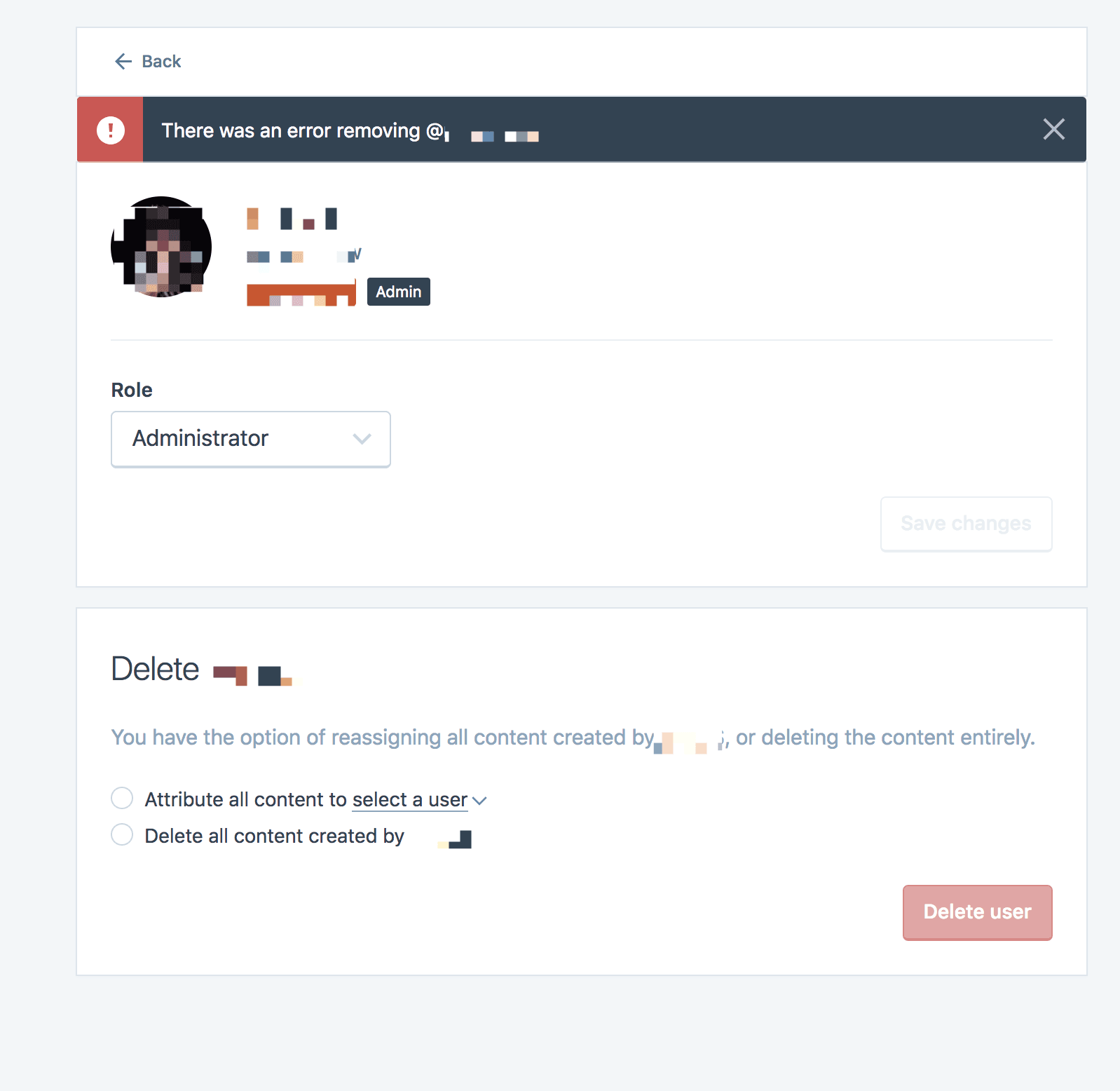
This would be the preferred behavior when an attempt is made to remove a user that owns an upgrade, as well.
#### What happened instead
Instead, the upgrade owner is removed:
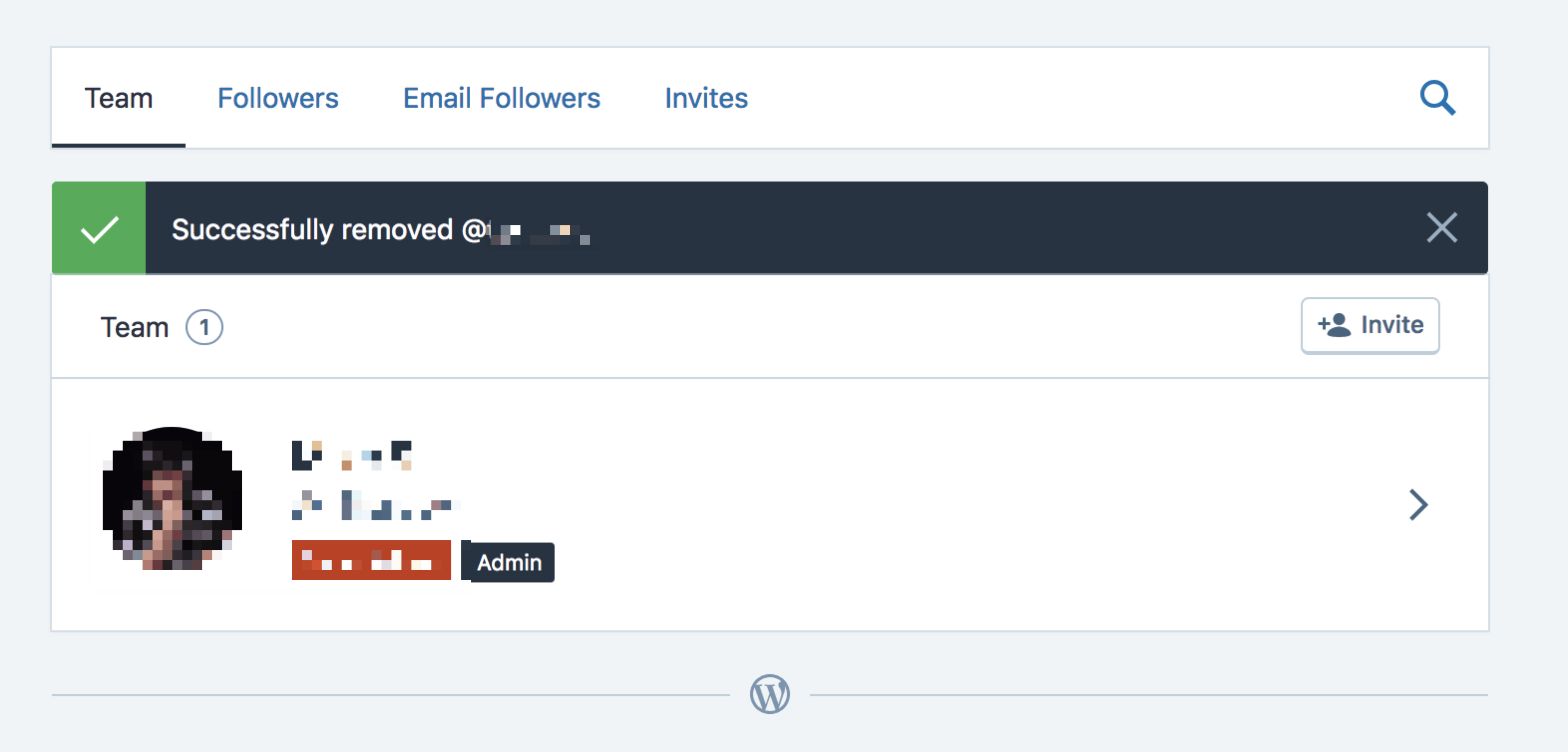
And that user can't access the site to manage the plan that they own:
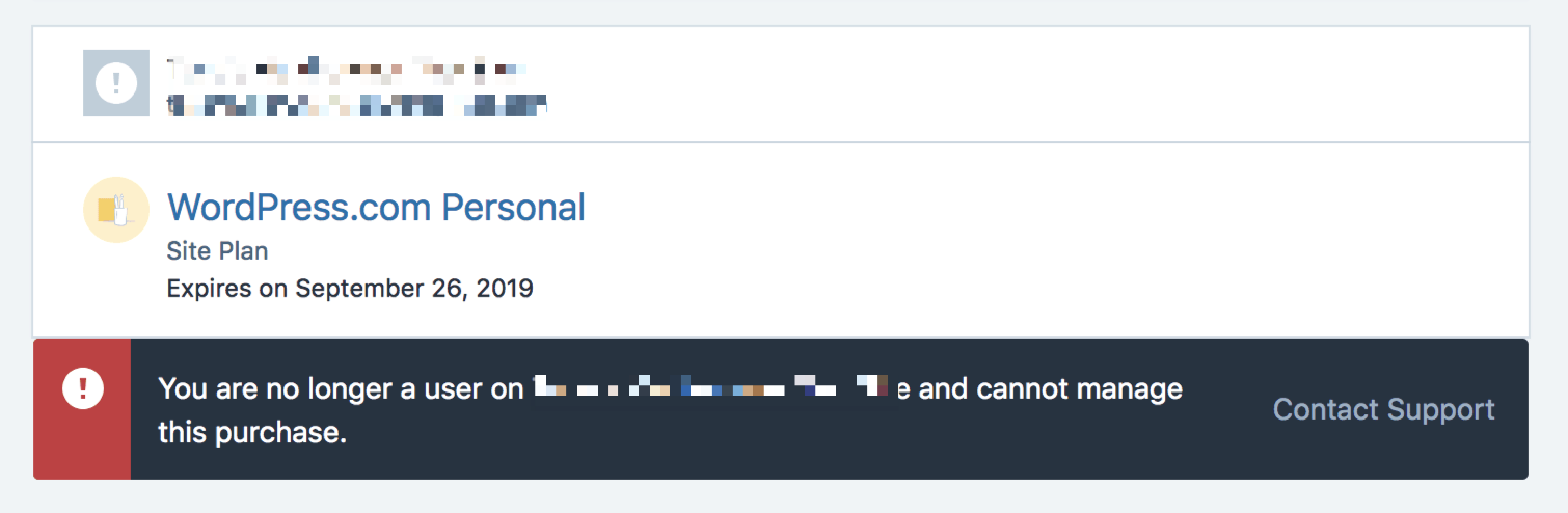
The site owner can't access it as well.

This leaves the site in a state where the plan can't be renewed without several steps involving coordinating with support to resolve the issue.
The better solution would be to prevent the user from being removed and giving the user the reason why they can't be removed (they own the upgrade(s) to the account) and what can be done if they need to be removed (transfer ownership of the upgrade(s) first).
#### Browser / OS version
Browser-independent
#### Screenshot / Video
Above
#### Context / Source
<!-- Optional: share your unique context to help us understand your perspective. You can add context tags such as: #journey #anecdote #narrative #context #empathy #perspective #reallife #dogfooding #livesharing #flowsharing #anxiety #anxiety-flow #stresscase #painpoint.
We'd also love to know how you found the bug: #dogfooding, #manual-testing, #automated-testing, or #user-report if applicable.
If requesting a new feature, explain why you'd like to see it added.
-->
This has come up at different times, especially in the Account Recovery queue.
Two recent examples are 1443076-zen and 1392450-zen
<!--
PLEASE NOTE
- These comments won't show up when you submit the issue.
- Everything is optional, but try to add as many details as possible.
Docs & troubleshooting:
https://github.com/Automattic/wp-calypso/blob/master/.github/CONTRIBUTING.md
https://github.com/Automattic/wp-calypso/blob/master/docs/troubleshooting.md
Helpful tips for screenshots:
https://en.support.wordpress.com/make-a-screenshot/
-->
",1.0,"Users that own upgrades can be removed from sites - <!-- Thanks for contributing to Calypso! Pick a clear title (""Editor: add spell check"") and proceed. -->
#### Steps to reproduce
1. Create a free WordPress.com site
2. Add a new administrator to the site
3. As the new administrator, purchase a site upgrade
4. As the new administrator, attempt to remove the site owner
5. As the site owner, remove the new administrator who owns the upgrade
6. As the new administrator, attempt to renew or manage the upgraded purchase
#### What I expected
When removing the site owner, an error is returned:

This would be the preferred behavior when an attempt is made to remove a user that owns an upgrade, as well.
#### What happened instead
Instead, the upgrade owner is removed:

And that user can't access the site to manage the plan that they own:

The site owner can't access it as well.

This leaves the site in a state where the plan can't be renewed without several steps involving coordinating with support to resolve the issue.
The better solution would be to prevent the user from being removed and giving the user the reason why they can't be removed (they own the upgrade(s) to the account) and what can be done if they need to be removed (transfer ownership of the upgrade(s) first).
#### Browser / OS version
Browser-independent
#### Screenshot / Video
Above
#### Context / Source
<!-- Optional: share your unique context to help us understand your perspective. You can add context tags such as: #journey #anecdote #narrative #context #empathy #perspective #reallife #dogfooding #livesharing #flowsharing #anxiety #anxiety-flow #stresscase #painpoint.
We'd also love to know how you found the bug: #dogfooding, #manual-testing, #automated-testing, or #user-report if applicable.
If requesting a new feature, explain why you'd like to see it added.
-->
This has come up at different times, especially in the Account Recovery queue.
Two recent examples are 1443076-zen and 1392450-zen
<!--
PLEASE NOTE
- These comments won't show up when you submit the issue.
- Everything is optional, but try to add as many details as possible.
Docs & troubleshooting:
https://github.com/Automattic/wp-calypso/blob/master/.github/CONTRIBUTING.md
https://github.com/Automattic/wp-calypso/blob/master/docs/troubleshooting.md
Helpful tips for screenshots:
https://en.support.wordpress.com/make-a-screenshot/
-->
",1,users that own upgrades can be removed from sites steps to reproduce create a free wordpress com site add a new administrator to the site as the new administrator purchase a site upgrade as the new administrator attempt to remove the site owner as the site owner remove the new administrator who owns the upgrade as the new administrator attempt to renew or manage the upgraded purchase what i expected when removing the site owner an error is returned this would be the preferred behavior when an attempt is made to remove a user that owns an upgrade as well what happened instead instead the upgrade owner is removed and that user can t access the site to manage the plan that they own the site owner can t access it as well this leaves the site in a state where the plan can t be renewed without several steps involving coordinating with support to resolve the issue the better solution would be to prevent the user from being removed and giving the user the reason why they can t be removed they own the upgrade s to the account and what can be done if they need to be removed transfer ownership of the upgrade s first browser os version browser independent screenshot video above context source optional share your unique context to help us understand your perspective you can add context tags such as journey anecdote narrative context empathy perspective reallife dogfooding livesharing flowsharing anxiety anxiety flow stresscase painpoint we d also love to know how you found the bug dogfooding manual testing automated testing or user report if applicable if requesting a new feature explain why you d like to see it added this has come up at different times especially in the account recovery queue two recent examples are zen and zen please note these comments won t show up when you submit the issue everything is optional but try to add as many details as possible docs troubleshooting helpful tips for screenshots ,1
558,9817328399.0,IssuesEvent,2019-06-13 16:27:38,Automattic/wp-calypso,https://api.github.com/repos/Automattic/wp-calypso,closed,People: Buttons need to wrap in narrower viewports,People Management [Type] Bug,"<!-- Thanks for contributing to Calypso! Pick a clear title (""Editor: add spell check"") and proceed. -->
#### Steps to reproduce
Starting at URL: https://wpcalypso.wordpress.com/people/email-followers/[site]
#### What I expected
For the buttons to wrap.
#### What happened instead
On narrower viewports, card header and buttons look cramped together.
",1.0,"People: Buttons need to wrap in narrower viewports - <!-- Thanks for contributing to Calypso! Pick a clear title (""Editor: add spell check"") and proceed. -->
#### Steps to reproduce
Starting at URL: https://wpcalypso.wordpress.com/people/email-followers/[site]
#### What I expected
For the buttons to wrap.
#### What happened instead
On narrower viewports, card header and buttons look cramped together.

",1,people buttons need to wrap in narrower viewports steps to reproduce starting at url what i expected for the buttons to wrap what happened instead on narrower viewports card header and buttons look cramped together ,1
805,15025459072.0,IssuesEvent,2021-02-01 21:07:20,Automattic/wp-calypso,https://api.github.com/repos/Automattic/wp-calypso,closed,"People: Change ""Team"" tab to ""All Users"" for Jetpack sites",People Management [Closed] Won't Fix [Pri] Low [Status] Stale [Type] Task,"It has been reported that ""Team"" can be a confusing concept for Jetpack sites. After a discussion in Slack, I believe we decided to change ""Team"" to ""All Users"".

Creating this issue to track that task as well as to bring discussion into the open.
cc @csonnek @rickybanister
",1.0,"People: Change ""Team"" tab to ""All Users"" for Jetpack sites - It has been reported that ""Team"" can be a confusing concept for Jetpack sites. After a discussion in Slack, I believe we decided to change ""Team"" to ""All Users"".

Creating this issue to track that task as well as to bring discussion into the open.
cc @csonnek @rickybanister
",1,people change team tab to all users for jetpack sites it has been reported that team can be a confusing concept for jetpack sites after a discussion in slack i believe we decided to change team to all users creating this issue to track that task as well as to bring discussion into the open cc csonnek rickybanister ,1
413,7698136036.0,IssuesEvent,2018-05-18 21:34:38,Automattic/wp-calypso,https://api.github.com/repos/Automattic/wp-calypso,closed,"People: ""The invitation cannot be sent""",People Management [Type] Bug,"#### Steps to reproduce
1. Starting at URL: https://wordpress.com/people/new/
2. Input an email address
3. Select Follower for the Role
4. Click Send Invitation
#### What I expected
The user would be sent a follower invite.
#### What happened instead
A red error notification with the message ""The invitation cannot be sent"" appears
#### Context / Source
I am unable to reproduce this on a test site, or for any other role on the user's site. I tested it using SU in the user's site, but they also relayed the same error message when trying through their own login. It is a simple site with the Premium plan (expertchine.com).
",1.0,"People: ""The invitation cannot be sent"" - #### Steps to reproduce
1. Starting at URL: https://wordpress.com/people/new/
2. Input an email address
3. Select Follower for the Role
4. Click Send Invitation
#### What I expected
The user would be sent a follower invite.
#### What happened instead
A red error notification with the message ""The invitation cannot be sent"" appears
#### Context / Source
I am unable to reproduce this on a test site, or for any other role on the user's site. I tested it using SU in the user's site, but they also relayed the same error message when trying through their own login. It is a simple site with the Premium plan (expertchine.com).
",1,people the invitation cannot be sent steps to reproduce starting at url input an email address select follower for the role click send invitation what i expected the user would be sent a follower invite what happened instead a red error notification with the message the invitation cannot be sent appears context source i am unable to reproduce this on a test site or for any other role on the user s site i tested it using su in the user s site but they also relayed the same error message when trying through their own login it is a simple site with the premium plan expertchine com ,1
171,3794214216.0,IssuesEvent,2016-03-22 16:14:21,Automattic/wp-calypso,https://api.github.com/repos/Automattic/wp-calypso,closed,People: check whether user is blocking email before sending invite (edge case),People Management [Type] Bug,"It's possible to send out an email to a user who has opted not to receive any emails, if the email unsubscribe happens right after their name is added to the list of users to invite.
#### Steps to reproduce
1. Make sure you have the unsubscribe link handy for a test user of yours
2. Go to People > Add at /people/new/$site
3. Add the user from # 1 to the list
4. Use the unsubscribe link to stop receiving emails for that user in a different tab
5. Send out the invite
6. See that the invite gets sent successfully
#### What I expected
I expected the invite not to be sent successfully.",1.0,"People: check whether user is blocking email before sending invite (edge case) - It's possible to send out an email to a user who has opted not to receive any emails, if the email unsubscribe happens right after their name is added to the list of users to invite.
#### Steps to reproduce
1. Make sure you have the unsubscribe link handy for a test user of yours
2. Go to People > Add at /people/new/$site
3. Add the user from # 1 to the list
4. Use the unsubscribe link to stop receiving emails for that user in a different tab
5. Send out the invite
6. See that the invite gets sent successfully
#### What I expected
I expected the invite not to be sent successfully.",1,people check whether user is blocking email before sending invite edge case it s possible to send out an email to a user who has opted not to receive any emails if the email unsubscribe happens right after their name is added to the list of users to invite steps to reproduce make sure you have the unsubscribe link handy for a test user of yours go to people add at people new site add the user from to the list use the unsubscribe link to stop receiving emails for that user in a different tab send out the invite see that the invite gets sent successfully what i expected i expected the invite not to be sent successfully ,1
410,7641625860.0,IssuesEvent,2018-05-08 06:06:55,Automattic/wp-calypso,https://api.github.com/repos/Automattic/wp-calypso,closed,Jetpack Invites: Unable to upgrade Contributor to Author,Jetpack People Management [Type] Bug,"#### Steps to reproduce
1. Starting at URL: https://wordpress.com/people/new/JETPACKSITE (with Jetpack 5.0)
2. Invite a new user as a Contributor
3. From an incognito window open the e-mail and accept the invitation, creating a new account
4. Verify you can create a new post and Submit for Review, but not post directly
5. From the original browser window open the People tab and find the new user
6. Upgrade the user to Author
7. Switch back to the incognito window and refresh
#### What I expected
To now have permissions to publish a post without review
#### What happened instead
My permissions seem to be stuck at the Contributor level. Both Calypso and wp-admin on the Jetpack site show the user as an Author.
I tried logging out and in, starting from a fresh browser, etc, but was unable to see the new permissions.
Inviting a user as an Author to start does properly allow posting without review.
Ref: #15357 cc: @lezama
#### Browser / OS version
Seen here in OSX Chrome
#### Screenshot / Video

#### Context / Source
#automated-testing (initial setup of Invite flows for Jetpack tests)",1.0,"Jetpack Invites: Unable to upgrade Contributor to Author - #### Steps to reproduce
1. Starting at URL: https://wordpress.com/people/new/JETPACKSITE (with Jetpack 5.0)
2. Invite a new user as a Contributor
3. From an incognito window open the e-mail and accept the invitation, creating a new account
4. Verify you can create a new post and Submit for Review, but not post directly
5. From the original browser window open the People tab and find the new user
6. Upgrade the user to Author
7. Switch back to the incognito window and refresh
#### What I expected
To now have permissions to publish a post without review
#### What happened instead
My permissions seem to be stuck at the Contributor level. Both Calypso and wp-admin on the Jetpack site show the user as an Author.
I tried logging out and in, starting from a fresh browser, etc, but was unable to see the new permissions.
Inviting a user as an Author to start does properly allow posting without review.
Ref: #15357 cc: @lezama
#### Browser / OS version
Seen here in OSX Chrome
#### Screenshot / Video

#### Context / Source
#automated-testing (initial setup of Invite flows for Jetpack tests)",1,jetpack invites unable to upgrade contributor to author steps to reproduce starting at url with jetpack invite a new user as a contributor from an incognito window open the e mail and accept the invitation creating a new account verify you can create a new post and submit for review but not post directly from the original browser window open the people tab and find the new user upgrade the user to author switch back to the incognito window and refresh what i expected to now have permissions to publish a post without review what happened instead my permissions seem to be stuck at the contributor level both calypso and wp admin on the jetpack site show the user as an author i tried logging out and in starting from a fresh browser etc but was unable to see the new permissions inviting a user as an author to start does properly allow posting without review ref cc lezama browser os version seen here in osx chrome screenshot video context source automated testing initial setup of invite flows for jetpack tests ,1
425,7880242148.0,IssuesEvent,2018-06-26 15:24:50,Automattic/wp-calypso,https://api.github.com/repos/Automattic/wp-calypso,opened,"People: When viewing/editing person, show details of how they were added/invited to site",People Management [Type] Enhancement,"It would be useful when viewing/editing a person at `people/edit` to show details of how that person was added/invited to the site originally. Basically, show the information that is currently shown for Invites details at `people/invites`.
<img width=""749"" alt=""screencapture at tue jun 26 11 17 55 edt 2018"" src=""https://user-images.githubusercontent.com/2098816/41922368-eefe0e00-7932-11e8-9c2e-42c637330527.png"">
Internal discussion: p58i-75d-p2",1.0,"People: When viewing/editing person, show details of how they were added/invited to site - It would be useful when viewing/editing a person at `people/edit` to show details of how that person was added/invited to the site originally. Basically, show the information that is currently shown for Invites details at `people/invites`.
<img width=""749"" alt=""screencapture at tue jun 26 11 17 55 edt 2018"" src=""https://user-images.githubusercontent.com/2098816/41922368-eefe0e00-7932-11e8-9c2e-42c637330527.png"">
Internal discussion: p58i-75d-p2",1,people when viewing editing person show details of how they were added invited to site it would be useful when viewing editing a person at people edit to show details of how that person was added invited to the site originally basically show the information that is currently shown for invites details at people invites img width alt screencapture at tue jun edt src internal discussion ,1
399,7285524198.0,IssuesEvent,2018-02-23 04:49:23,Automattic/wp-calypso,https://api.github.com/repos/Automattic/wp-calypso,closed,Request for change of copy for the People page,People Management [Status] Needs Copy Review [Type] Enhancement good first issue,"<!-- Thanks for contributing to Calypso! Pick a clear title (""Editor: add spell check"") and proceed. -->
Whenever someone goes to add a user to their site here https://wordpress.com/people/new/ they're met with the message “Invite up to 10 email addresses and/or WordPress.com usernames. Those needing a username will be sent instructions on how to create one.”
I’ve encountered quite a few people who think, because of this wording, that they can only add 10 people to their site instead of 10 people at a time.
Can we update the copy to be a bit more clear here? :)
<!-- Optional: share your unique context to help us understand your perspective. You can add context tags such as: #journey #anecdote #narrative #context #empathy #perspective #reallife #dogfooding #livesharing #flowsharing #anxiety #anxiety-flow #stresscase #painpoint.
We'd also love to know how you found the bug: #dogfooding, #manual-testing, #automated-testing, or #user-report if applicable.
If requesting a new feature, explain why you'd like to see it added.
-->
<!--
PLEASE NOTE
- These comments won't show up when you submit the issue.
- Everything is optional, but try to add as many details as possible.
Docs & troubleshooting:
https://github.com/Automattic/wp-calypso/blob/master/.github/CONTRIBUTING.md
https://github.com/Automattic/wp-calypso/blob/master/docs/troubleshooting.md
Helpful tips for screenshots:
https://en.support.wordpress.com/make-a-screenshot/
-->
",1.0,"Request for change of copy for the People page - <!-- Thanks for contributing to Calypso! Pick a clear title (""Editor: add spell check"") and proceed. -->
Whenever someone goes to add a user to their site here https://wordpress.com/people/new/ they're met with the message “Invite up to 10 email addresses and/or WordPress.com usernames. Those needing a username will be sent instructions on how to create one.”
I’ve encountered quite a few people who think, because of this wording, that they can only add 10 people to their site instead of 10 people at a time.
Can we update the copy to be a bit more clear here? :)
<!-- Optional: share your unique context to help us understand your perspective. You can add context tags such as: #journey #anecdote #narrative #context #empathy #perspective #reallife #dogfooding #livesharing #flowsharing #anxiety #anxiety-flow #stresscase #painpoint.
We'd also love to know how you found the bug: #dogfooding, #manual-testing, #automated-testing, or #user-report if applicable.
If requesting a new feature, explain why you'd like to see it added.
-->
<!--
PLEASE NOTE
- These comments won't show up when you submit the issue.
- Everything is optional, but try to add as many details as possible.
Docs & troubleshooting:
https://github.com/Automattic/wp-calypso/blob/master/.github/CONTRIBUTING.md
https://github.com/Automattic/wp-calypso/blob/master/docs/troubleshooting.md
Helpful tips for screenshots:
https://en.support.wordpress.com/make-a-screenshot/
-->
",1,request for change of copy for the people page whenever someone goes to add a user to their site here they re met with the message “invite up to email addresses and or wordpress com usernames those needing a username will be sent instructions on how to create one ” i’ve encountered quite a few people who think because of this wording that they can only add people to their site instead of people at a time can we update the copy to be a bit more clear here optional share your unique context to help us understand your perspective you can add context tags such as journey anecdote narrative context empathy perspective reallife dogfooding livesharing flowsharing anxiety anxiety flow stresscase painpoint we d also love to know how you found the bug dogfooding manual testing automated testing or user report if applicable if requesting a new feature explain why you d like to see it added please note these comments won t show up when you submit the issue everything is optional but try to add as many details as possible docs troubleshooting helpful tips for screenshots ,1
712,12884235197.0,IssuesEvent,2020-07-13 02:14:51,Automattic/wp-calypso,https://api.github.com/repos/Automattic/wp-calypso,closed,People: Email followers infinite list always fetching,People Management [Status] Stale [Type] Bug,"When looking at my list of email followers, the list is always trying to retrieve more followers even if I'm not scrolling. When inspecting with React dev tools I can see the `fetching` state automatically flipping between `true` and `false`, and the `currentPage` keeps increasing. This is on a site that only has 7 email followers.
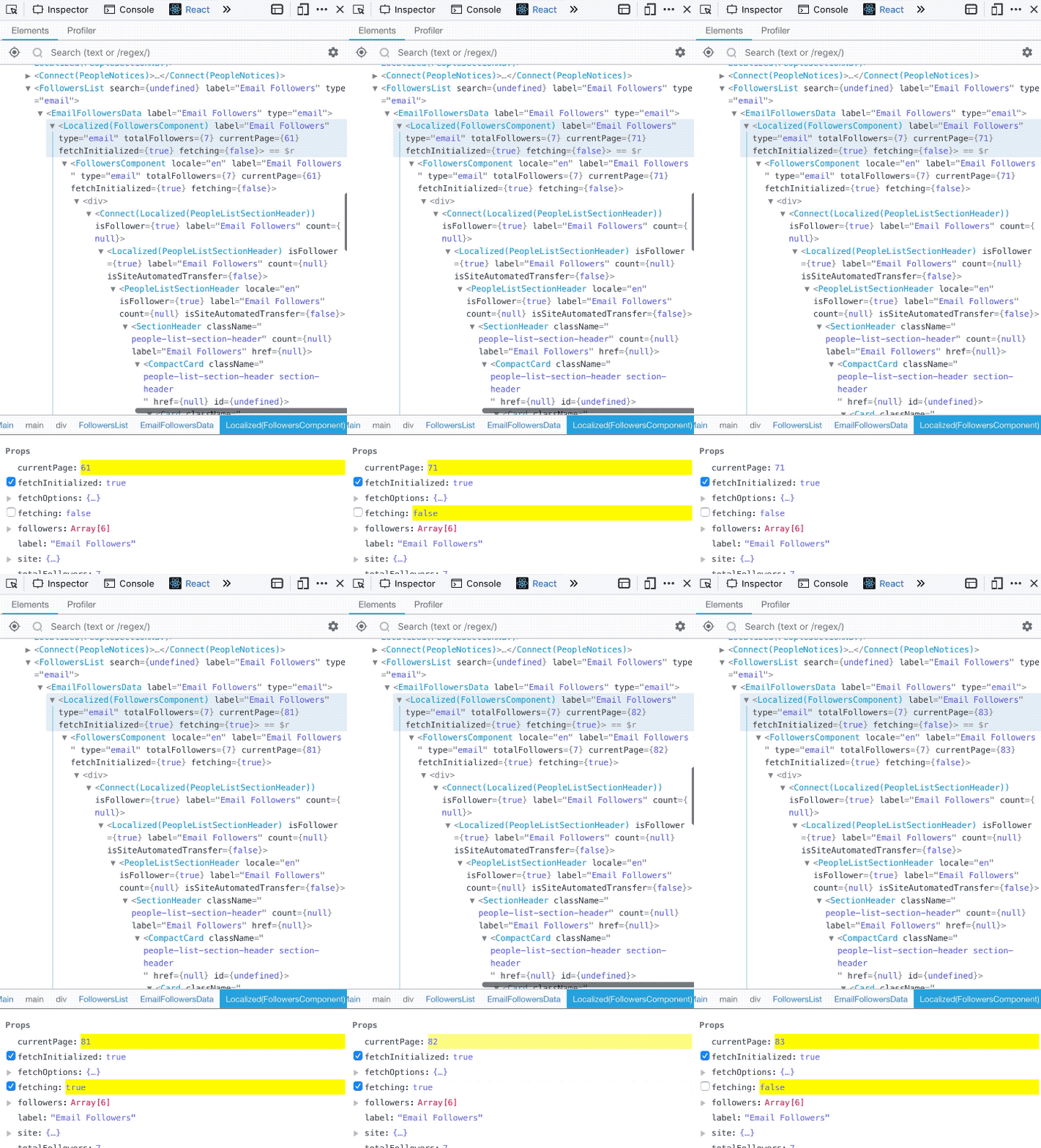
If I try to scroll I see the loading state at the bottom of the list.
On a different blog, there's only 1 email follower visible with a loading state, but the inspector says there are 2 followers:
<img width=""1134"" alt=""Screen Shot 2019-03-12 at 12 10 30"" src=""https://user-images.githubusercontent.com/448298/54216554-3f6c9100-44c0-11e9-8e5c-ae3c7eae8750.png"">
#### Steps to reproduce
1. Starting at URL: `/people/email-followers/{siteslug}` for a site with more than 1 follower.
2. Try to scroll through email followers.
3. Observe the perpetual loading state at the end of the infinite list.
4. Open React dev tools to inspect.
5. Observe the infinite loop of trying to update the `<FollowersComponent>`
#### Context / Source
#dogfooding #manual-testing",1.0,"People: Email followers infinite list always fetching - When looking at my list of email followers, the list is always trying to retrieve more followers even if I'm not scrolling. When inspecting with React dev tools I can see the `fetching` state automatically flipping between `true` and `false`, and the `currentPage` keeps increasing. This is on a site that only has 7 email followers.

If I try to scroll I see the loading state at the bottom of the list.
On a different blog, there's only 1 email follower visible with a loading state, but the inspector says there are 2 followers:
<img width=""1134"" alt=""Screen Shot 2019-03-12 at 12 10 30"" src=""https://user-images.githubusercontent.com/448298/54216554-3f6c9100-44c0-11e9-8e5c-ae3c7eae8750.png"">
#### Steps to reproduce
1. Starting at URL: `/people/email-followers/{siteslug}` for a site with more than 1 follower.
2. Try to scroll through email followers.
3. Observe the perpetual loading state at the end of the infinite list.
4. Open React dev tools to inspect.
5. Observe the infinite loop of trying to update the `<FollowersComponent>`
#### Context / Source
#dogfooding #manual-testing",1,people email followers infinite list always fetching when looking at my list of email followers the list is always trying to retrieve more followers even if i m not scrolling when inspecting with react dev tools i can see the fetching state automatically flipping between true and false and the currentpage keeps increasing this is on a site that only has email followers if i try to scroll i see the loading state at the bottom of the list on a different blog there s only email follower visible with a loading state but the inspector says there are followers img width alt screen shot at src steps to reproduce starting at url people email followers siteslug for a site with more than follower try to scroll through email followers observe the perpetual loading state at the end of the infinite list open react dev tools to inspect observe the infinite loop of trying to update the context source dogfooding manual testing,1
288,5476673051.0,IssuesEvent,2017-03-11 22:53:10,Automattic/wp-calypso,https://api.github.com/repos/Automattic/wp-calypso,opened,People: Allow switch role on Viewers,People Management [Type] Enhancement,"#### What I expected
To be able to promote a viewer to another role here:
https://wordpress.com/people/viewers/
Much like I can change a user role by clicking on them here:
https://wordpress.com/people/team/
#### What happened instead
I only have a remove button.
I can ""change roles"" by re-inviting the same user with a different role, but that isn't very intuitive.
Also, re-adding the user with a different role requires the user to accept the invitation again, and I cannot demote them to viewer. Not sure whether that is intentional or not.",1.0,"People: Allow switch role on Viewers - #### What I expected
To be able to promote a viewer to another role here:
https://wordpress.com/people/viewers/
Much like I can change a user role by clicking on them here:
https://wordpress.com/people/team/
#### What happened instead
I only have a remove button.
I can ""change roles"" by re-inviting the same user with a different role, but that isn't very intuitive.
Also, re-adding the user with a different role requires the user to accept the invitation again, and I cannot demote them to viewer. Not sure whether that is intentional or not.",1,people allow switch role on viewers what i expected to be able to promote a viewer to another role here much like i can change a user role by clicking on them here what happened instead i only have a remove button i can change roles by re inviting the same user with a different role but that isn t very intuitive also re adding the user with a different role requires the user to accept the invitation again and i cannot demote them to viewer not sure whether that is intentional or not ,1
144,3670154004.0,IssuesEvent,2016-02-21 17:56:04,Automattic/wp-calypso,https://api.github.com/repos/Automattic/wp-calypso,opened,People: Handle cleared localStorage for invite people,People Management [Type] Task,"After clearing `localStorage`, if a user goes to `/people/new/$site`, then the `RoleSelect` component does not properly work. Let's fix this and then go ahead and make sure validation and submission work properly as well.",1.0,"People: Handle cleared localStorage for invite people - After clearing `localStorage`, if a user goes to `/people/new/$site`, then the `RoleSelect` component does not properly work. Let's fix this and then go ahead and make sure validation and submission work properly as well.",1,people handle cleared localstorage for invite people after clearing localstorage if a user goes to people new site then the roleselect component does not properly work let s fix this and then go ahead and make sure validation and submission work properly as well ,1
660,11765814327.0,IssuesEvent,2020-03-14 19:09:10,Automattic/wp-calypso,https://api.github.com/repos/Automattic/wp-calypso,closed,Invites: Add UI for unblocking invites,People Management [Status] Stale [Type] Bug,"<!-- Thanks for contributing to Calypso! Pick a clear title (""Editor: add spell check"") and proceed. -->
Currently, there isn't a UI or clear instructions for unblocking invitation emails (to become a member of a site) if you have previously blocked them. As reported by Rose:
>Some time ago, while trying to unsubscribe from the many emails from .com blogs I get, I managed to block user/editor/admin invites emails too. In trying to figure out how to re-allow invites I searched support.wordpress.com, and pinged multiple A12s, none of whom knew how to fix the issue.
#### Steps to reproduce
1. Starting at URL: https://wordpress.com/people
2. Select a site.
3. Select the ""Invite User"" button in the top right.
4. Send an invitation to a test user or email address you own.
5. Check your email for the invitation, and select ""Unsubscribe"" in the ""Small print"" section (to block future invitation emails).
6. Try to unblock invitation emails (so you can receive invitation emails again).
#### What I expected
Rose mentioned expecting a setting to unblock invites somewhere like here:
https://wordpress.com/me/notifications/subscriptions
#### What happened instead
There is no straightforward UI for unblocking these emails. You need staff assistance or the complex workaround described here: https://en.forums.wordpress.com/topic/invitation-not-sent-the-user-has-blocked-invite-emails-error-message-1?replies=14#post-1127503
#### Screenshot / Video
Link in invite emails to block invites:

#### Context / Source
Internal ref: p58i-6w7-p2
<!-- Optional: share your unique context to help us understand your perspective. You can add context tags such as: #journey #anecdote #narrative #context #empathy #perspective #reallife #dogfooding #livesharing #flowsharing #anxiety #anxiety-flow #stresscase #painpoint.
We'd also love to know how you found the bug: #dogfooding, #manual-testing, #automated-testing, or #user-report if applicable.
If requesting a new feature, explain why you'd like to see it added.
-->
<!--
PLEASE NOTE
- These comments won't show up when you submit the issue.
- Everything is optional, but try to add as many details as possible.
Docs & troubleshooting:
https://github.com/Automattic/wp-calypso/blob/master/.github/CONTRIBUTING.md
https://github.com/Automattic/wp-calypso/blob/master/docs/troubleshooting.md
Helpful tips for screenshots:
https://en.support.wordpress.com/make-a-screenshot/
-->
",1.0,"Invites: Add UI for unblocking invites - <!-- Thanks for contributing to Calypso! Pick a clear title (""Editor: add spell check"") and proceed. -->
Currently, there isn't a UI or clear instructions for unblocking invitation emails (to become a member of a site) if you have previously blocked them. As reported by Rose:
>Some time ago, while trying to unsubscribe from the many emails from .com blogs I get, I managed to block user/editor/admin invites emails too. In trying to figure out how to re-allow invites I searched support.wordpress.com, and pinged multiple A12s, none of whom knew how to fix the issue.
#### Steps to reproduce
1. Starting at URL: https://wordpress.com/people
2. Select a site.
3. Select the ""Invite User"" button in the top right.
4. Send an invitation to a test user or email address you own.
5. Check your email for the invitation, and select ""Unsubscribe"" in the ""Small print"" section (to block future invitation emails).
6. Try to unblock invitation emails (so you can receive invitation emails again).
#### What I expected
Rose mentioned expecting a setting to unblock invites somewhere like here:
https://wordpress.com/me/notifications/subscriptions
#### What happened instead
There is no straightforward UI for unblocking these emails. You need staff assistance or the complex workaround described here: https://en.forums.wordpress.com/topic/invitation-not-sent-the-user-has-blocked-invite-emails-error-message-1?replies=14#post-1127503
#### Screenshot / Video
Link in invite emails to block invites:

#### Context / Source
Internal ref: p58i-6w7-p2
<!-- Optional: share your unique context to help us understand your perspective. You can add context tags such as: #journey #anecdote #narrative #context #empathy #perspective #reallife #dogfooding #livesharing #flowsharing #anxiety #anxiety-flow #stresscase #painpoint.
We'd also love to know how you found the bug: #dogfooding, #manual-testing, #automated-testing, or #user-report if applicable.
If requesting a new feature, explain why you'd like to see it added.
-->
<!--
PLEASE NOTE
- These comments won't show up when you submit the issue.
- Everything is optional, but try to add as many details as possible.
Docs & troubleshooting:
https://github.com/Automattic/wp-calypso/blob/master/.github/CONTRIBUTING.md
https://github.com/Automattic/wp-calypso/blob/master/docs/troubleshooting.md
Helpful tips for screenshots:
https://en.support.wordpress.com/make-a-screenshot/
-->
",1,invites add ui for unblocking invites currently there isn t a ui or clear instructions for unblocking invitation emails to become a member of a site if you have previously blocked them as reported by rose some time ago while trying to unsubscribe from the many emails from com blogs i get i managed to block user editor admin invites emails too in trying to figure out how to re allow invites i searched support wordpress com and pinged multiple none of whom knew how to fix the issue steps to reproduce starting at url select a site select the invite user button in the top right send an invitation to a test user or email address you own check your email for the invitation and select unsubscribe in the small print section to block future invitation emails try to unblock invitation emails so you can receive invitation emails again what i expected rose mentioned expecting a setting to unblock invites somewhere like here what happened instead there is no straightforward ui for unblocking these emails you need staff assistance or the complex workaround described here screenshot video link in invite emails to block invites context source internal ref optional share your unique context to help us understand your perspective you can add context tags such as journey anecdote narrative context empathy perspective reallife dogfooding livesharing flowsharing anxiety anxiety flow stresscase painpoint we d also love to know how you found the bug dogfooding manual testing automated testing or user report if applicable if requesting a new feature explain why you d like to see it added please note these comments won t show up when you submit the issue everything is optional but try to add as many details as possible docs troubleshooting helpful tips for screenshots ,1
155,3754501827.0,IssuesEvent,2016-03-12 01:59:50,Automattic/wp-calypso,https://api.github.com/repos/Automattic/wp-calypso,closed,People: should be able to use keyboard to navigate to username list even after adding more than 10,People Management [Type] Bug,"#### Steps to reproduce
1. Add 10 usernames to the username list. It's ok if they are not valid:

2. Try to use your mouse click on the username list to add your cursor to any place in the list, see that you are not able to do it
3. Try to tab into the list using the keyboard, see that you are not able to do it
#### What I expected
I'd like to be able to use my keyboard to remove usernames that are not valid, instead of using the 'X'. This will also help with making this page more accessible.
It's ok if I'm not able to type out more users above 10, but the cursor should work for deleting users using the backspace key and moving between them using arrows. For example each user above 10 could be automatically deleted, similar to when if the same user is typed twice, they are deleted:

#### Browser / OS version
Chrome 48.0 on OSX
Safari 9.0.1
Firefox 44.0.2 on OSX
",1.0,"People: should be able to use keyboard to navigate to username list even after adding more than 10 - #### Steps to reproduce
1. Add 10 usernames to the username list. It's ok if they are not valid:

2. Try to use your mouse click on the username list to add your cursor to any place in the list, see that you are not able to do it
3. Try to tab into the list using the keyboard, see that you are not able to do it
#### What I expected
I'd like to be able to use my keyboard to remove usernames that are not valid, instead of using the 'X'. This will also help with making this page more accessible.
It's ok if I'm not able to type out more users above 10, but the cursor should work for deleting users using the backspace key and moving between them using arrows. For example each user above 10 could be automatically deleted, similar to when if the same user is typed twice, they are deleted:

#### Browser / OS version
Chrome 48.0 on OSX
Safari 9.0.1
Firefox 44.0.2 on OSX
",1,people should be able to use keyboard to navigate to username list even after adding more than steps to reproduce add usernames to the username list it s ok if they are not valid try to use your mouse click on the username list to add your cursor to any place in the list see that you are not able to do it try to tab into the list using the keyboard see that you are not able to do it what i expected i d like to be able to use my keyboard to remove usernames that are not valid instead of using the x this will also help with making this page more accessible it s ok if i m not able to type out more users above but the cursor should work for deleting users using the backspace key and moving between them using arrows for example each user above could be automatically deleted similar to when if the same user is typed twice they are deleted browser os version chrome on osx safari firefox on osx ,1
372,6902049114.0,IssuesEvent,2017-11-25 15:51:12,Automattic/wp-calypso,https://api.github.com/repos/Automattic/wp-calypso,opened,People: Invalid prop-type console warnings,People Management [Type] Bug,"#### Steps to reproduce
1. Starting at URL: http://calypso.localhost:3000/people/team/:site?s=:searchTerm (use e.g. your name as a search term — it has to return results to reveal both warnings).
1. See dev console for errors:
> Failed form propType: You provided a `value` prop to a form field without an `onChange` handler. This will render a read-only field. If the field should be mutable use `defaultValue`. Otherwise, set either `onChange` or `readOnly`. Check the render method of `Search`.
> Failed prop type: Invalid prop `label` of type `array` supplied to `PeopleListSectionHeader`, expected `string`.
#### What I expected
☀️ 🌷 🌷
#### What happened instead
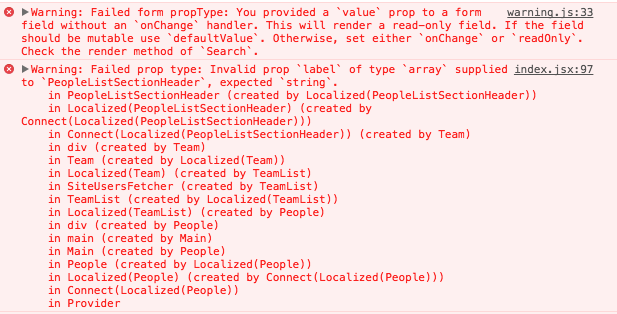
The point for the 2nd error seems to be [here in client/my-sites/people/team-list/team.jsx](https://github.com/Automattic/wp-calypso/blob/master/client/my-sites/people/team-list/team.jsx#L99)
#### Browser / OS version
Chrome 62 / MacOS High Sierra
",1.0,"People: Invalid prop-type console warnings - #### Steps to reproduce
1. Starting at URL: http://calypso.localhost:3000/people/team/:site?s=:searchTerm (use e.g. your name as a search term — it has to return results to reveal both warnings).
1. See dev console for errors:
> Failed form propType: You provided a `value` prop to a form field without an `onChange` handler. This will render a read-only field. If the field should be mutable use `defaultValue`. Otherwise, set either `onChange` or `readOnly`. Check the render method of `Search`.
> Failed prop type: Invalid prop `label` of type `array` supplied to `PeopleListSectionHeader`, expected `string`.
#### What I expected
☀️ 🌷 🌷
#### What happened instead

The point for the 2nd error seems to be [here in client/my-sites/people/team-list/team.jsx](https://github.com/Automattic/wp-calypso/blob/master/client/my-sites/people/team-list/team.jsx#L99)
#### Browser / OS version
Chrome 62 / MacOS High Sierra
",1,people invalid prop type console warnings steps to reproduce starting at url use e g your name as a search term — it has to return results to reveal both warnings see dev console for errors failed form proptype you provided a value prop to a form field without an onchange handler this will render a read only field if the field should be mutable use defaultvalue otherwise set either onchange or readonly check the render method of search failed prop type invalid prop label of type array supplied to peoplelistsectionheader expected string what i expected ☀️ 🌷 🌷 what happened instead the point for the error seems to be browser os version chrome macos high sierra ,1
383,7087485139.0,IssuesEvent,2018-01-11 17:59:07,Automattic/wp-calypso,https://api.github.com/repos/Automattic/wp-calypso,closed,People: add ability to search Followers and Viewers,People Management [Type] Enhancement,"In the **People** section of Calypso it's possible to search for **Team** members and **Email Followers,** but the search icon does not appear on the **Followers** and **Viewers** tabs.
Some sites have a lot of Followers or Viewers and it would be useful to quickly locate a specific Follower or Viewer. The current views are shown in the screenshots below:


#user-report in 248097-chat
",1.0,"People: add ability to search Followers and Viewers - In the **People** section of Calypso it's possible to search for **Team** members and **Email Followers,** but the search icon does not appear on the **Followers** and **Viewers** tabs.
Some sites have a lot of Followers or Viewers and it would be useful to quickly locate a specific Follower or Viewer. The current views are shown in the screenshots below:


#user-report in 248097-chat
",1,people add ability to search followers and viewers in the people section of calypso it s possible to search for team members and email followers but the search icon does not appear on the followers and viewers tabs some sites have a lot of followers or viewers and it would be useful to quickly locate a specific follower or viewer the current views are shown in the screenshots below user report in chat ,1
88,3371537836.0,IssuesEvent,2015-11-23 19:33:18,Automattic/wp-calypso,https://api.github.com/repos/Automattic/wp-calypso,closed,People: Expand accept invite endpoint to work with follower invites as well,API People Management [Pri] High [Type] Task,"The accept invite endpoint, `POST /sites/$site/invite`, currently only works for user roles (admin, viewer, etc.). Let's add the ability to accept a follow invite as well.",1.0,"People: Expand accept invite endpoint to work with follower invites as well - The accept invite endpoint, `POST /sites/$site/invite`, currently only works for user roles (admin, viewer, etc.). Let's add the ability to accept a follow invite as well.",1,people expand accept invite endpoint to work with follower invites as well the accept invite endpoint post sites site invite currently only works for user roles admin viewer etc let s add the ability to accept a follow invite as well ,1
703,12745964015.0,IssuesEvent,2020-06-26 15:07:26,Automattic/wp-calypso,https://api.github.com/repos/Automattic/wp-calypso,opened,People: Signed out WordPress.com followers sometimes receive an erroneous error,People Management [Type] Bug,"<!-- Thanks for contributing to Calypso! Pick a clear title (""Editor: add spell check"") and proceed. -->
#### Steps to reproduce
1. Starting at URL for a WordPress.com site with a follow actionbar, like this one: https://kurtiss.care/
2. Put an email into the field that has a WordPress.com account already (this is where it gets inconsistent), try `spncr+tst@a8c.com` which is a thoroughly used testing account.
3. The error that comes up is:
```
You already have several pending email subscriptions. Approve or delete a few through your Subscription Manager before attempting to subscribe to more blogs```
This message suggests this is an email-only follow (it isn't) and subscription management doesn't work.
4. If I go back through WordPress.com, log in, and then try to follow, it works just fine
#### What I expected
I'd like to see an error message like `Hey please log in to your WordPress.com account so we can follow you` or to just send me the confirmation email, like it does for my less-used testing accounts.
#### What happened instead
I get the same error message as an email-only follower and I'm linked to Email-only subscription management instead of asked to log in to WordPress.com
#### Browser / OS version
Chrome Version 83.0.4103.116 (Official Build) (64-bit)
Mac 10.15.5 (19F101)
#### Context / Source
This came from a live chat in WordPress.com ( #22107282-hc ) with @moui72
It looks like it is related to this code, so not strictly part of Calypso, but adding here for visibility https://opengrok.a8c.com/source/xref/trunk/wp-content/mu-plugins/actionbar.php#91
<!-- Optional: share your unique context to help us understand your perspective. You can add context tags such as: #journey #anecdote #narrative #context #empathy #perspective #reallife #dogfooding #livesharing #flowsharing #anxiety #anxiety-flow #stresscase #painpoint.
#user-report
",1.0,"People: Signed out WordPress.com followers sometimes receive an erroneous error - <!-- Thanks for contributing to Calypso! Pick a clear title (""Editor: add spell check"") and proceed. -->
#### Steps to reproduce
1. Starting at URL for a WordPress.com site with a follow actionbar, like this one: https://kurtiss.care/
2. Put an email into the field that has a WordPress.com account already (this is where it gets inconsistent), try `spncr+tst@a8c.com` which is a thoroughly used testing account.
3. The error that comes up is:
```
You already have several pending email subscriptions. Approve or delete a few through your Subscription Manager before attempting to subscribe to more blogs```

This message suggests this is an email-only follow (it isn't) and subscription management doesn't work.
4. If I go back through WordPress.com, log in, and then try to follow, it works just fine
#### What I expected
I'd like to see an error message like `Hey please log in to your WordPress.com account so we can follow you` or to just send me the confirmation email, like it does for my less-used testing accounts.
#### What happened instead
I get the same error message as an email-only follower and I'm linked to Email-only subscription management instead of asked to log in to WordPress.com
#### Browser / OS version
Chrome Version 83.0.4103.116 (Official Build) (64-bit)
Mac 10.15.5 (19F101)
#### Context / Source
This came from a live chat in WordPress.com ( #22107282-hc ) with @moui72
It looks like it is related to this code, so not strictly part of Calypso, but adding here for visibility https://opengrok.a8c.com/source/xref/trunk/wp-content/mu-plugins/actionbar.php#91
<!-- Optional: share your unique context to help us understand your perspective. You can add context tags such as: #journey #anecdote #narrative #context #empathy #perspective #reallife #dogfooding #livesharing #flowsharing #anxiety #anxiety-flow #stresscase #painpoint.
#user-report
",1,people signed out wordpress com followers sometimes receive an erroneous error steps to reproduce starting at url for a wordpress com site with a follow actionbar like this one put an email into the field that has a wordpress com account already this is where it gets inconsistent try spncr tst com which is a thoroughly used testing account the error that comes up is you already have several pending email subscriptions approve or delete a few through your subscription manager before attempting to subscribe to more blogs this message suggests this is an email only follow it isn t and subscription management doesn t work if i go back through wordpress com log in and then try to follow it works just fine what i expected i d like to see an error message like hey please log in to your wordpress com account so we can follow you or to just send me the confirmation email like it does for my less used testing accounts what happened instead i get the same error message as an email only follower and i m linked to email only subscription management instead of asked to log in to wordpress com browser os version chrome version official build bit mac context source this came from a live chat in wordpress com hc with it looks like it is related to this code so not strictly part of calypso but adding here for visibility optional share your unique context to help us understand your perspective you can add context tags such as journey anecdote narrative context empathy perspective reallife dogfooding livesharing flowsharing anxiety anxiety flow stresscase painpoint user report ,1
159,3770833418.0,IssuesEvent,2016-03-16 15:46:10,Automattic/wp-calypso,https://api.github.com/repos/Automattic/wp-calypso,opened,People: Component: Tooltips don't work on mobile,People Management [Type] Bug,"It was reported to me that tooltips don't work for the `/people/new/$site` route when on mobile. I remember discussing this before with @rickybanister, but I didn't create an issue and forgot. :disappointed:
Here is where the mobile logic occurs: https://github.com/Automattic/wp-calypso/blob/master/client/components/tooltip/index.jsx#L31-L33
I'm not sure what the best approach is. Should we pass a prop in to force displaying the tooltips for our use? Or should we show inline errors just below the token field? cc @rickybanister ",1.0,"People: Component: Tooltips don't work on mobile - It was reported to me that tooltips don't work for the `/people/new/$site` route when on mobile. I remember discussing this before with @rickybanister, but I didn't create an issue and forgot. :disappointed:
Here is where the mobile logic occurs: https://github.com/Automattic/wp-calypso/blob/master/client/components/tooltip/index.jsx#L31-L33
I'm not sure what the best approach is. Should we pass a prop in to force displaying the tooltips for our use? Or should we show inline errors just below the token field? cc @rickybanister ",1,people component tooltips don t work on mobile it was reported to me that tooltips don t work for the people new site route when on mobile i remember discussing this before with rickybanister but i didn t create an issue and forgot disappointed here is where the mobile logic occurs i m not sure what the best approach is should we pass a prop in to force displaying the tooltips for our use or should we show inline errors just below the token field cc rickybanister ,1
654,11622006175.0,IssuesEvent,2020-02-27 05:03:05,Automattic/wp-calypso,https://api.github.com/repos/Automattic/wp-calypso,closed,People: Change role to Follower/Viewer,People Management [Status] Stale [Type] Enhancement,"<!-- Thanks for contributing to Calypso! Pick a clear title (""Editor: add spell check"") and proceed. -->
#### Steps to reproduce
1. Starting at URL: https://wordpress.com/people/team (on a site with multiple users)
2. Click on non-owner user
3. Try to change user role to Follower (public site) or Viewer (private site)
#### What I expected
To be able to change to any role listed at https://en.support.wordpress.com/user-roles/
#### What happened instead
Can only change to first 4 roles
#### Context / Source
This was a #user-report. We have since updated the changing roles section to make it clearer that this isn't possible, but it would be good if it was.
Ticket: 2050595-zen
<!-- Optional: share your unique context to help us understand your perspective. You can add context tags such as: #journey #anecdote #narrative #context #empathy #perspective #reallife #dogfooding #livesharing #flowsharing #anxiety #anxiety-flow #stresscase #painpoint.
We'd also love to know how you found the bug: #dogfooding, #manual-testing, #automated-testing, or #user-report if applicable.
If requesting a new feature, explain why you'd like to see it added.
-->
<!--
PLEASE NOTE
- These comments won't show up when you submit the issue.
- Everything is optional, but try to add as many details as possible.
Docs & troubleshooting:
https://github.com/Automattic/wp-calypso/blob/master/.github/CONTRIBUTING.md
https://github.com/Automattic/wp-calypso/blob/master/docs/troubleshooting.md
Helpful tips for screenshots:
https://en.support.wordpress.com/make-a-screenshot/
-->
",1.0,"People: Change role to Follower/Viewer - <!-- Thanks for contributing to Calypso! Pick a clear title (""Editor: add spell check"") and proceed. -->
#### Steps to reproduce
1. Starting at URL: https://wordpress.com/people/team (on a site with multiple users)
2. Click on non-owner user
3. Try to change user role to Follower (public site) or Viewer (private site)
#### What I expected
To be able to change to any role listed at https://en.support.wordpress.com/user-roles/
#### What happened instead
Can only change to first 4 roles
#### Context / Source
This was a #user-report. We have since updated the changing roles section to make it clearer that this isn't possible, but it would be good if it was.
Ticket: 2050595-zen
<!-- Optional: share your unique context to help us understand your perspective. You can add context tags such as: #journey #anecdote #narrative #context #empathy #perspective #reallife #dogfooding #livesharing #flowsharing #anxiety #anxiety-flow #stresscase #painpoint.
We'd also love to know how you found the bug: #dogfooding, #manual-testing, #automated-testing, or #user-report if applicable.
If requesting a new feature, explain why you'd like to see it added.
-->
<!--
PLEASE NOTE
- These comments won't show up when you submit the issue.
- Everything is optional, but try to add as many details as possible.
Docs & troubleshooting:
https://github.com/Automattic/wp-calypso/blob/master/.github/CONTRIBUTING.md
https://github.com/Automattic/wp-calypso/blob/master/docs/troubleshooting.md
Helpful tips for screenshots:
https://en.support.wordpress.com/make-a-screenshot/
-->
",1,people change role to follower viewer steps to reproduce starting at url on a site with multiple users click on non owner user try to change user role to follower public site or viewer private site what i expected to be able to change to any role listed at what happened instead can only change to first roles context source this was a user report we have since updated the changing roles section to make it clearer that this isn t possible but it would be good if it was ticket zen optional share your unique context to help us understand your perspective you can add context tags such as journey anecdote narrative context empathy perspective reallife dogfooding livesharing flowsharing anxiety anxiety flow stresscase painpoint we d also love to know how you found the bug dogfooding manual testing automated testing or user report if applicable if requesting a new feature explain why you d like to see it added please note these comments won t show up when you submit the issue everything is optional but try to add as many details as possible docs troubleshooting helpful tips for screenshots ,1
96,3399100085.0,IssuesEvent,2015-12-02 09:12:12,Automattic/wp-calypso,https://api.github.com/repos/Automattic/wp-calypso,opened,People: Add event tracking ,People Management,"For the invite accept flows, we'll want to make sure that we're properly tracking events. A few examples of events that we'll want to track are:
- User accepts an invite
- User declines an invite
- User creates new account with invite
- User chooses follow by email only
- Failure to accept an invite",1.0,"People: Add event tracking - For the invite accept flows, we'll want to make sure that we're properly tracking events. A few examples of events that we'll want to track are:
- User accepts an invite
- User declines an invite
- User creates new account with invite
- User chooses follow by email only
- Failure to accept an invite",1,people add event tracking for the invite accept flows we ll want to make sure that we re properly tracking events a few examples of events that we ll want to track are user accepts an invite user declines an invite user creates new account with invite user chooses follow by email only failure to accept an invite,1
154,3737765291.0,IssuesEvent,2016-03-08 20:25:58,Automattic/wp-calypso,https://api.github.com/repos/Automattic/wp-calypso,opened,"TokenField: Optionally allow adding tokens via ""space""",Framework People Management [Type] Task,"Currently, tokens are allowed to have spaces in them, which makes sense in the context of post tags. But, for invites, where we expect usernames or email addresses, it makes sense that tapping ""space"" would add a token.
So, perhaps we could add this ability to invite by adding a `tokenizeOnSpace` prop that default to `false`.
Functionally originally requested in #3572;",1.0,"TokenField: Optionally allow adding tokens via ""space"" - Currently, tokens are allowed to have spaces in them, which makes sense in the context of post tags. But, for invites, where we expect usernames or email addresses, it makes sense that tapping ""space"" would add a token.
So, perhaps we could add this ability to invite by adding a `tokenizeOnSpace` prop that default to `false`.
Functionally originally requested in #3572;",1,tokenfield optionally allow adding tokens via space currently tokens are allowed to have spaces in them which makes sense in the context of post tags but for invites where we expect usernames or email addresses it makes sense that tapping space would add a token so perhaps we could add this ability to invite by adding a tokenizeonspace prop that default to false functionally originally requested in ,1
123,3567688042.0,IssuesEvent,2016-01-26 00:10:23,Automattic/wp-calypso,https://api.github.com/repos/Automattic/wp-calypso,opened,Invites: Removed sign in link for logged out match email invites,People Management [Type] Enhancement,"For logged out invites that require a matching email, let's not show the sign in link at the bottom of the form. Let's show the same UI that we do for logged in matching email invites.",1.0,"Invites: Removed sign in link for logged out match email invites - For logged out invites that require a matching email, let's not show the sign in link at the bottom of the form. Let's show the same UI that we do for logged in matching email invites.",1,invites removed sign in link for logged out match email invites for logged out invites that require a matching email let s not show the sign in link at the bottom of the form let s show the same ui that we do for logged in matching email invites ,1
290,5536845633.0,IssuesEvent,2017-03-21 20:38:22,Automattic/wp-calypso,https://api.github.com/repos/Automattic/wp-calypso,opened,Invites: typing an @ symbol should not cause an error,People Management [Type] Bug,"When inviting a user to a WordPress.com site you should be able to type an @ symbol before the username (that's how mentions in the editor work. Instead it gives you an invalid email error:

cc @ashleighaxios ",1.0,"Invites: typing an @ symbol should not cause an error - When inviting a user to a WordPress.com site you should be able to type an @ symbol before the username (that's how mentions in the editor work. Instead it gives you an invalid email error:

cc @ashleighaxios ",1,invites typing an symbol should not cause an error when inviting a user to a wordpress com site you should be able to type an symbol before the username that s how mentions in the editor work instead it gives you an invalid email error cc ashleighaxios ,1
863,16539998559.0,IssuesEvent,2021-05-27 15:40:58,Automattic/wp-calypso,https://api.github.com/repos/Automattic/wp-calypso,closed,"User management: Not possible to update user info on ""Team"" tab on atomic sites",Atomic People Management Simple/Atomic Parity Triaged User Report [Type] Bug,"### Steps to reproduce the behavior
⚠️ Issue → Trying to change the ""author name"" on a blog, there is a disconnect between the calypso People > Team page capabilities, and the site WP Admin page, under Users > Profile. Public display name cannot be updated in calypso, only on WP Admin.
None of these two places update the public display name on an atomic site:
- https://wordpress.com/people/edit/ (this returned an error message)
- https://wordpress.com/me (this got updated, but has no effect on the atomic site)
1. Go to My Site > Manage > People > Team
2. Click on the admin user on the site (for my testing the user was the only admin on the atomic site, also the site owner)
3. Try to update any of the fields, namely ""Public display name""
4. See error ""There was an error updating @...""
5. Try to update the user profile display name in WP Admin, under Users > Profile. This works.
This is a common request users have, being that the public display name is what appear on blog posts under ""Author"" on their site. They are unable to update this to their liking in Atomic sites.
User report: 28124194-hc",1.0,"User management: Not possible to update user info on ""Team"" tab on atomic sites - ### Steps to reproduce the behavior
⚠️ Issue → Trying to change the ""author name"" on a blog, there is a disconnect between the calypso People > Team page capabilities, and the site WP Admin page, under Users > Profile. Public display name cannot be updated in calypso, only on WP Admin.
None of these two places update the public display name on an atomic site:
- https://wordpress.com/people/edit/ (this returned an error message)
- https://wordpress.com/me (this got updated, but has no effect on the atomic site)
1. Go to My Site > Manage > People > Team
2. Click on the admin user on the site (for my testing the user was the only admin on the atomic site, also the site owner)
3. Try to update any of the fields, namely ""Public display name""
4. See error ""There was an error updating @...""
5. Try to update the user profile display name in WP Admin, under Users > Profile. This works.
This is a common request users have, being that the public display name is what appear on blog posts under ""Author"" on their site. They are unable to update this to their liking in Atomic sites.
User report: 28124194-hc",1,user management not possible to update user info on team tab on atomic sites steps to reproduce the behavior ⚠️ issue → trying to change the author name on a blog there is a disconnect between the calypso people team page capabilities and the site wp admin page under users profile public display name cannot be updated in calypso only on wp admin none of these two places update the public display name on an atomic site this returned an error message this got updated but has no effect on the atomic site go to my site manage people team click on the admin user on the site for my testing the user was the only admin on the atomic site also the site owner try to update any of the fields namely public display name see error there was an error updating try to update the user profile display name in wp admin under users profile this works this is a common request users have being that the public display name is what appear on blog posts under author on their site they are unable to update this to their liking in atomic sites user report hc,1
163,3773346169.0,IssuesEvent,2016-03-17 01:35:35,Automattic/wp-calypso,https://api.github.com/repos/Automattic/wp-calypso,opened,"People: when inviting users, make sure that 'next' button continues to the next field on Android",People Management [Type] Bug,"#### Steps to reproduce
1. Go to add a new user either on Android at people/new/$site
2. Type in a username and then click on the 'next' arrow in the keyboard:

3. See that the username gets saved. Type on the 'next' arrow again:

4. See that the invitation gets sent prematurely.


#### What I expected
I expected the 'next' arrow to lead me to the next available field. In this case, the Role field. And then the 'Custom Message' field. And then I expect the 'next' arrow to either send the invitation, or be disabled and force me to close the keyboard and use the usual blue button to send the invite (that would probably be ideal, so no accidental invites are sent).
#### Browser / OS version
Android 6.0.1 on Nexus 6, using Chrome 49.0",1.0,"People: when inviting users, make sure that 'next' button continues to the next field on Android - #### Steps to reproduce
1. Go to add a new user either on Android at people/new/$site
2. Type in a username and then click on the 'next' arrow in the keyboard:

3. See that the username gets saved. Type on the 'next' arrow again:

4. See that the invitation gets sent prematurely.


#### What I expected
I expected the 'next' arrow to lead me to the next available field. In this case, the Role field. And then the 'Custom Message' field. And then I expect the 'next' arrow to either send the invitation, or be disabled and force me to close the keyboard and use the usual blue button to send the invite (that would probably be ideal, so no accidental invites are sent).
#### Browser / OS version
Android 6.0.1 on Nexus 6, using Chrome 49.0",1,people when inviting users make sure that next button continues to the next field on android steps to reproduce go to add a new user either on android at people new site type in a username and then click on the next arrow in the keyboard see that the username gets saved type on the next arrow again see that the invitation gets sent prematurely what i expected i expected the next arrow to lead me to the next available field in this case the role field and then the custom message field and then i expect the next arrow to either send the invitation or be disabled and force me to close the keyboard and use the usual blue button to send the invite that would probably be ideal so no accidental invites are sent browser os version android on nexus using chrome ,1
145,3670502359.0,IssuesEvent,2016-02-21 22:04:03,Automattic/wp-calypso,https://api.github.com/repos/Automattic/wp-calypso,closed,People: Prevent owners user role from being changed,People Management [Pri] High [Type] Bug,"Historically speaking we've always prevented the site owner's user role from being changed by another administrator on the site. The reason for this is that the site owner needs to have the ability to manage all aspects of the site. With the new People Management it's possible to lock the Owner out of their site.
**To Reproduce:**
1) Create a site and then invite a second user as an admin
2) Accept the invite as the new admin and log in to that account
3) Visit people/team/ and click on the site owner
4) Change the role to something other than Admin
https://cloudup.com/cFbtNLLr-Bx
**In WP-Admin**
- Edit link does not show to other admins for the owner's username
- If another admin tries to change the owner's role this results in `wp_die('you can not edit this user')`
",1.0,"People: Prevent owners user role from being changed - Historically speaking we've always prevented the site owner's user role from being changed by another administrator on the site. The reason for this is that the site owner needs to have the ability to manage all aspects of the site. With the new People Management it's possible to lock the Owner out of their site.
**To Reproduce:**
1) Create a site and then invite a second user as an admin
2) Accept the invite as the new admin and log in to that account
3) Visit people/team/ and click on the site owner
4) Change the role to something other than Admin
https://cloudup.com/cFbtNLLr-Bx
**In WP-Admin**
- Edit link does not show to other admins for the owner's username
- If another admin tries to change the owner's role this results in `wp_die('you can not edit this user')`
",1,people prevent owners user role from being changed historically speaking we ve always prevented the site owner s user role from being changed by another administrator on the site the reason for this is that the site owner needs to have the ability to manage all aspects of the site with the new people management it s possible to lock the owner out of their site to reproduce create a site and then invite a second user as an admin accept the invite as the new admin and log in to that account visit people team and click on the site owner change the role to something other than admin in wp admin edit link does not show to other admins for the owner s username if another admin tries to change the owner s role this results in wp die you can not edit this user ,1
976,22588470125.0,IssuesEvent,2022-06-28 17:21:36,Automattic/wp-calypso,https://api.github.com/repos/Automattic/wp-calypso,closed,"People: ""email followers"" list doesn't show email subscribers ",[Type] Bug [Pri] Normal People Management Subscriptions [Type] Feature Request User Report,"Raised by @alisterscott found during Automated Transfer testing. This isn't specific to AT as it affects any Jetpack site.
> I subscribed to posts via email on my Jetpack site and got an email confirmation:
> <img width=""914"" alt=""screen shot 2017-01-23 at 3 57 53 pm"" src=""https://cloud.githubusercontent.com/assets/128826/22193070/d29d6720-e184-11e6-8575-14dd62350b1e.png"">
> But the email followers screen is blank:
> <img width=""965"" alt=""screen shot 2017-01-23 at 3 59 32 pm"" src=""https://cloud.githubusercontent.com/assets/128826/22193107/f4cfbc76-e184-11e6-9b9b-66b22b5e0ffb.png"">
Example URL such as https://wpcalypso.wordpress.com/people/email-followers/example.wordpress.com to see the followers.
",1.0,"People: ""email followers"" list doesn't show email subscribers - Raised by @alisterscott found during Automated Transfer testing. This isn't specific to AT as it affects any Jetpack site.
> I subscribed to posts via email on my Jetpack site and got an email confirmation:
> <img width=""914"" alt=""screen shot 2017-01-23 at 3 57 53 pm"" src=""https://cloud.githubusercontent.com/assets/128826/22193070/d29d6720-e184-11e6-8575-14dd62350b1e.png"">
> But the email followers screen is blank:
> <img width=""965"" alt=""screen shot 2017-01-23 at 3 59 32 pm"" src=""https://cloud.githubusercontent.com/assets/128826/22193107/f4cfbc76-e184-11e6-9b9b-66b22b5e0ffb.png"">
Example URL such as https://wpcalypso.wordpress.com/people/email-followers/example.wordpress.com to see the followers.
",1,people email followers list doesn t show email subscribers raised by alisterscott found during automated transfer testing this isn t specific to at as it affects any jetpack site i subscribed to posts via email on my jetpack site and got an email confirmation img width alt screen shot at pm src but the email followers screen is blank img width alt screen shot at pm src example url such as to see the followers ,1
108,3455440929.0,IssuesEvent,2015-12-17 20:08:18,Automattic/wp-calypso,https://api.github.com/repos/Automattic/wp-calypso,closed,Contingency design needed: Feature Gate,Jetpack People Management [Type] Task,"In Calypso, there comes a time when a user needs to take an action on their personal site, that we are not allowed to take on their behalf, in order to use upgraded functionality.
Case in point: People management will require Jetpack 3.7 in order to function in a complete and proper way. Until such time as the user updates their Jetpack plugin, we need to display a nag UI to prompt them to take the required action.
More examples: ""In order to use most of these Jetpack manage features, you need to enable Jetpack manage""
Here's a rough mockup @alternatekev did using components that more or less exist today, with the exception of that fade:
Here's a rough mockup for when we have actual data:
<img width=""1080"" alt=""28ea788a-517a-11e5-8c7c-5c65dd391f7e"" src=""https://cloud.githubusercontent.com/assets/11487924/11250988/283c3936-8dfd-11e5-91a8-e342c132aa99.png"">
Here's another for when we don't have any data to work with yet:

**Some design discussion**:
Here's the problem as @alternatekev sees it:
- We have a case where we have actual data, but not much, and you can't do anything with it
- We have a case where we have no actual data yet, and want to show a preview of what it looks like when you do
We can use one component for both of these cases if:
- We decide to not show any data for this at all, using basically the ""no posts"" view
- We decide on one or the other: stacked vs. layered. If we go with layered, we just understand that we are obscuring data that someone may want to actually see. Layered works best for no-data and stacked works best for real-data so we'd be giving up some design quality on one or the other.
Here's some suggested code. You'd write the component something like this:
```jsx
<FeatureGate
image=""/url/to/image.svg""
h1=""My new stuff""
h2=""Is the best""
>
<ButtonBar>
<Button isPrimary={ false } label=""My Cool Button"" />
<Button label=""My Cool Button"" />
</ButtonBar>
<GateClip alignTop>
<MyComponentsGoHere />
</GateClip>
</FeatureGate>
```
That gateclip component is what will handle the overlay over whatever components you need to display inside.
and the component itself (which needs some logic to check if the props exist yet) looks like this:
```jsx
var React = require( 'react' );
var FeatureGate = React.createClass( {
getDefaultProps: function() {
return {
h1: 'No results',
h2: 'Yeah we really don\'t have anything for you here',
image: false,
alignCenter: false,
alignTop: true,
};
},
render: function() {
return (
<div className=""feature-gate"">
<img src={ this.props.image } />
<h1>{ this.props.h1 }</h1>
<h2>{ this.props.h2 }</h2>
{ this.props.children }
</div>
);
}
} );
module.exports = FeatureGate;
```
We need this built to accommodate the Calypso-side of the ""Jetpack Manage is Not Enabled"" flow for Plugins, Menus, and Themes. It's had other uses in the past but those use cases have since been mostly eradicated.
Some design suggestions:
- @MichaelArestad: In your mockup with the gradient, you only show one user. Why not show the author's info there, do the gradient, and show no live data other than the Author's name, etc?
- @rickybanister: I feel like the aesthetic of the page can be the same whether we have mock or real data, but we show 'what we have' behind the overlay.
- For /stats that would be a fake graph (possibly an image, but perhaps created with mock data and real components) and for /people it can be a real users list. Regarding the length of the list, we can put a max-height: 100vh on the container of the people list or something?
- @rickybanister: We should scope this for proper contrast too. The stats one is kinda hard to read.",1.0,"Contingency design needed: Feature Gate - In Calypso, there comes a time when a user needs to take an action on their personal site, that we are not allowed to take on their behalf, in order to use upgraded functionality.
Case in point: People management will require Jetpack 3.7 in order to function in a complete and proper way. Until such time as the user updates their Jetpack plugin, we need to display a nag UI to prompt them to take the required action.
More examples: ""In order to use most of these Jetpack manage features, you need to enable Jetpack manage""
Here's a rough mockup @alternatekev did using components that more or less exist today, with the exception of that fade:
Here's a rough mockup for when we have actual data:
<img width=""1080"" alt=""28ea788a-517a-11e5-8c7c-5c65dd391f7e"" src=""https://cloud.githubusercontent.com/assets/11487924/11250988/283c3936-8dfd-11e5-91a8-e342c132aa99.png"">
Here's another for when we don't have any data to work with yet:

**Some design discussion**:
Here's the problem as @alternatekev sees it:
- We have a case where we have actual data, but not much, and you can't do anything with it
- We have a case where we have no actual data yet, and want to show a preview of what it looks like when you do
We can use one component for both of these cases if:
- We decide to not show any data for this at all, using basically the ""no posts"" view
- We decide on one or the other: stacked vs. layered. If we go with layered, we just understand that we are obscuring data that someone may want to actually see. Layered works best for no-data and stacked works best for real-data so we'd be giving up some design quality on one or the other.
Here's some suggested code. You'd write the component something like this:
```jsx
<FeatureGate
image=""/url/to/image.svg""
h1=""My new stuff""
h2=""Is the best""
>
<ButtonBar>
<Button isPrimary={ false } label=""My Cool Button"" />
<Button label=""My Cool Button"" />
</ButtonBar>
<GateClip alignTop>
<MyComponentsGoHere />
</GateClip>
</FeatureGate>
```
That gateclip component is what will handle the overlay over whatever components you need to display inside.
and the component itself (which needs some logic to check if the props exist yet) looks like this:
```jsx
var React = require( 'react' );
var FeatureGate = React.createClass( {
getDefaultProps: function() {
return {
h1: 'No results',
h2: 'Yeah we really don\'t have anything for you here',
image: false,
alignCenter: false,
alignTop: true,
};
},
render: function() {
return (
<div className=""feature-gate"">
<img src={ this.props.image } />
<h1>{ this.props.h1 }</h1>
<h2>{ this.props.h2 }</h2>
{ this.props.children }
</div>
);
}
} );
module.exports = FeatureGate;
```
We need this built to accommodate the Calypso-side of the ""Jetpack Manage is Not Enabled"" flow for Plugins, Menus, and Themes. It's had other uses in the past but those use cases have since been mostly eradicated.
Some design suggestions:
- @MichaelArestad: In your mockup with the gradient, you only show one user. Why not show the author's info there, do the gradient, and show no live data other than the Author's name, etc?
- @rickybanister: I feel like the aesthetic of the page can be the same whether we have mock or real data, but we show 'what we have' behind the overlay.
- For /stats that would be a fake graph (possibly an image, but perhaps created with mock data and real components) and for /people it can be a real users list. Regarding the length of the list, we can put a max-height: 100vh on the container of the people list or something?
- @rickybanister: We should scope this for proper contrast too. The stats one is kinda hard to read.",1,contingency design needed feature gate in calypso there comes a time when a user needs to take an action on their personal site that we are not allowed to take on their behalf in order to use upgraded functionality case in point people management will require jetpack in order to function in a complete and proper way until such time as the user updates their jetpack plugin we need to display a nag ui to prompt them to take the required action more examples in order to use most of these jetpack manage features you need to enable jetpack manage here s a rough mockup alternatekev did using components that more or less exist today with the exception of that fade here s a rough mockup for when we have actual data img width alt src here s another for when we don t have any data to work with yet some design discussion here s the problem as alternatekev sees it we have a case where we have actual data but not much and you can t do anything with it we have a case where we have no actual data yet and want to show a preview of what it looks like when you do we can use one component for both of these cases if we decide to not show any data for this at all using basically the no posts view we decide on one or the other stacked vs layered if we go with layered we just understand that we are obscuring data that someone may want to actually see layered works best for no data and stacked works best for real data so we d be giving up some design quality on one or the other here s some suggested code you d write the component something like this jsx featuregate image url to image svg my new stuff is the best that gateclip component is what will handle the overlay over whatever components you need to display inside and the component itself which needs some logic to check if the props exist yet looks like this jsx var react require react var featuregate react createclass getdefaultprops function return no results yeah we really don t have anything for you here image false aligncenter false aligntop true render function return this props this props this props children module exports featuregate we need this built to accommodate the calypso side of the jetpack manage is not enabled flow for plugins menus and themes it s had other uses in the past but those use cases have since been mostly eradicated some design suggestions michaelarestad in your mockup with the gradient you only show one user why not show the author s info there do the gradient and show no live data other than the author s name etc rickybanister i feel like the aesthetic of the page can be the same whether we have mock or real data but we show what we have behind the overlay for stats that would be a fake graph possibly an image but perhaps created with mock data and real components and for people it can be a real users list regarding the length of the list we can put a max height on the container of the people list or something rickybanister we should scope this for proper contrast too the stats one is kinda hard to read ,1
793,14644204031.0,IssuesEvent,2020-12-25 21:43:03,Automattic/wp-calypso,https://api.github.com/repos/Automattic/wp-calypso,closed,People: Cannot assign content when user is deleted,People Management [Status] Stale [Type] Bug,"On a site with multiple users, when a user is deleted the option to assign content to another user is not functional.
#### Steps to reproduce
1. Starting at URL: https://wordpress.com/people/team/
2. Click on a user (on a multi-user site)
3. Scroll down to the Delete <user> section
4. Select `Attribute all content to another user`
5. Click where it says `Choose an author…`
#### What I expected
When you click `Choose an author...` a drop-down menu should appear.
#### What happened instead
Nothing happens when you click on `Choose an author...`
#### Browser / OS version
I have tried in both Firefox (70.0.1) and Safari (13.0.3) on MacOS 10.15.1 as well as on multiple WordPress.com sites.
#### Screenshot / Video
https://cloudup.com/cAmrj7Xbw3C Hard to SS it as nothing happens, but this is the section I'm referring to.
#### Context / Source
#user-report",1.0,"People: Cannot assign content when user is deleted - On a site with multiple users, when a user is deleted the option to assign content to another user is not functional.
#### Steps to reproduce
1. Starting at URL: https://wordpress.com/people/team/
2. Click on a user (on a multi-user site)
3. Scroll down to the Delete <user> section
4. Select `Attribute all content to another user`
5. Click where it says `Choose an author…`
#### What I expected
When you click `Choose an author...` a drop-down menu should appear.
#### What happened instead
Nothing happens when you click on `Choose an author...`
#### Browser / OS version
I have tried in both Firefox (70.0.1) and Safari (13.0.3) on MacOS 10.15.1 as well as on multiple WordPress.com sites.
#### Screenshot / Video
https://cloudup.com/cAmrj7Xbw3C Hard to SS it as nothing happens, but this is the section I'm referring to.
#### Context / Source
#user-report",1,people cannot assign content when user is deleted on a site with multiple users when a user is deleted the option to assign content to another user is not functional steps to reproduce starting at url click on a user on a multi user site scroll down to the delete section select attribute all content to another user click where it says choose an author… what i expected when you click choose an author a drop down menu should appear what happened instead nothing happens when you click on choose an author browser os version i have tried in both firefox and safari on macos as well as on multiple wordpress com sites screenshot video hard to ss it as nothing happens but this is the section i m referring to context source user report,1
124,3575192918.0,IssuesEvent,2016-01-27 15:08:18,Automattic/wp-calypso,https://api.github.com/repos/Automattic/wp-calypso,opened,People: Accepting a follower invitation doesn't respect the default delivery settings,People Management [Type] Bug,"When you follow a site, your delivery settings for notifications from that site should match your Default Email Delivery setting here: https://wordpress.com/me/notifications/subscriptions
I confirmed that when I follow a site normally, my default delivery settings are respected. However, if I am invited to follow a site, after I accept the invitation the site is always set to delivery instant email notifications.
Steps to reproduce:
1. On a test account, set your Default Email Delivery setting to something other than ""Send email instantly""
2. From your account, send an invitation to the test account to follow a public blog
3. Accept the invitation from your test account
4. Check your notification settings for the followed site at https://wordpress.com/following/edit
Result: The ""Emails for new posts"" setting is always enabled, with instant notifications selected",1.0,"People: Accepting a follower invitation doesn't respect the default delivery settings - When you follow a site, your delivery settings for notifications from that site should match your Default Email Delivery setting here: https://wordpress.com/me/notifications/subscriptions
I confirmed that when I follow a site normally, my default delivery settings are respected. However, if I am invited to follow a site, after I accept the invitation the site is always set to delivery instant email notifications.
Steps to reproduce:
1. On a test account, set your Default Email Delivery setting to something other than ""Send email instantly""
2. From your account, send an invitation to the test account to follow a public blog
3. Accept the invitation from your test account
4. Check your notification settings for the followed site at https://wordpress.com/following/edit
Result: The ""Emails for new posts"" setting is always enabled, with instant notifications selected",1,people accepting a follower invitation doesn t respect the default delivery settings when you follow a site your delivery settings for notifications from that site should match your default email delivery setting here i confirmed that when i follow a site normally my default delivery settings are respected however if i am invited to follow a site after i accept the invitation the site is always set to delivery instant email notifications steps to reproduce on a test account set your default email delivery setting to something other than send email instantly from your account send an invitation to the test account to follow a public blog accept the invitation from your test account check your notification settings for the followed site at result the emails for new posts setting is always enabled with instant notifications selected,1
162,3773313985.0,IssuesEvent,2016-03-17 01:21:32,Automattic/wp-calypso,https://api.github.com/repos/Automattic/wp-calypso,opened,"People: when inviting new users, keyboard cannot be brought back normally on Android",People Management [Type] Bug,"<!-- Thanks for contributing to Calypso! Pick a clear title (""Editor: add spell check"") and proceed. -->
#### Steps to reproduce
1. Go to add a new user either on Android at people/new/$site
2. Focus on, or type something in the 'Usernames or Emails' field:
3. Dismiss keyboard using using Android's down arrow:

4. Try to bring the keyboard back up by tapping on the 'Usernames or Emails' field, but see that the keyboard does not come back.
You can bring the keyboard back up by focusing somewhere else on the page, and then trying to focus on the 'Usernames or Emails' field again.
#### What I expected
I expect to be able to re-focus on a field by tapping on it. This works for the 'Custom Message' field on the same page.
#### Browser / OS version
Android 6.0.1 on Nexus 6, using Chrome 49.0",1.0,"People: when inviting new users, keyboard cannot be brought back normally on Android - <!-- Thanks for contributing to Calypso! Pick a clear title (""Editor: add spell check"") and proceed. -->
#### Steps to reproduce
1. Go to add a new user either on Android at people/new/$site
2. Focus on, or type something in the 'Usernames or Emails' field:
3. Dismiss keyboard using using Android's down arrow:

4. Try to bring the keyboard back up by tapping on the 'Usernames or Emails' field, but see that the keyboard does not come back.
You can bring the keyboard back up by focusing somewhere else on the page, and then trying to focus on the 'Usernames or Emails' field again.
#### What I expected
I expect to be able to re-focus on a field by tapping on it. This works for the 'Custom Message' field on the same page.
#### Browser / OS version
Android 6.0.1 on Nexus 6, using Chrome 49.0",1,people when inviting new users keyboard cannot be brought back normally on android steps to reproduce go to add a new user either on android at people new site focus on or type something in the usernames or emails field dismiss keyboard using using android s down arrow try to bring the keyboard back up by tapping on the usernames or emails field but see that the keyboard does not come back you can bring the keyboard back up by focusing somewhere else on the page and then trying to focus on the usernames or emails field again what i expected i expect to be able to re focus on a field by tapping on it this works for the custom message field on the same page browser os version android on nexus using chrome ,1
532,9441195263.0,IssuesEvent,2019-04-14 23:49:31,Automattic/wp-calypso,https://api.github.com/repos/Automattic/wp-calypso,closed,Team: provide option to delete all followers at once (bulk editing),People Management [Status] Stale [Type] Enhancement,"#### Steps to reproduce
1. Starting at URLhttps://wordpress.com/people/followers/
2. You can then use the ""Remove"" button to delete a follower from your site.
3. You cannot, however, remove all followers at once.
4. It would be nice to have that option.
Suggested here:
- https://twitter.com/jlagrue/status/1000000072258609152
- 1173507-zen
- Internal discussion: p9SXHV-13-p2
Related: #10742
",1.0,"Team: provide option to delete all followers at once (bulk editing) - #### Steps to reproduce
1. Starting at URLhttps://wordpress.com/people/followers/
2. You can then use the ""Remove"" button to delete a follower from your site.
3. You cannot, however, remove all followers at once.
4. It would be nice to have that option.
Suggested here:
- https://twitter.com/jlagrue/status/1000000072258609152
- 1173507-zen
- Internal discussion: p9SXHV-13-p2
Related: #10742
",1,team provide option to delete all followers at once bulk editing steps to reproduce starting at url you can then use the remove button to delete a follower from your site you cannot however remove all followers at once it would be nice to have that option suggested here zen internal discussion related ,1
129,3576252707.0,IssuesEvent,2016-01-27 18:50:43,Automattic/wp-calypso,https://api.github.com/repos/Automattic/wp-calypso,opened,People: Add ability to validate an invite,People Management [Pri] Normal [Type] Task,"We currently have the actions, endpoint, etc. to create an invite. But, we also need the ability to validate an invite.
This will likely involve:
- [ ] Creating a new `...../validate` endpoint for the WP.com API
- [ ] Adding the method that calls the new endpoint in `undocumented.js`
- [ ] Creating a store and reducer to store valid/invalid invites in `lib/invites`
- [ ] Creating the action in `lib/invites/action.js`
- [ ] Tests for the new functionality",1.0,"People: Add ability to validate an invite - We currently have the actions, endpoint, etc. to create an invite. But, we also need the ability to validate an invite.
This will likely involve:
- [ ] Creating a new `...../validate` endpoint for the WP.com API
- [ ] Adding the method that calls the new endpoint in `undocumented.js`
- [ ] Creating a store and reducer to store valid/invalid invites in `lib/invites`
- [ ] Creating the action in `lib/invites/action.js`
- [ ] Tests for the new functionality",1,people add ability to validate an invite we currently have the actions endpoint etc to create an invite but we also need the ability to validate an invite this will likely involve creating a new validate endpoint for the wp com api adding the method that calls the new endpoint in undocumented js creating a store and reducer to store valid invalid invites in lib invites creating the action in lib invites action js tests for the new functionality,1
875,17010097716.0,IssuesEvent,2021-07-02 02:12:44,Automattic/wp-calypso,https://api.github.com/repos/Automattic/wp-calypso,opened,Change 'Blog' to 'Site' on Emails Sent to Invited Users,Email Jetpack People Management User Report [Type] Bug,"<!-- Thanks for contributing to Calypso! Pick a clear title (""Editor: add spell check"") and proceed. -->
### Steps to reproduce the behavior
1. Go to Users and invite a new user to your site.
2. Accept the invite as the new user.
3. Check the confirmation email you receive as the new user
#### Result
The email copy states:
""You accepted [NAME'S] invitation to contribute to their blog, [SITE TITLE]"".
Not all sites on WordPress are blogs, but all blogs are sites. For sites without any blogging component, this messaging is confusing and inconsistent when adding users.
#### Change
Can we swap the word 'blog' for 'site' in this email?
#### Does this happen on simple or atomic sites or both?
Both
#### Level of impact (Does it block purchases? Does it affect more than just one site?)
All sites.
#### Reproducibility (Consistent, Intermittent) Leave empty for consistent.
#### Screenshot / Video: If applicable, add screenshots to help explain your problem.
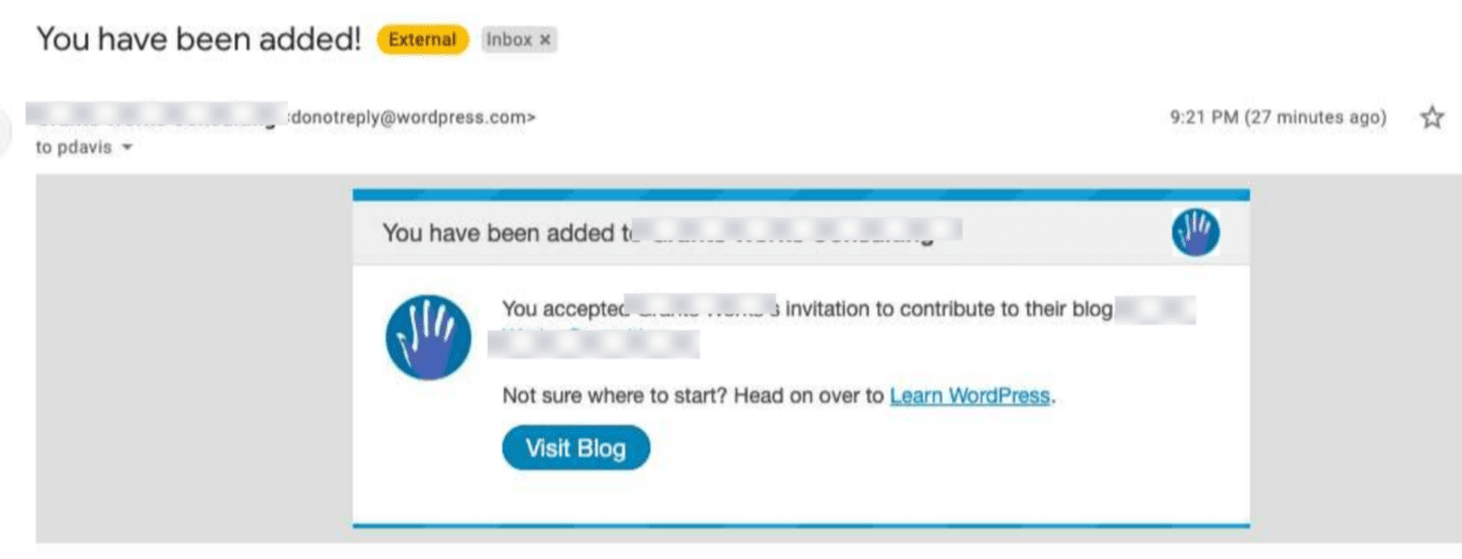
",1.0,"Change 'Blog' to 'Site' on Emails Sent to Invited Users - <!-- Thanks for contributing to Calypso! Pick a clear title (""Editor: add spell check"") and proceed. -->
### Steps to reproduce the behavior
1. Go to Users and invite a new user to your site.
2. Accept the invite as the new user.
3. Check the confirmation email you receive as the new user
#### Result
The email copy states:
""You accepted [NAME'S] invitation to contribute to their blog, [SITE TITLE]"".
Not all sites on WordPress are blogs, but all blogs are sites. For sites without any blogging component, this messaging is confusing and inconsistent when adding users.
#### Change
Can we swap the word 'blog' for 'site' in this email?
#### Does this happen on simple or atomic sites or both?
Both
#### Level of impact (Does it block purchases? Does it affect more than just one site?)
All sites.
#### Reproducibility (Consistent, Intermittent) Leave empty for consistent.
#### Screenshot / Video: If applicable, add screenshots to help explain your problem.

",1,change blog to site on emails sent to invited users steps to reproduce the behavior go to users and invite a new user to your site accept the invite as the new user check the confirmation email you receive as the new user result the email copy states you accepted invitation to contribute to their blog not all sites on wordpress are blogs but all blogs are sites for sites without any blogging component this messaging is confusing and inconsistent when adding users change can we swap the word blog for site in this email does this happen on simple or atomic sites or both both level of impact does it block purchases does it affect more than just one site all sites reproducibility consistent intermittent leave empty for consistent screenshot video if applicable add screenshots to help explain your problem ,1
109,3460468389.0,IssuesEvent,2015-12-19 06:08:14,Automattic/wp-calypso,https://api.github.com/repos/Automattic/wp-calypso,closed,People: new followers do not get a confirmation notice after accepting invite,People Management,"To reproduce:
- Invite a brand new, non-wpcom email to follow your wpcom site
- log out of wordpress and accept the invite while creating an account
- note that you are redirected to reader without any type of notice",1.0,"People: new followers do not get a confirmation notice after accepting invite - To reproduce:
- Invite a brand new, non-wpcom email to follow your wpcom site
- log out of wordpress and accept the invite while creating an account
- note that you are redirected to reader without any type of notice",1,people new followers do not get a confirmation notice after accepting invite to reproduce invite a brand new non wpcom email to follow your wpcom site log out of wordpress and accept the invite while creating an account note that you are redirected to reader without any type of notice,1
160,3773287975.0,IssuesEvent,2016-03-17 01:10:28,Automattic/wp-calypso,https://api.github.com/repos/Automattic/wp-calypso,opened,People: keyboard should not default to uppercase when adding new users on mobile devices,People Management [Type] Bug,"#### Steps to reproduce
1. Go to add a new user either on Android or iOS at people/new/$site
2. Type in your first username
3. See that the first letter is automatically capitalized:
Android:

iOS:

4. After typing the first username, start to type the second username and see that it will also be capitalized automatically on Android (but not iOS):
Android:

iOS:

#### What I expected
I expected to type and see lowercase letters. Both emails and usernames are not generally capitalized.",1.0,"People: keyboard should not default to uppercase when adding new users on mobile devices - #### Steps to reproduce
1. Go to add a new user either on Android or iOS at people/new/$site
2. Type in your first username
3. See that the first letter is automatically capitalized:
Android:

iOS:

4. After typing the first username, start to type the second username and see that it will also be capitalized automatically on Android (but not iOS):
Android:

iOS:

#### What I expected
I expected to type and see lowercase letters. Both emails and usernames are not generally capitalized.",1,people keyboard should not default to uppercase when adding new users on mobile devices steps to reproduce go to add a new user either on android or ios at people new site type in your first username see that the first letter is automatically capitalized android ios after typing the first username start to type the second username and see that it will also be capitalized automatically on android but not ios android ios what i expected i expected to type and see lowercase letters both emails and usernames are not generally capitalized ,1
230,4725619170.0,IssuesEvent,2016-10-18 07:25:08,Automattic/wp-calypso,https://api.github.com/repos/Automattic/wp-calypso,closed,Invites: Accepting an invite occasionally logs user out signing up,People Management Signup [Type] Bug,"There's a very intermittent error on accepting an invite where the user is somehow immediately logged out after entering their new account details.
1. Invite new user as follower
2. New user visits URL and enters account name and password and submits
3. The user then occasionally sees the login form with an error `ERROR: The password field is empty.`
The error thrown by Calypso is:
`ERROR: The password field is empty.`
This only happens occasionally but fails the e2e tests when this happens.
Raising here as an official bug in the hope that @ebinnion may have some insight into why this is happening.

#automated-testing
",1.0,"Invites: Accepting an invite occasionally logs user out signing up - There's a very intermittent error on accepting an invite where the user is somehow immediately logged out after entering their new account details.
1. Invite new user as follower
2. New user visits URL and enters account name and password and submits
3. The user then occasionally sees the login form with an error `ERROR: The password field is empty.`
The error thrown by Calypso is:
`ERROR: The password field is empty.`
This only happens occasionally but fails the e2e tests when this happens.
Raising here as an official bug in the hope that @ebinnion may have some insight into why this is happening.

#automated-testing
",1,invites accepting an invite occasionally logs user out signing up there s a very intermittent error on accepting an invite where the user is somehow immediately logged out after entering their new account details invite new user as follower new user visits url and enters account name and password and submits the user then occasionally sees the login form with an error error the password field is empty the error thrown by calypso is error the password field is empty this only happens occasionally but fails the tests when this happens raising here as an official bug in the hope that ebinnion may have some insight into why this is happening automated testing ,1
143,3670151936.0,IssuesEvent,2016-02-21 17:54:31,Automattic/wp-calypso,https://api.github.com/repos/Automattic/wp-calypso,opened,People: UI for after form submission,People Management [Type] Task,"After submitting the invite form, let's make sure to clear the form if successful and show a success notice.
We should also disable the form and TokenField until we get a response back from the API.
Linking to #3172",1.0,"People: UI for after form submission - After submitting the invite form, let's make sure to clear the form if successful and show a success notice.
We should also disable the form and TokenField until we get a response back from the API.
Linking to #3172",1,people ui for after form submission after submitting the invite form let s make sure to clear the form if successful and show a success notice we should also disable the form and tokenfield until we get a response back from the api linking to ,1
130,3576269515.0,IssuesEvent,2016-01-27 18:54:27,Automattic/wp-calypso,https://api.github.com/repos/Automattic/wp-calypso,opened,People: Language on accept invite screen doesn't match the invited user's language when logged out,People Management [Type] Bug,"I tested inviting a user with Spanish as their interface language:
- The invitation email was sent in Spanish (as expected)
- If I am already logged in as the invited user, the accept invite screen appears in Spanish (as expected)
- However, if I am logged out, the accept invite screen appears in English. (I confirmed that many of the strings that appeared in English are already translated and deployed in Spanish.)
Ideally, the accept invite screen should always match the UI language of the invited user.
Steps to reproduce:
1. In a test account, go to https://wordpress.com/me/account and set the Interface Language to Spanish.
2. In your account, invite the test account to be a member of your site
3. Open the invitation email and copy the invitation link
4. In a logged-out browser window, visit the invitation link
Result: The accept invite screen (inviting you to sign up or log in to accept the invitation) is in English instead of Spanish, even though the invited user's interface language is Spanish.
You can also test this after setting your browser language to Spanish, and the logged-out accept invite screen still appears in English (with no option to switch to Spanish). We should at the very least detect the browser language and show an option to switch to Spanish, as we do in the signup flow at https://wordpress.com/start:

",1.0,"People: Language on accept invite screen doesn't match the invited user's language when logged out - I tested inviting a user with Spanish as their interface language:
- The invitation email was sent in Spanish (as expected)
- If I am already logged in as the invited user, the accept invite screen appears in Spanish (as expected)
- However, if I am logged out, the accept invite screen appears in English. (I confirmed that many of the strings that appeared in English are already translated and deployed in Spanish.)
Ideally, the accept invite screen should always match the UI language of the invited user.
Steps to reproduce:
1. In a test account, go to https://wordpress.com/me/account and set the Interface Language to Spanish.
2. In your account, invite the test account to be a member of your site
3. Open the invitation email and copy the invitation link
4. In a logged-out browser window, visit the invitation link
Result: The accept invite screen (inviting you to sign up or log in to accept the invitation) is in English instead of Spanish, even though the invited user's interface language is Spanish.
You can also test this after setting your browser language to Spanish, and the logged-out accept invite screen still appears in English (with no option to switch to Spanish). We should at the very least detect the browser language and show an option to switch to Spanish, as we do in the signup flow at https://wordpress.com/start:

",1,people language on accept invite screen doesn t match the invited user s language when logged out i tested inviting a user with spanish as their interface language the invitation email was sent in spanish as expected if i am already logged in as the invited user the accept invite screen appears in spanish as expected however if i am logged out the accept invite screen appears in english i confirmed that many of the strings that appeared in english are already translated and deployed in spanish ideally the accept invite screen should always match the ui language of the invited user steps to reproduce in a test account go to and set the interface language to spanish in your account invite the test account to be a member of your site open the invitation email and copy the invitation link in a logged out browser window visit the invitation link result the accept invite screen inviting you to sign up or log in to accept the invitation is in english instead of spanish even though the invited user s interface language is spanish you can also test this after setting your browser language to spanish and the logged out accept invite screen still appears in english with no option to switch to spanish we should at the very least detect the browser language and show an option to switch to spanish as we do in the signup flow at ,1
877,17033669440.0,IssuesEvent,2021-07-05 01:58:01,Automattic/wp-calypso,https://api.github.com/repos/Automattic/wp-calypso,closed,Enable search feature on People > Followers,People Management User Report [Type] Feature Request,"User would like to see the ability to search for Followers from **WordPress.com > My Sites > Manage > People > Followers** as you can for Team and Email Followers under the same People section.
21338209-hc (no need for follow up)",1.0,"Enable search feature on People > Followers - User would like to see the ability to search for Followers from **WordPress.com > My Sites > Manage > People > Followers** as you can for Team and Email Followers under the same People section.
21338209-hc (no need for follow up)",1,enable search feature on people followers user would like to see the ability to search for followers from wordpress com my sites manage people followers as you can for team and email followers under the same people section hc no need for follow up ,1
884,17481298747.0,IssuesEvent,2021-08-09 03:08:26,Automattic/wp-calypso,https://api.github.com/repos/Automattic/wp-calypso,closed,Ability to block other WordPress.com users from following,Reader People Management [Type] Feature Request User Report,"(Edited from original) In this particular situation, the user is concerned that a certain WordPress.com user is consistently liking their blog posts as new blog posts are published. It is possible that they are doing so from the WordPress.com Reader. The user wants an option to have the ability to block other WordPress.com users from following, and to remove likes on Reader when the like settings in Calypso are turned off.
User report: 4081261-zen
Originally posted to pKdGS-27k-p2.",1.0,"Ability to block other WordPress.com users from following - (Edited from original) In this particular situation, the user is concerned that a certain WordPress.com user is consistently liking their blog posts as new blog posts are published. It is possible that they are doing so from the WordPress.com Reader. The user wants an option to have the ability to block other WordPress.com users from following, and to remove likes on Reader when the like settings in Calypso are turned off.
User report: 4081261-zen
Originally posted to pKdGS-27k-p2.",1,ability to block other wordpress com users from following edited from original in this particular situation the user is concerned that a certain wordpress com user is consistently liking their blog posts as new blog posts are published it is possible that they are doing so from the wordpress com reader the user wants an option to have the ability to block other wordpress com users from following and to remove likes on reader when the like settings in calypso are turned off user report zen originally posted to pkdgs ,1
91,3373988748.0,IssuesEvent,2015-11-24 10:43:17,Automattic/wp-calypso,https://api.github.com/repos/Automattic/wp-calypso,closed,People: Ensure sign in link shows on logged out flow,People Management [Type] Task,"At `/start/account/user`, there is a link at the bottom of the form that says ""Already have a WordPress.com account? Log in now.""
We'll need something similar for the logged out invite accept flow. Clicking that link should probably take the user to WordPress.com to login. After the user logs in, we can redirect them back to the logged in flow.",1.0,"People: Ensure sign in link shows on logged out flow - At `/start/account/user`, there is a link at the bottom of the form that says ""Already have a WordPress.com account? Log in now.""
We'll need something similar for the logged out invite accept flow. Clicking that link should probably take the user to WordPress.com to login. After the user logs in, we can redirect them back to the logged in flow.",1,people ensure sign in link shows on logged out flow at start account user there is a link at the bottom of the form that says already have a wordpress com account log in now we ll need something similar for the logged out invite accept flow clicking that link should probably take the user to wordpress com to login after the user logs in we can redirect them back to the logged in flow ,1
|